
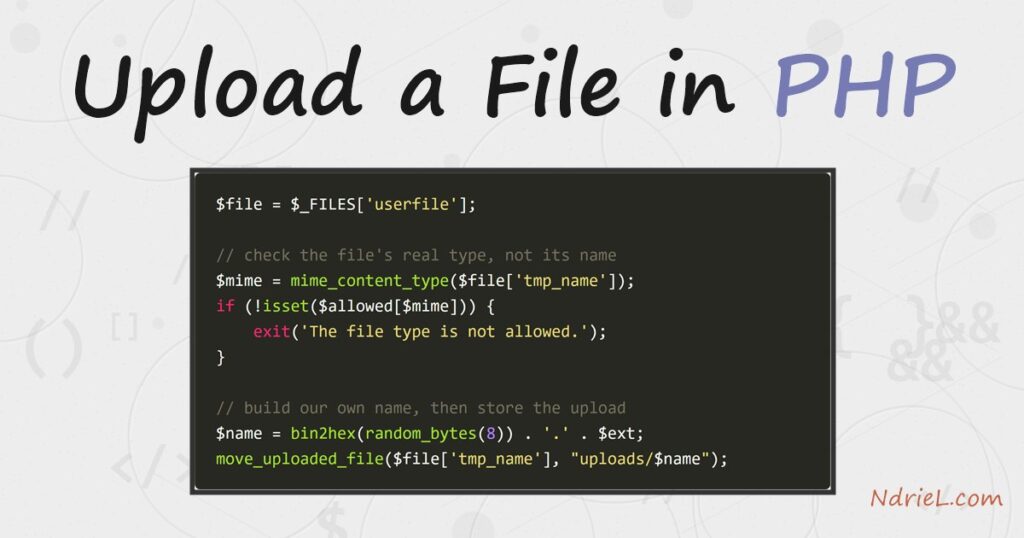
Upload a file in PHP by pairing an HTML form that sends its data as enctype="multipart/form-data" with a script that reads the $_FILES superglobal and moves the uploaded file into place with move_uploaded_file(). The example below also checks the file’s size with $_FILES, verifies its real type with mime_content_type(), and stores it under a name you generate with random_bytes() instead of the one the browser sent.
Requirements to upload a file in PHP:
- PHP 7.0 or newer, for
random_bytes()(tested on PHP 8.5) - The Fileinfo extension, used by
mime_content_type()— bundled and enabled by default since PHP 5.3 - A web server — Apache, Nginx, or PHP’s built-in server for testing
How To Upload a File in PHP.
The objective is to let a visitor choose a file, send it to the server, validate it, and save it into an uploads folder under a safe, unique name.
Step 1.
Create the form, name it index.html, and copy/paste the following code into it. The enctype="multipart/form-data" attribute is what tells the browser to send the file itself; without it, only the file name arrives.
<!doctype html>
<html>
<head>
    <meta charset="utf-8">
    <title>Upload a File</title>
</head>
<body>
    <form action="upload.php" method="post" enctype="multipart/form-data">
        <input type="file" name="userfile">
        <input type="submit" value="Upload">
    </form>
</body>
</html>
Step 2.
Create the handler, name it upload.php, and copy/paste the following code into it. Each step is numbered in the comments: check the upload succeeded, cap the size, allow only known-safe types by their real content, build a name you control, then move the file.
<?php

// only handle the request when the form was actually submitted
if ($_SERVER['REQUEST_METHOD'] === 'POST' && isset($_FILES['userfile'])) {

    $file = $_FILES['userfile'];

    // 1. did the upload itself succeed?
    if ($file['error'] !== UPLOAD_ERR_OK) {
        exit('Upload failed with error code ' . $file['error'] . '.');
    }

    // 2. keep the size sane (2 MB here)
    $maxBytes = 2 * 1024 * 1024;
    if ($file['size'] > $maxBytes) {
        exit('The file is too large. The maximum size is 2 MB.');
    }

    // 3. allow only known-safe types, checked by CONTENT (not the file name)
    $allowed = [
        'image/jpeg'      => 'jpg',
        'image/png'       => 'png',
        'application/pdf' => 'pdf',
    ];
    $mime = mime_content_type($file['tmp_name']);
    if (!isset($allowed[$mime])) {
        exit('The file type "' . $mime . '" is not allowed.');
    }

    // 4. build our OWN name - never trust the client-supplied file name
    $extension   = $allowed[$mime];
    $safeName    = bin2hex(random_bytes(8)) . '.' . $extension;
    $destination = __DIR__ . '/uploads/' . $safeName;

    // 5. move the temporary file into its final home
    if (move_uploaded_file($file['tmp_name'], $destination)) {
        echo 'Uploaded "' . htmlspecialchars($file['name']) . '" ('
           . number_format($file['size']) . ' bytes) and saved it as '
           . $safeName . '.';
    } else {
        echo 'Sorry, the file could not be saved.';
    }
}
Step 3.
Create the uploads folder next to the two files, then start a server and open the form in a browser at http://localhost:8000.
$ mkdir uploads
$ php -S localhost:8000
Result of the file upload in PHP.
Choose a file and click Upload. PHP validates it and saves it into uploads under a random name, then prints a confirmation:
Uploaded "avatar.png" (90,180 bytes) and saved it as 17c8a2fd10d25a6f.png.
If the file is not one of the allowed types, the script rejects it instead of saving it:
The file type "text/plain" is not allowed.Notes on uploading a file in PHP:
- Server limits win over your code.
upload_max_filesizeandpost_max_sizein php.ini cap the upload no matter what your size check says, and a file larger thanpost_max_sizearrives with an empty$_FILES. - Never trust the client. Validate by content with
mime_content_type(), not by the file name or the browser-sent$_FILES['userfile']['type']— both can be faked. - Store uploads safely. Keep the uploads folder outside the web root, or block execution inside it, so an uploaded .php file can never be run.
- Uploading is usually the first step. Once you can upload a file in PHP and have it saved, you often process it — for example read and parse a JSON file in PHP, or create a PDF in PHP from what the user sent.
