
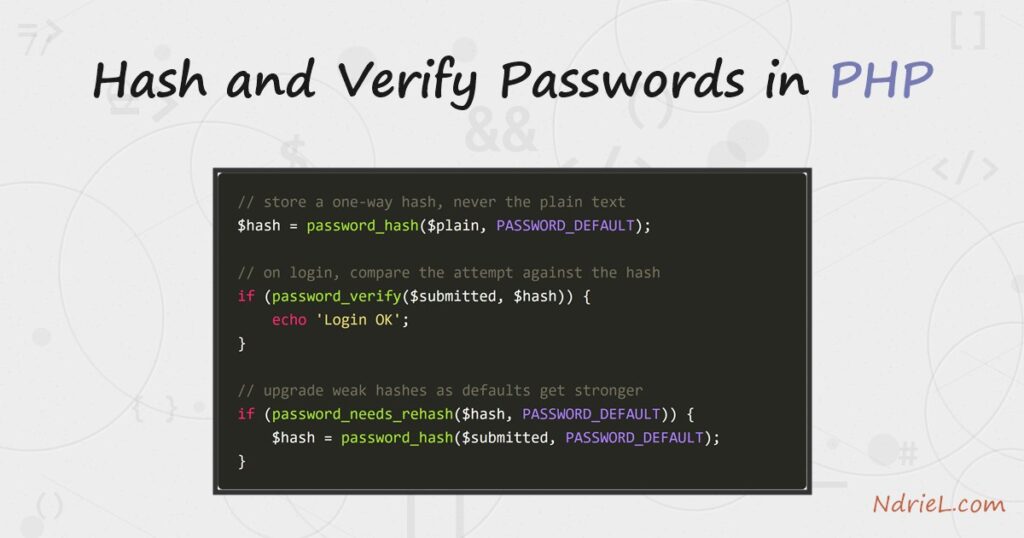
Hash and verify passwords in PHP with two built-in functions and never
store the plain text. First, password_hash() turns a
password into a secure bcrypt hash you save in the database. Then, on login,
password_verify() checks a submitted password against
that stored hash. Finally, password_needs_rehash() keeps
old hashes current as hardware gets faster. No extra library is needed.
Requirements to hash and verify passwords:
- PHP 8.5 (tested against 8.5.7). The password functions have shipped in core since
PHP 5.5, so the code runs on any modern version. - A place to store a 255-character string per user — a database column is the
usual home. No Composer package or extension is required.
How To Hash and Verify Passwords in PHP.
The objective is to store only a one-way hash of each password, confirm a login by
comparing against that hash, and upgrade weak hashes automatically over time. The bcrypt
algorithm behind PASSWORD_DEFAULT is slow by design, which
is exactly what makes stolen hashes expensive to crack.
Step 1.
First, hash the password when the user registers or changes it. Pass the plain text and
the PASSWORD_DEFAULT constant; PHP picks a strong algorithm
and a random salt for you. Save this as register.php.
<?php
$plain = 'correct horse battery staple';

// One call hashes the password with a random salt built in.
$hash = password_hash($plain, PASSWORD_DEFAULT);

echo $hash;                 // $2y$12$HIitp3mr2lhQe7VT3HSxfOrl3hq...
echo strlen($hash);         // 60
Never store $plain. Store $hash
instead, and give the column room to grow — use VARCHAR(255), because the
hash format can lengthen when PHP adopts a stronger default.
Step 2.
Next, do not add your own salt or run the password through
md5() first. The old habits below are all wrong, and
password_hash() already does the right thing.
// DO NOT do any of these:
$bad = md5($plain);                       // fast, unsalted, broken
$bad = sha1($plain . 'my-secret-salt');   // still fast, one shared salt
$bad = hash('sha256', $plain);            // general-purpose hash, not for passwords
A password hash must be slow and uniquely salted. General hashes like
MD5 and SHA-256 are fast, so an attacker can test billions of guesses a second. Bcrypt,
by contrast, is deliberately expensive.
Step 3.
Then, verify a login attempt. Load the stored hash for that user, and pass the submitted
password plus the hash to password_verify(). It returns a
boolean; it does not decrypt anything, because a hash cannot be reversed.
<?php
// $hash is the value you saved in Step 1 (read it from the users table).
$submitted = $_POST['password'] ?? '';

if (password_verify($submitted, $hash)) {
    echo 'Login OK: the password matches.';
} else {
    echo 'Login failed: wrong password.';
}
Always compare with password_verify(), never with
==. The function does a constant-time comparison, so it does
not leak timing hints about how much of the hash matched.
Step 4.
Finally, keep hashes fresh. Right after a successful login — while you still hold
the plain password — ask password_needs_rehash() whether
the stored hash is weaker than today’s default. If so, hash again and save the new value.
if (password_verify($submitted, $hash)) {
    // Was this hash made with an older, weaker cost?
    if (password_needs_rehash($hash, PASSWORD_DEFAULT)) {
        $hash = password_hash($submitted, PASSWORD_DEFAULT);
        // UPDATE users SET password_hash = :hash WHERE id = :id
    }
    echo 'Login OK.';
}
As a result, users quietly move to stronger hashes as they sign in, with no forced reset.
For example, PHP 8.5 raised bcrypt’s default cost to 12, so a hash created at the old cost
of 10 is upgraded on the owner’s next login.
Complete Example.
Save this as passwords.php and run it from the terminal. It hashes a password,
verifies a right and a wrong attempt, and upgrades a deliberately old hash.
<?php
// 1. Hash a password before storing it.
$plain = 'correct horse battery staple';
$hash  = password_hash($plain, PASSWORD_DEFAULT);

echo "Hash to store: {$hash}\n";
echo 'Length: ' . strlen($hash) . " characters\n\n";

// 2. Verify a correct and an incorrect login attempt.
echo password_verify($plain, $hash)     ? "Correct password: OK\n"     : "Correct password: FAIL\n";
echo password_verify('hunter2', $hash)  ? "Wrong password: OK\n"       : "Wrong password: rejected\n";

// 3. Upgrade a hash that was stored at the old cost of 10.
$old = password_hash($plain, PASSWORD_BCRYPT, ['cost' => 10]);
if (password_needs_rehash($old, PASSWORD_DEFAULT)) {
    echo "\nOld hash needs upgrading; rehashing at the new default cost.\n";
    $old = password_hash($plain, PASSWORD_DEFAULT);
    echo "Upgraded hash: {$old}\n";
}
Result of the hash and verify passwords script.
PHP prints the 60-character bcrypt hash, accepts the correct password, rejects the wrong
one, and upgrades the old hash to the new cost. Every hash starts with
$2y$12$ — the bcrypt marker and the cost. The exact
hash string differs on every run because the salt is random.
$ php passwords.php
Hash to store: $2y$12$HIitp3mr2lhQe7VT3HSxfOrl3hqFwDrvtu0wP2zL8XcBFVrKhXi56
Length: 60 characters

Correct password: OK
Wrong password: rejected

Old hash needs upgrading; rehashing at the new default cost.
Upgraded hash: $2y$12$QejPzQq6M1H7cVyObmqWMuZ8V0/9mFzG8SACRpoSSDLi3zIUf.Jw.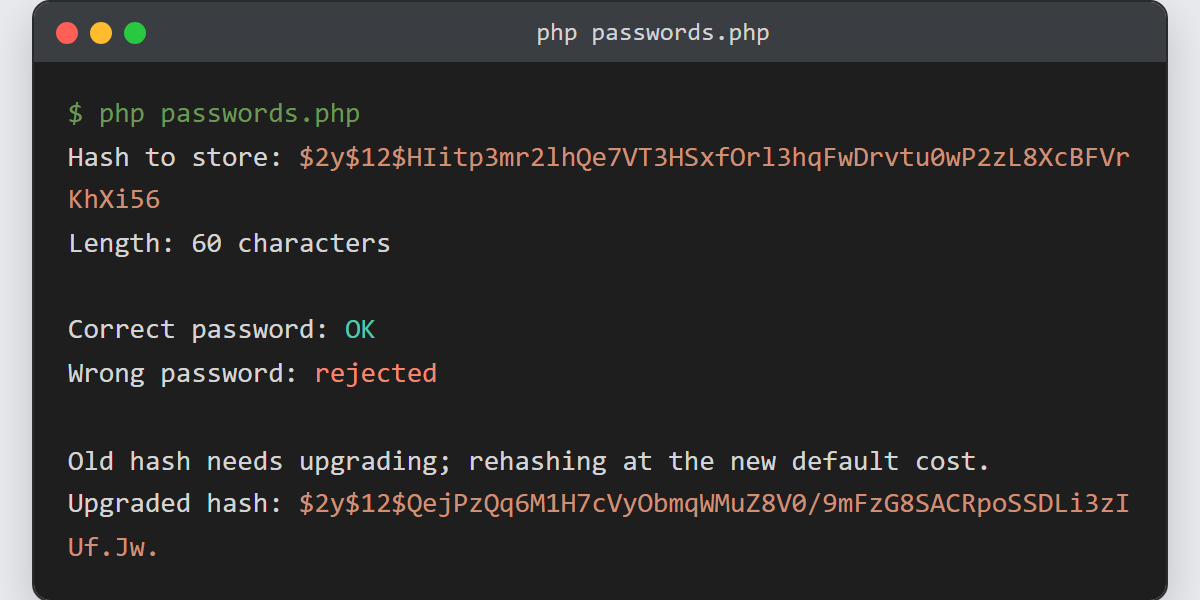
Notes on how to hash and verify passwords:
- Let PHP choose the algorithm.
PASSWORD_DEFAULTis
bcrypt today and may change tomorrow, which is why the storage column must be at least 255
characters. Hard-codingPASSWORD_BCRYPTpins you to one
algorithm forever. - Raise the cost as servers get faster. Add an options array —
password_hash($plain, PASSWORD_DEFAULT, ['cost' => 13])
— and aim for roughly a quarter of a second per hash. Higher is safer but slower on
every login. - Bcrypt silently truncates at 72 bytes. Very long passphrases past that limit are all
treated as equal. If that matters to you, consider
PASSWORD_ARGON2ID, which has no such cap. - Do not trim, lowercase, or otherwise “clean” the password before hashing. Store exactly
what the user typed, or the same input will fail to verify later. - The stored hash belongs in a database. See how to
insert MySQL data with PHP PDO
to save it, and how to select the row back
when the user logs in.
