
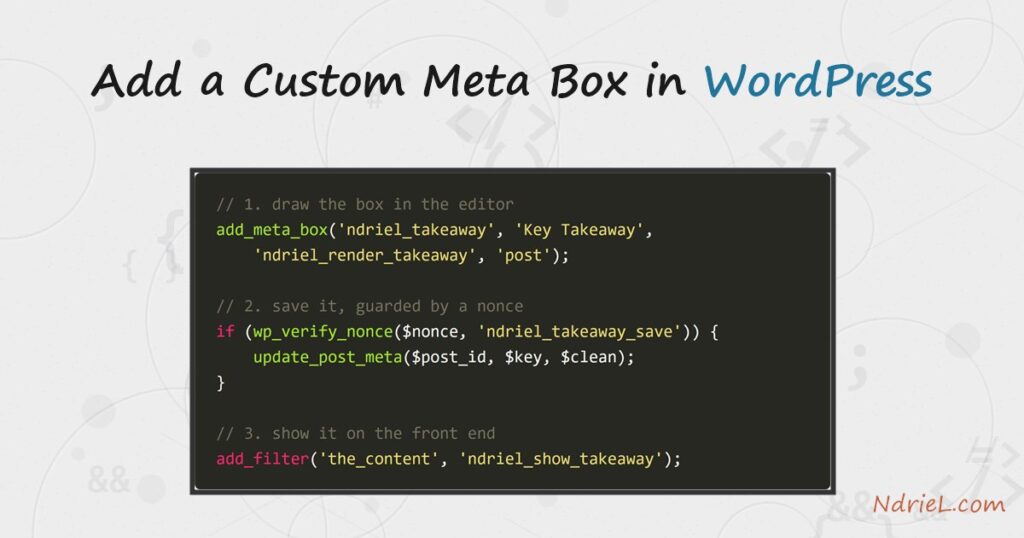
Add a custom meta box in WordPress to give the post editor an extra field of your
own, such as a short “key takeaway” saved with each post. First,
add_meta_box() on the add_meta_boxes hook
draws the panel. Then a save_post callback stores what the editor
types, guarded by a nonce. Finally, a filter reads the value back and shows it on the front
end. This tutorial builds the whole loop from a small plugin.
Requirements to add a custom meta box:
- WordPress 6.0 or newer (tested on WordPress 7.0.2).
- PHP 7.4 or newer — the version your WordPress already runs on.
- Access to add a plugin, or a child theme whose functions.php you can edit.
How To Add a Custom Meta Box in WordPress.
The objective is to add a custom meta box labelled Key Takeaway to the post editor.
Specifically, the editor types one line, WordPress saves it as post meta, and every post then
shows that line in a callout above its content. Three hooks do the work: one to draw the box,
one to save it, and one to display it.
Step 1.
First, create a plugin so the code loads independently of your theme. In
wp-content/plugins/, make a folder named key-takeaway-box and, inside it, a
file named key-takeaway-box.php. The header comment is what lists it on the Plugins
screen.
<?php
/**
 * Plugin Name: Key Takeaway Box
 * Description: Adds a custom meta box for a one-line post takeaway.
 * Version:     1.0.0
 */

// Exit if accessed directly.
if (!defined('ABSPATH')) {
    exit;
}

const NDRIEL_TAKEAWAY_KEY = '_ndriel_takeaway';
The meta key starts with an underscore on purpose. As a result, WordPress treats it as
protected and hides it from the generic Custom Fields panel, so your box is the only
place it is edited.
Step 2.
Next, register the box on the add_meta_boxes hook. Pass
add_meta_box() an id, a title, the callback that prints the field,
and the screen it belongs to — here the post editor.
function ndriel_add_takeaway_box() {
    add_meta_box(
        'ndriel_takeaway',        // unique id
        'Key Takeaway',           // the box title
        'ndriel_render_takeaway', // prints the field
        'post',                   // show on the Post editor
        'normal',                 // context: below the editor
        'high'                    // priority within that context
    );
}
add_action('add_meta_boxes', 'ndriel_add_takeaway_box');
The fourth argument names the screen. Swap 'post' for
'page', or your own post type, to move the box elsewhere. The
'normal' context puts it below the content, while
'side' would dock it in the sidebar.
Step 3.
Then, render the field. Read any saved value with
get_post_meta(), print a text input, and add a
nonce — a one-time token that proves the save request really came from this
form. Always escape the stored value with esc_attr().
function ndriel_render_takeaway($post) {
    wp_nonce_field('ndriel_takeaway_save', 'ndriel_takeaway_nonce');

    $value = get_post_meta($post->ID, NDRIEL_TAKEAWAY_KEY, true);
    ?>
    <label for="ndriel_takeaway_field">One-line takeaway for this post:</label>
    <input type="text" id="ndriel_takeaway_field"
           name="ndriel_takeaway_field" style="width:100%;"
           value="<?php echo esc_attr($value); ?>" />
    <?php
}
The nonce is essential. Without it, the save step cannot tell a genuine editor submit from a
forged request, so a malicious page could change your meta on your behalf.
Step 4.
Next, save the value on the save_post hook. Before writing
anything, run three guards: verify the nonce, skip WordPress autosaves, and confirm the user
may edit this post. Then sanitise the input and store it with
update_post_meta().
function ndriel_save_takeaway($post_id) {

    // 1. Nonce check — was this our form?
    if (!isset($_POST['ndriel_takeaway_nonce']) ||
        !wp_verify_nonce($_POST['ndriel_takeaway_nonce'], 'ndriel_takeaway_save')) {
        return;
    }
    // 2. Ignore autosaves; they carry no box data.
    if (defined('DOING_AUTOSAVE') && DOING_AUTOSAVE) {
        return;
    }
    // 3. Permission check.
    if (!current_user_can('edit_post', $post_id)) {
        return;
    }

    // Sanitise, then store (or delete when emptied).
    $value = sanitize_text_field($_POST['ndriel_takeaway_field'] ?? '');
    if ($value === '') {
        delete_post_meta($post_id, NDRIEL_TAKEAWAY_KEY);
    } else {
        update_post_meta($post_id, NDRIEL_TAKEAWAY_KEY, $value);
    }
}
add_action('save_post', 'ndriel_save_takeaway');
Those three guards are not optional. Because save_post fires for
every save — including autosaves and revisions — skipping them either corrupts data
or opens a security hole.
Step 5.
Finally, show the value on the front end. Hook the_content,
read the meta, and prepend a small callout. Escape on output with
esc_html(), and only touch singular posts so archives stay clean.
function ndriel_show_takeaway($content) {
    if (!is_singular('post') || !in_the_loop() || !is_main_query()) {
        return $content;
    }
    $value = get_post_meta(get_the_ID(), NDRIEL_TAKEAWAY_KEY, true);
    if ($value === '') {
        return $content;
    }
    $callout = '<p style="padding:12px 16px;border-left:4px solid #2563eb;'
             . 'background:#eff4ff;font-weight:600;">💡 Key takeaway: '
             . esc_html($value) . '</p>';

    return $callout . $content;
}
add_filter('the_content', 'ndriel_show_takeaway');
Activate the plugin under Plugins, edit any post, and the Key Takeaway box
appears below the editor. Type a line, update the post, and the callout shows on the live page.
Result of the custom meta box.
After saving a takeaway on a post and viewing it, WordPress prints the callout above the
content. This proves the full loop worked: the box rendered, the
save_post callback stored the meta, and
the_content read it back. The value below came straight from the
field:
💡 Key takeaway: Always verify the nonce before saving meta box data.

<!-- followed by the normal post content -->
This is the demo post body. The callout above is the saved meta box value,
rendered by the the_content filter on the front end.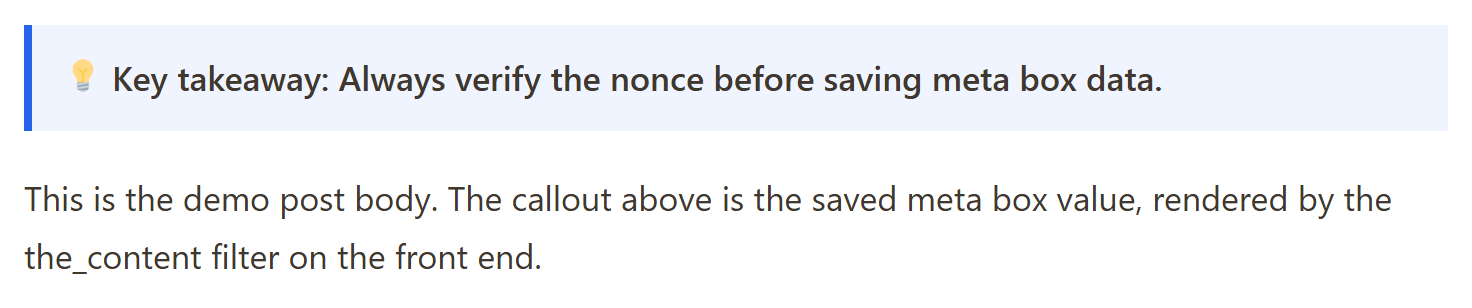
Notes on the custom meta box:
- Always pair a nonce with a capability check. The nonce proves the request came from your
form;current_user_can()proves this user is allowed to edit the
post. You need both. - Escape late. Store the raw-but-sanitised value, then escape on output with
esc_html()oresc_attr()depending on
where it lands. - Prefix the meta key with an underscore to hide it from the default Custom Fields UI, so
your box stays the single source of truth for that value. - For the block editor, you can also register the field with
register_post_meta()and edit it from a sidebar panel. The
classic meta box shown here still works and is the simplest place to start. - A meta box pairs naturally with your own content type. If you have not built one yet, see
how to register a custom post type in WordPress
and attach the box to it instead ofpost.
