
A custom REST API endpoint lets your site serve its own JSON at a URL you choose — data for a JavaScript widget, a mobile app, or another server. You add a REST API endpoint by calling register_rest_route() on the rest_api_init hook, giving it a namespace, a route, and a callback that returns a WP_REST_Response. This tutorial builds a public /ndriel/v1/latest endpoint that returns the newest posts, with a validated count parameter, and calls it for real.
Requirements to add a REST API endpoint:
- WordPress 6.0 or newer (tested on WordPress 7.0.2). The REST API ships in core.
- Administrator access to install a plugin.
- A tool to call a URL — a browser,
curl, or JavaScript’sfetch().
How To Add a REST API Endpoint in WordPress.
The objective is to register a route under your own namespace, return JSON from a callback, and accept a query parameter that WordPress sanitises and validates before your code ever sees it.
Step 1.
First, create a plugin file so the route loads independently of your theme. In wp-content/plugins/, make a folder named ndriel-api and, inside it, a file named ndriel-api.php with the header comment.
<?php
/**
 * Plugin Name: NdrieL API
 * Description: A custom /ndriel/v1/latest REST endpoint.
 * Version:     1.0.0
 */

if (!defined('ABSPATH')) {
    exit;
}
Step 2.
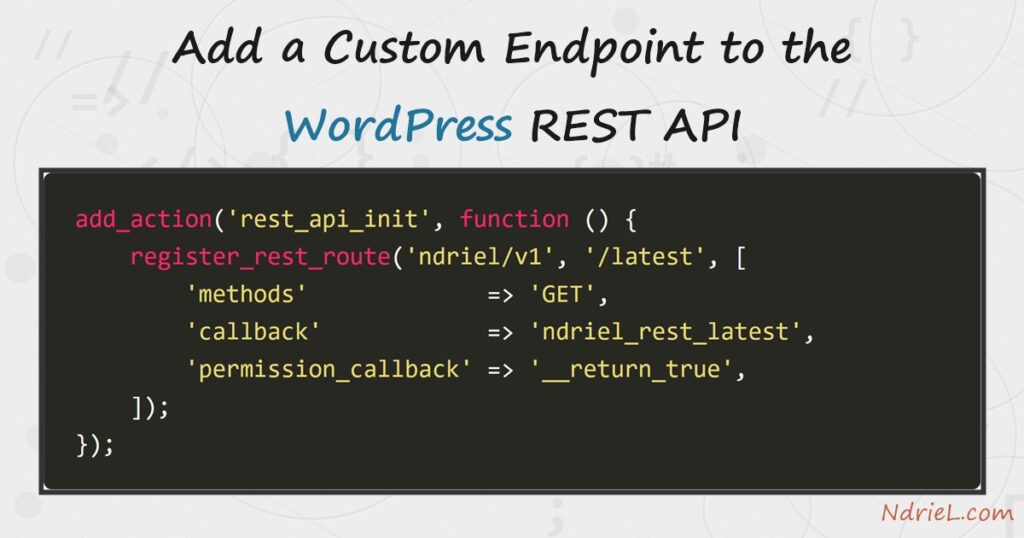
Next, register the route. register_rest_route() must run on rest_api_init, never earlier. The first argument is your namespace (vendor/version), the second the route pattern. Together they form the URL /wp-json/ndriel/v1/latest. Every route needs a permission_callback; for a public endpoint, __return_true allows anyone. Omitting it makes WordPress refuse the route.
add_action('rest_api_init', function () {
    register_rest_route('ndriel/v1', '/latest', array(
        'methods'             => 'GET',
        'callback'            => 'ndriel_rest_latest',
        'permission_callback' => '__return_true',
        'args'                => array(
            'count' => array(
                'default'           => 3,
                'sanitize_callback' => 'absint',
                'validate_callback' => function ($value) {
                    return $value >= 1 && $value <= 10;
                },
            ),
        ),
    ));
});
The args block declares a count parameter: absint forces it to a non-negative integer, and the validate_callback rejects anything outside 1–10 before your callback runs.
Step 3.
Then, write the callback. It receives a WP_REST_Request object; read the parameter as $request['count']. Build a plain array of the data you want, then hand it to WP_REST_Response with an HTTP status. WordPress serialises the array to JSON and sets the Content-Type for you.
function ndriel_rest_latest($request) {
    $posts = get_posts(array(
        'numberposts' => $request['count'],
        'post_status' => 'publish',
    ));

    $data = array();
    foreach ($posts as $post) {
        $data[] = array(
            'id'    => $post->ID,
            'title' => get_the_title($post),
            'link'  => get_permalink($post),
        );
    }

    return new WP_REST_Response($data, 200);
}
Step 4.
Finally, activate NdrieL API under Plugins and call the endpoint. A logged-out curl is enough because the route is public. Add ?count=2 to change how many posts come back, and try an out-of-range value to see the validator fire.
curl -s "http://ndriel.local/wp-json/ndriel/v1/latest"
curl -s "http://ndriel.local/wp-json/ndriel/v1/latest?count=2"
curl -s "http://ndriel.local/wp-json/ndriel/v1/latest?count=99"
Result of the REST API endpoint.
The endpoint returns a JSON array of the latest posts, each with its id, title, and permalink. A valid count shapes the list; an out-of-range one never reaches your callback — WordPress answers 400 rest_invalid_param on its own. This is the real output from WordPress 7.0.2:
$ curl -s "http://ndriel.local/wp-json/ndriel/v1/latest?count=2"
[
  {"id":2282,"title":"Force a File Download in PHP",
   "link":"http://ndriel.local/programming/force-a-file-download-in-php/"},
  {"id":2279,"title":"Match Text With Regular Expressions in PHP",
   "link":"http://ndriel.local/programming/match-text-with-regular-expressions-in-php/"}
]

$ curl -s "http://ndriel.local/wp-json/ndriel/v1/latest?count=99"
{"code":"rest_invalid_param","message":"Invalid parameter(s): count",
 "data":{"status":400,"params":{"count":"Invalid parameter."}}}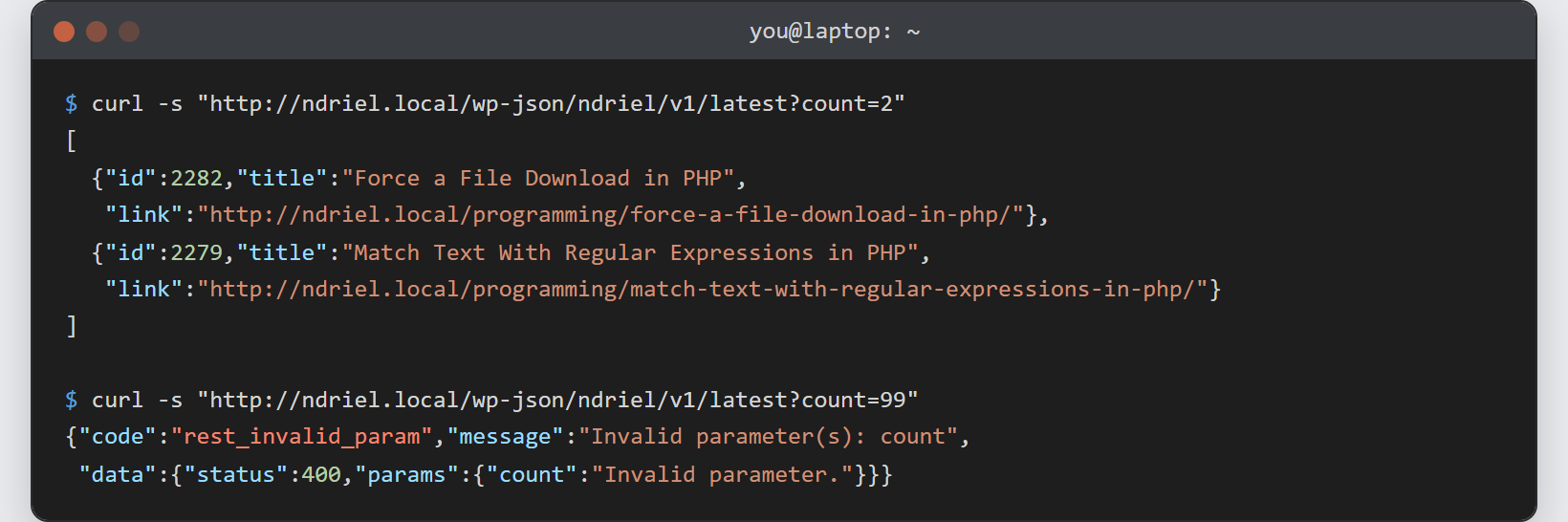
Notes on the REST API endpoint:
- Always set a
permission_callback. Since WordPress 5.5 a route without one is refused and logs a notice. Use__return_truefor public data, or a real check likecurrent_user_can('edit_posts')for private data. - Prefix your namespace with your own vendor slug (
ndriel/v1), notwp/v2. Bumping to/v2later lets you change the response without breaking existing callers. - Let
argsdo the validating. Asanitize_callbackplus avalidate_callbackkeeps bad input out of your callback entirely, so the callback stays simple. - Any front-end script can read the endpoint — the same way you would populate a dropdown from a JSON file with jQuery, only pointed at your route instead of a static file.
- To return an error from the callback, return a
WP_Errorwith a status — WordPress converts it to the right JSON error shape, just as you would read and parse JSON in PHP on the receiving end.
