
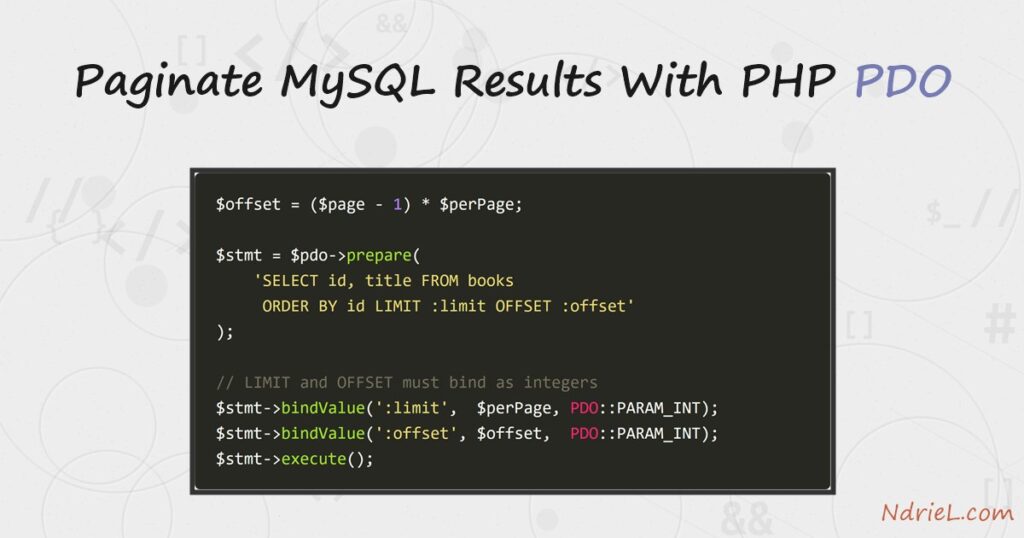
Paginate MySQL results with PHP PDO by turning a page number into a LIMIT and an OFFSET. A table of a few thousand rows must not land on one page, so you slice it. First, a COUNT(*) query tells you how many pages exist. Next, simple arithmetic converts the requested page into an offset. Then a prepared statement fetches just that slice. Finally, previous and next links let the reader walk the pages.
Requirements to paginate MySQL results:
- PHP 7.0 or newer (tested on PHP 8.5.7) with the
pdo_mysqldriver, which PHP enables by default. - MySQL 8.0 or newer (tested on MySQL 8.4.10).
- A table with enough rows to span several pages. Step 1 creates one with 23 books.
How To Paginate MySQL Results With PHP PDO.
The objective is a page that shows five books at a time out of 23, with working previous and next links. The page number arrives in the query string, so it must also be validated before it reaches the database.
Step 1.
First, create the table. Save this as setup.sql and load it with mysql -u root < setup.sql. Twenty-three rows give five pages at five per page, so the last page is deliberately short.
DROP DATABASE IF EXISTS library;
CREATE DATABASE library CHARACTER SET utf8mb4;
USE library;

CREATE TABLE books (
    id     INT AUTO_INCREMENT PRIMARY KEY,
    title  VARCHAR(200) NOT NULL,
    author VARCHAR(100) NOT NULL,
    year   SMALLINT     NOT NULL
);

INSERT INTO books (title, author, year) VALUES
    ('Notes on the Analytical Engine', 'Ada Lovelace',         1843),
    ('Computing Machinery',            'Alan Turing',          1950),
    ('The Art of Computer Programming','Donald Knuth',         1968),
    ('Structure and Interpretation',   'Harold Abelson',       1985),
    ('The C Programming Language',     'Brian Kernighan',      1978),
    ('Design Patterns',                'Erich Gamma',          1994),
    ('Refactoring',                    'Martin Fowler',        1999),
    ('The Pragmatic Programmer',       'Andrew Hunt',          1999),
    ('Clean Code',                     'Robert Martin',        2008),
    ('Code Complete',                  'Steve McConnell',      1993),
    ('The Mythical Man-Month',         'Fred Brooks',          1975),
    ('Programming Pearls',             'Jon Bentley',          1986),
    ('Compilers',                      'Alfred Aho',           1986),
    ('Introduction to Algorithms',     'Thomas Cormen',        1990),
    ('Operating System Concepts',      'Abraham Silberschatz', 1983),
    ('Computer Networks',              'Andrew Tanenbaum',     1981),
    ('Database System Concepts',       'Henry Korth',          1986),
    ('Artificial Intelligence',        'Stuart Russell',       1995),
    ('The Elements of Style',          'William Strunk',       1918),
    ('Godel, Escher, Bach',            'Douglas Hofstadter',   1979),
    ('The Soul of a New Machine',      'Tracy Kidder',         1981),
    ('Hackers',                        'Steven Levy',          1984),
    ('Coders at Work',                 'Peter Seibel',         2009);
Step 2.
Next, work out the page maths. The page number arrives from the user, so cast it to an integer and floor it at 1. After that, one COUNT(*) gives the total, and dividing by the page size gives the page count.
$perPage = 5;

// Never trust the query string: force it to a positive integer.
$page = max(1, (int) ($_GET['page'] ?? 1));

// One extra query gives you the row count, and from it the page count.
$total = (int) $pdo->query('SELECT COUNT(*) FROM books')->fetchColumn();
$pages = max(1, (int) ceil($total / $perPage));

// Clamp the page so ?page=999 shows the last page instead of nothing.
$page   = min($page, $pages);
$offset = ($page - 1) * $perPage;
The offset formula is the whole trick. Page 1 starts at row 0, page 2 at row 5, page 3 at row 10, so the offset is always ($page - 1) * $perPage. Clamping to $pages also means a silly ?page=999 shows the last page rather than an empty table.
Step 3.
Then bind the slice. This is the one place pagination bites: LIMIT and OFFSET placeholders must bind as integers with PDO::PARAM_INT. Because PDO emulates prepared statements on MySQL by default, a plain bind sends them quoted and MySQL rejects the syntax.
$stmt = $pdo->prepare(
    'SELECT id, title, author, year FROM books ORDER BY id LIMIT :limit OFFSET :offset'
);
// LIMIT and OFFSET must bind as integers, or MySQL sees quoted strings.
$stmt->bindValue(':limit', $perPage, PDO::PARAM_INT);
$stmt->bindValue(':offset', $offset, PDO::PARAM_INT);
$stmt->execute();
$books = $stmt->fetchAll(PDO::FETCH_ASSOC);
Leave PDO::PARAM_INT off and the query fails with this, which is worth recognising:
SQLSTATE[42000]: Syntax error or access violation: 1064 You have an error in
your SQL syntax; ... near ''5' OFFSET '10'' at line 1
Note the quotes around '5' and '10'. An ORDER BY also matters here. Without one, MySQL may return rows in any order, so a row could appear on two pages or none.
Step 4.
Now put it together. Save the following as paginate.php. The top half runs the queries, and the bottom half prints the table plus the pager.
<?php
$pdo = new PDO(
'mysql:host=localhost;dbname=library;charset=utf8mb4',
'root',
'',
[PDO::ATTR_ERRMODE => PDO::ERRMODE_EXCEPTION]
);
$perPage = 5;
$page = max(1, (int) ($_GET['page'] ?? 1));
$total = (int) $pdo->query('SELECT COUNT(*) FROM books')->fetchColumn();
$pages = max(1, (int) ceil($total / $perPage));
$page = min($page, $pages);
$offset = ($page - 1) * $perPage;
$stmt = $pdo->prepare(
'SELECT id, title, author, year FROM books ORDER BY id LIMIT :limit OFFSET :offset'
);
$stmt->bindValue(':limit', $perPage, PDO::PARAM_INT);
$stmt->bindValue(':offset', $offset, PDO::PARAM_INT);
$stmt->execute();
$books = $stmt->fetchAll(PDO::FETCH_ASSOC);
?>
<table>
<tr><th>ID</th><th>Title</th><th>Author</th><th>Year</th></tr>
<?php foreach ($books as $book): ?>
<tr>
<td><?= $book['id'] ?></td>
<td><?= htmlspecialchars($book['title']) ?></td>
<td><?= htmlspecialchars($book['author']) ?></td>
<td><?= $book['year'] ?></td>
</tr>
<?php endforeach; ?>
</table>
<p class="pager">
<?php if ($page > 1): ?>
<a href="?page=<?= $page - 1 ?>">« Previous</a>
<?php else: ?>
<span>« Previous</span>
<?php endif; ?>
Page <?= $page ?> of <?= $pages ?> (<?= $total ?> books)
<?php if ($page < $pages): ?>
<a href="?page=<?= $page + 1 ?>">Next »</a>
<?php endif; ?>
</p>The pager prints a plain <span> instead of a link at each end. As a result, page 1 has no dead “Previous” link, and the last page has no “Next”.
Step 5.
Finally, serve the script and open page 3. PHP’s built-in server is enough for a test.
php -S localhost:8000
# then browse to http://localhost:8000/paginate.php?page=3
Result of paginating MySQL results.
Page 3 holds books 11 to 15, and the pager reports “Page 3 of 5 (23 books)”. Because the offset is 10, the slice starts exactly where page 2 stopped. Both links are live here, since page 3 sits in the middle of the range:
Library

ID  Title                        Author                Year
11  The Mythical Man-Month       Fred Brooks           1975
12  Programming Pearls           Jon Bentley           1986
13  Compilers                    Alfred Aho            1986
14  Introduction to Algorithms   Thomas Cormen         1990
15  Operating System Concepts    Abraham Silberschatz  1983

« Previous   Page 3 of 5 (23 books)   Next »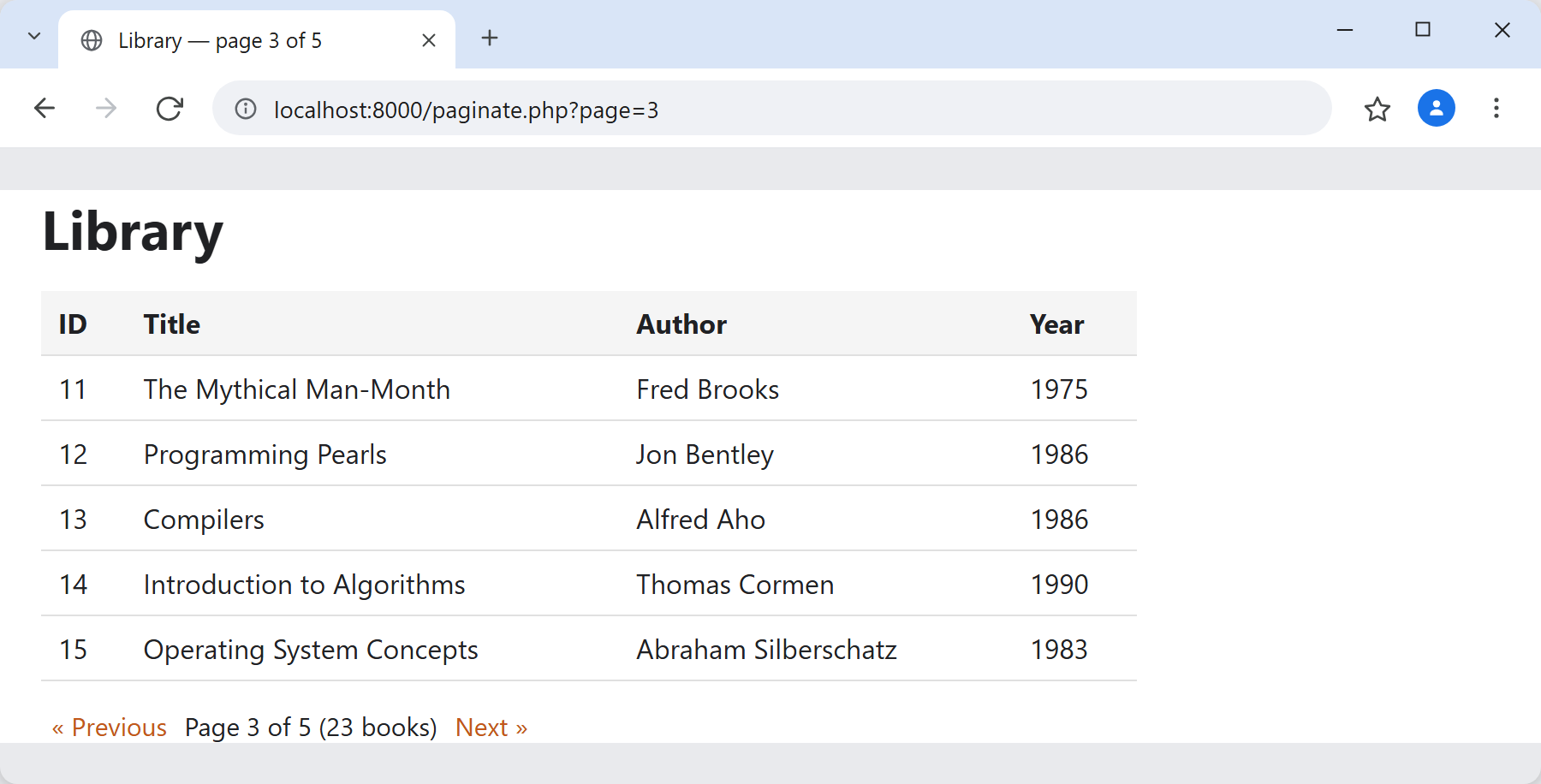
Notes on paginating MySQL results:
- Always pair
LIMITwithORDER BY. MySQL gives no ordering guarantee otherwise, so rows can shift between pages and readers see duplicates. - Cast the page number, never interpolate it. The
(int)cast makes SQL injection through?page=impossible, and the prepared statement covers the rest. OFFSETgets slower as it grows. MySQL still walks the skipped rows, soOFFSET 500000is expensive. For very large tables, remember the last id instead and useWHERE id > :lastId LIMIT 5.- The
COUNT(*)is a second query. That is fine for normal tables. However, on huge ones you can cache the total or drop the page count and show only a “Next” link. - Fetching the rows is the same call the rest of the series uses, so start with selecting MySQL data with PHP PDO if the query itself is new to you.
