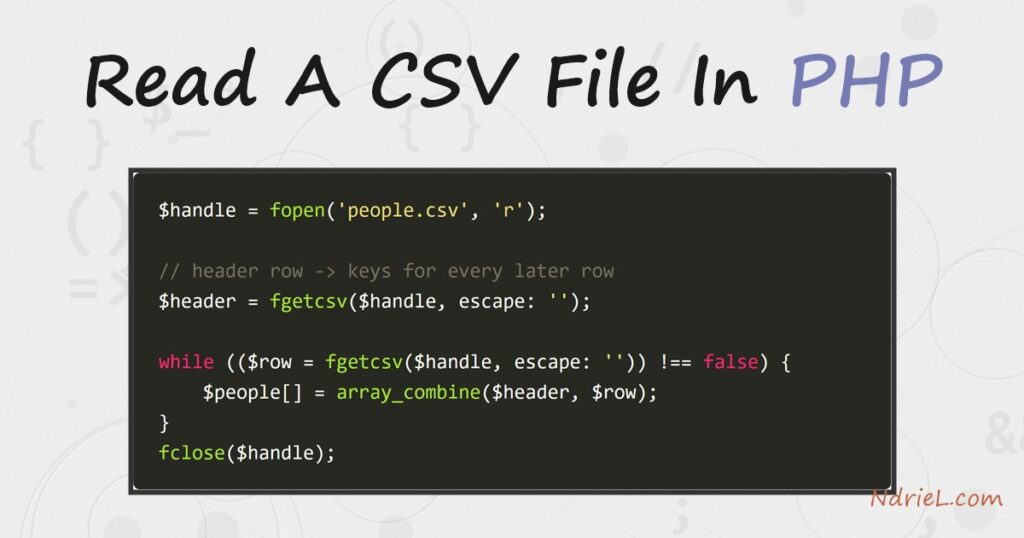
Read a CSV file in PHP with fgetcsv(). It pulls one record from an open file handle and splits it into an array. It also handles quoted fields that contain the delimiter, so a value like "Portland, OR" stays in one piece. This tutorial opens a file with fopen() and reads the header row once to get the column names. It then loops the remaining rows and pairs each with those names using array_combine(). You get a tidy associative array per line. And because it reads a record at a time, the same code handles a three-line file or a million-line one.
Requirements to read a CSV file:
- PHP 7.0 or newer (tested on PHP 8.5.7). No extensions needed —
fgetcsv()is built in. - A command line or web server to run the script.
How To Read a CSV File in PHP.
The objective is to turn a CSV file into an array of associative arrays. Each holds one data row, keyed by column name. Then it prints each record.
Step 1.
First, create the data file, name it people.csv, and add a header row plus a few records. Quotes wrap the third row’s city because it contains a comma. The parser must not treat that comma as a column break.
name,age,city
Ada,36,London
Grace,45,New York
Linus,54,"Portland, OR"
Step 2.
Next, create the script, name it read-csv.php, and copy in the following. Open the file and read the header row once. Then read each remaining row and zip it together with the header using array_combine(). That makes every field reachable by its column name.
<?php
$handle = fopen('people.csv', 'r');
if ($handle === false) {
    exit("Could not open the file.\n");
}

// The first row holds the column names; use them as keys for every later row.
$header = fgetcsv($handle, escape: '');

$people = [];
while (($row = fgetcsv($handle, escape: '')) !== false) {
    $people[] = array_combine($header, $row);
}
fclose($handle);

// $people is now an array of ['name' => ..., 'age' => ..., 'city' => ...].
foreach ($people as $person) {
    printf("%-6s is %s and lives in %s.\n",
        $person['name'], $person['age'], $person['city']);
}
A few things to note. fgetcsv() returns an array for each row, and false at end of file. So the while loop reads to the end naturally. The quoted Portland, OR comes back as a single field. That is the whole reason to use fgetcsv() instead of explode(',', ...). The notes explain the escape: '' argument; on PHP 8.4 and newer, pass it every time.
Step 3.
Finally, put both files in the same folder and run the script from the command line.
php read-csv.phpResult of reading the CSV file.
PHP reads each row, keys it by the header, and prints one formatted line per person. As a result, Portland, OR stays intact, which proves fgetcsv() handled the quoted comma correctly:
Ada    is 36 and lives in London.
Grace  is 45 and lives in New York.
Linus  is 54 and lives in Portland, OR.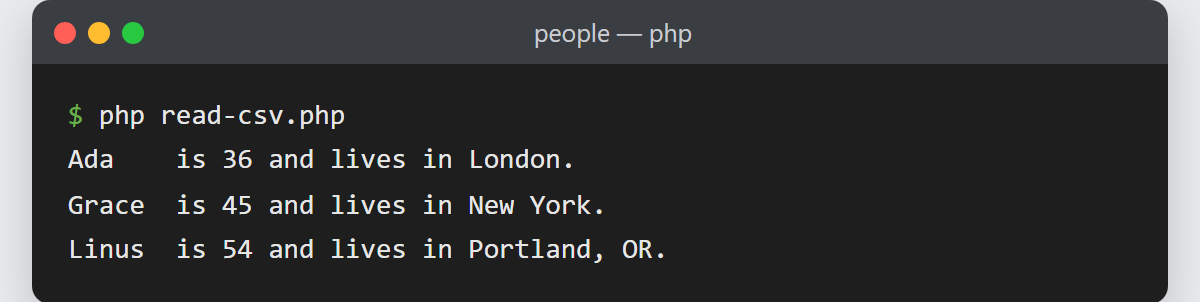
Notes on reading a CSV file:
- Reading one line, not a whole file.
fgetcsv()pulls a single record per call. So the loop above uses roughly the same memory for a huge file as for a tiny one. Avoidfile()orfile_get_contents()on large CSVs — they load everything at once. - A CSV string, not a file? Instead, use
str_getcsv($line, escape: ''), which parses one line already in memory and returns the same field array. - Different delimiters. For tab- or semicolon-separated files, pass the delimiter as the third argument:
fgetcsv($handle, 0, ";"). The default is a comma. - The
escapeparameter. PHP’s legacy CSV escaping (a backslash mechanism that is not part of the CSV standard) is deprecated as of PHP 8.4 and changes in PHP 9. Passingescape: ''turns it off and gives you standards-compliant, RFC 4180 parsing. It also silences the “the $escape parameter must be provided” deprecation notice on PHP 8.4+. - However,
array_combine()throws if a data row has a different number of fields than the header. In production, validate the count per row and skip or log malformed lines instead of letting it fatal. - Reading a CSV file is often the first step in a data workflow. From here you might upload a file in PHP so users can submit their own CSVs. Alternatively, send an email in PHP to report on what you parsed.