
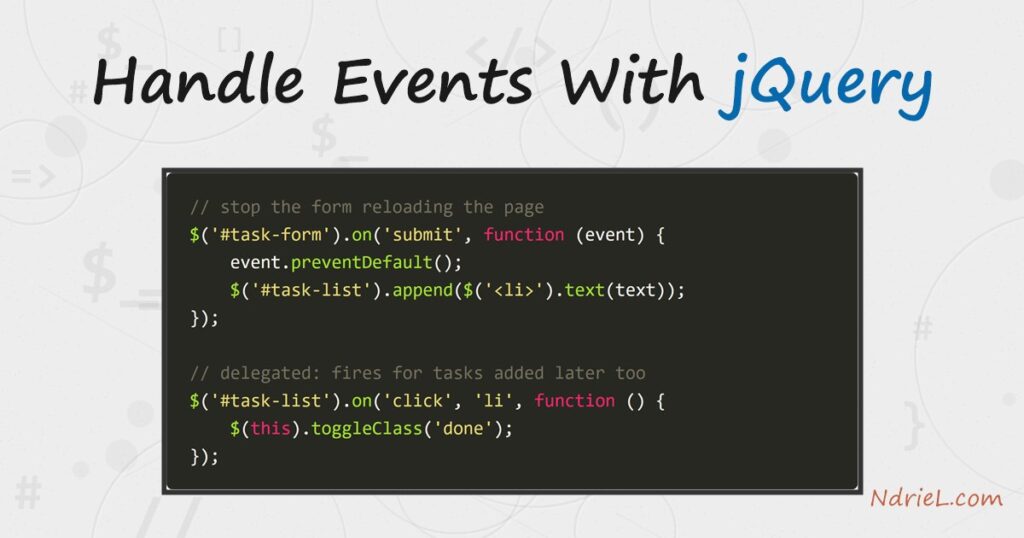
Handle events in jQuery with .on(). It is the single method that binds every event type — clicks, form submits, field changes, and the rest. This tutorial builds a small task list to show three techniques you reach for constantly. First, stopping a form’s default submit with event.preventDefault(). Next, catching a change on a dropdown. And finally, event delegation, which binds a single handler to a parent. As a result, it also fires for elements you add to the page later.
Requirements to handle events with jQuery:
- jQuery 4.0.0 (tested against 4.0.0 from the jQuery CDN; the same code runs unchanged on the 3.x line).
- Any modern browser — there is nothing to install or build.
How To Handle Events With jQuery.
The objective: a task list where every interaction runs through .on(). First, you type a task and submit the form to add it. Then you click a task to mark it done. Finally, you use a dropdown to filter which tasks show.
Step 1.
First, create index.html with the markup and load jQuery from the CDN. The list starts empty; the submit handler adds every item in the next step.
<!doctype html>
<html lang="en">
<head>
    <meta charset="utf-8">
    <title>My Tasks</title>
    <script src="https://code.jquery.com/jquery-4.0.0.min.js"></script>
</head>
<body>
    <h1>My Tasks</h1>

    <form id="task-form">
        <input id="task-input" type="text" placeholder="Add a task…" autocomplete="off">
        <button type="submit">Add</button>
    </form>

    <select id="filter">
        <option value="all">All tasks</option>
        <option value="active">Active</option>
        <option value="done">Completed</option>
    </select>

    <ul id="task-list"></ul>

    <!-- handlers go here (Step 2) -->
</body>
</html>
Step 2.
Then, add the script just before </body>. Wrapping it in $(function () { ... }) runs it once the DOM is ready. You bind each handler with .on(eventName, ...).
<script>
$(function () {

    // 1. SUBMIT: add a task, and stop the form from reloading the page.
    $('#task-form').on('submit', function (event) {
        event.preventDefault();                 // cancel the default page reload
        var text = $('#task-input').val().trim();
        if (text === '') return;
        $('#task-list').append($('<li>').text(text));
        $('#task-input').val('').focus();
    });

    // 2. DELEGATED CLICK: toggle "done" on any task - even ones added later.
    //    The handler lives on #task-list; the 'li' selector filters which
    //    descendant actually triggers it, so new <li>s are covered for free.
    $('#task-list').on('click', 'li', function () {
        $(this).toggleClass('done');
    });

    // 3. CHANGE: show only the tasks that match the chosen filter.
    $('#filter').on('change', function () {
        var mode = $(this).val();
        $('#task-list li').each(function () {
            var done = $(this).hasClass('done');
            var show = mode === 'all'
                    || (mode === 'active' && !done)
                    || (mode === 'done'   && done);
            $(this).toggle(show);
        });
    });

});
</script>
Two ideas do the heavy lifting here. event.preventDefault() stops the browser’s built-in reaction — for a form, the full-page reload. So your handler can update the page in place. Meanwhile, in handler 2, binding to #task-list with an 'li' filter is event delegation. Because the event bubbles up from the clicked <li> to the list, one handler covers every task. That includes the ones you add after the page loads. Bind $('li').on('click', ...) directly and only the tasks present at load time would respond.
Step 3.
Finally, add a little CSS for the done state (.done { text-decoration: line-through; color: #9aa3af; }). Then open index.html in a browser and try it. Type a task and press Enter or click Add. Click a task to strike it through, and switch the dropdown to filter.
Result of handling events with jQuery.
Adding three tasks and clicking the first to complete it produces exactly this list. The submit handler appended each item without reloading. In turn, the delegated click handler struck the first one through:
<ul id="task-list">
    <li class="done">Write the CSV tutorial</li>
    <li>Register the Book post type</li>
    <li>Review pull requests</li>
</ul>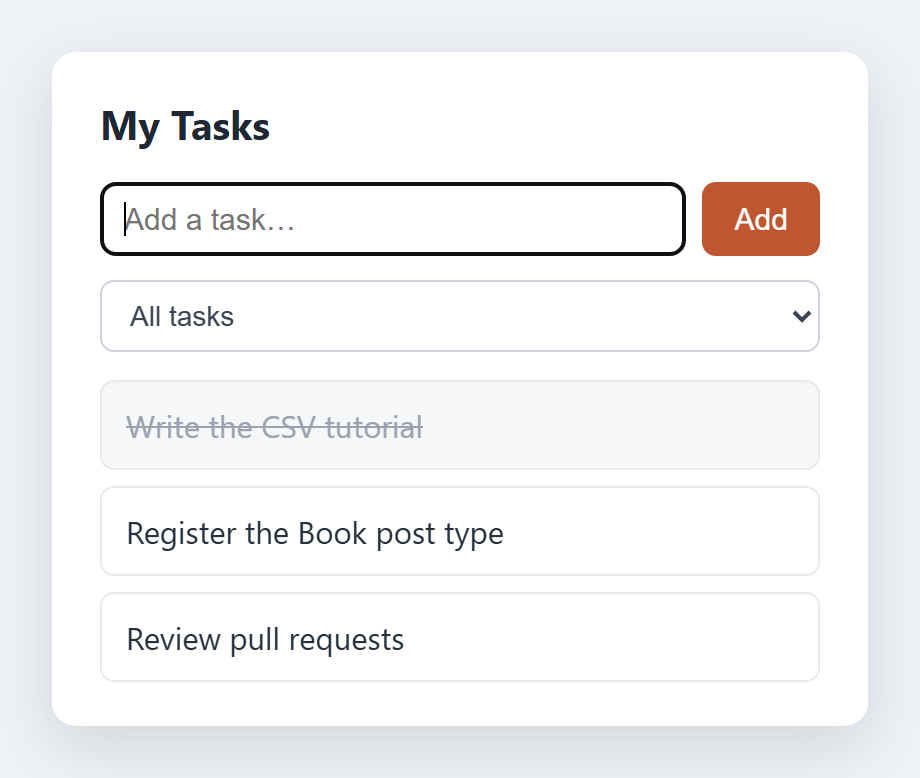
Notes on handling events with jQuery:
- Prefer
.on()over the shorthands.$el.click(fn)and$el.submit(fn)still exist, but.on('click', fn)is the one method for every case. It is also the only way to get delegation and namespaced events. - Delegate for anything dynamic. The rule of thumb: bind to a container that exists at page load and pass a descendant selector. Therefore, don’t bind to elements you will create later.
- Read the event object. The handler’s first argument (
event) carriesevent.target,event.preventDefault(), andevent.stopPropagation(). For example,event.targetis whatever you actually clicked, andstopPropagation()halts the event bubbling further up. - Inside the handler,
$(this)is the element the handler is running for. So in a delegated click, that is the specific<li>, not the list you bound to. - Always build task text with
.text()(as above), not by concatenating into.html(). It escapes the input, so the browser shows a task typed as<script>as plain text instead of running it. - On a WordPress site, don’t drop a jQuery CDN tag in your header. Instead, enqueue CSS and JavaScript the correct way. Then the bundled jQuery loads once, and your handlers run after it.
