
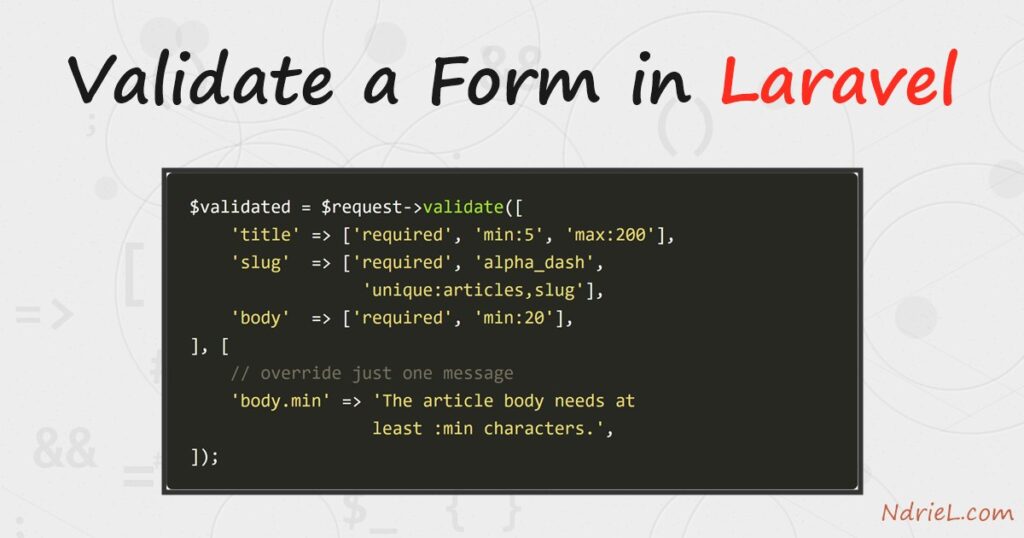
Validate a form in Laravel with a single $request->validate() call in the controller. You pass an array of rules, and Laravel checks the input before your code runs. When a rule fails, it redirects back automatically, flashes the errors to the session, and keeps the old input. Then Blade’s @error directive prints each message beside its field, while old() refills the boxes. Finally, a Form Request class moves the same rules out of the controller so you can reuse them.
Requirements to validate a form in Laravel:
- Laravel 13 (tested on 13.24.0). The same API works back to Laravel 9.
- PHP 8.3 or newer, which Laravel 13 requires (tested on PHP 8.5.7).
- MySQL 8.0 or newer (tested on MySQL 8.4.10) if you use the
uniquerule, which queries a table. - An articles table with a
slugcolumn. Our Laravel database migration tutorial builds exactly the one used here.
How To Validate a Form in Laravel.
The objective is a “new article” form that refuses bad input. A short title, a slug with spaces and a stubby body must all come back with a clear message, and the reader must not lose what they typed.
Step 1.
First, add the two routes. One shows the form, and the other receives the submission.
<?php
// routes/web.php
use App\Http\Controllers\ArticleController;
use Illuminate\Support\Facades\Route;

Route::get('/articles/create', [ArticleController::class, 'create'])->name('articles.create');
Route::post('/articles', [ArticleController::class, 'store'])->name('articles.store');
Generate the controller with php artisan make:controller ArticleController if you do not have one yet.
Step 2.
Next, validate in the controller. The validate() method takes the rules as its first argument, and an optional message override as its second.
<?php

namespace App\Http\Controllers;

use Illuminate\Http\Request;

class ArticleController extends Controller
{
    public function create()
    {
        return view('articles.create');
    }

    public function store(Request $request)
    {
        $validated = $request->validate([
            'title' => ['required', 'string', 'min:5', 'max:200'],
            'slug'  => ['required', 'alpha_dash', 'unique:articles,slug'],
            'body'  => ['required', 'string', 'min:20'],
            'views' => ['nullable', 'integer', 'min:0'],
        ], [
            'body.min'        => 'The article body needs at least :min characters.',
            'slug.alpha_dash' => 'The slug may only contain letters, numbers, dashes and underscores.',
        ]);

        return back()->with('status', 'Article "' . $validated['title'] . '" passed validation.');
    }
}
Two rules are worth calling out. nullable lets views be empty but still forces an integer when present. Meanwhile unique:articles,slug runs a real query against the table, so a duplicate slug fails before you ever write a row.
Note what validate() returns: only the fields you listed. As a result, passing $validated to a model cannot smuggle in an unexpected column.
Step 3.
Then show the errors in Blade. Save this as resources/views/articles/create.blade.php. The @error directive runs only when that field failed, and it exposes the message as $message.
<form method="POST" action="{{ route('articles.store') }}">
  @csrf

  <label for="title">Title</label>
  <input id="title" name="title" value="{{ old('title') }}"
         class="@error('title') is-invalid @enderror">
  @error('title')
    <p class="field-error">{{ $message }}</p>
  @enderror

  <label for="slug">Slug</label>
  <input id="slug" name="slug" value="{{ old('slug') }}"
         class="@error('slug') is-invalid @enderror">
  @error('slug')
    <p class="field-error">{{ $message }}</p>
  @enderror

  <label for="body">Body</label>
  <textarea id="body" name="body" rows="4"
            class="@error('body') is-invalid @enderror">{{ old('body') }}</textarea>
  @error('body')
    <p class="field-error">{{ $message }}</p>
  @enderror

  <button type="submit">Save article</button>
</form>
Three details make this work. The @csrf token is mandatory, because Laravel rejects a POST without it. old('title') reads the flashed input, so the reader keeps their text. Finally, using @error inside the class attribute lets you tint only the fields that failed.
Step 4.
Now run it and submit something invalid. Start the server, open the form, and send a two-letter title with a spaced slug.
php artisan serve
# then browse to http://localhost:8000/articles/create
Laravel answers the POST with a 302 back to the form rather than rendering it directly. Because the errors travel in the session, they survive that redirect and appear on the next page load.
Step 5.
Finally, move the rules into a Form Request. This keeps the controller thin, and it lets an update route share the same rules. Generate one with php artisan make:request StoreArticleRequest.
<?php

namespace App\Http\Requests;

use Illuminate\Foundation\Http\FormRequest;

class StoreArticleRequest extends FormRequest
{
    public function authorize(): bool
    {
        return true;
    }

    public function rules(): array
    {
        return [
            'title' => ['required', 'string', 'min:5', 'max:200'],
            'slug'  => ['required', 'alpha_dash', 'unique:articles,slug'],
            'body'  => ['required', 'string', 'min:20'],
            'views' => ['nullable', 'integer', 'min:0'],
        ];
    }

    public function messages(): array
    {
        return [
            'body.min'        => 'The article body needs at least :min characters.',
            'slug.alpha_dash' => 'The slug may only contain letters, numbers, dashes and underscores.',
        ];
    }
}
Then type-hint it in the controller and the validation happens before store() even starts:
public function store(StoreArticleRequest $request)
{
    $validated = $request->validated();

    return back()->with('status', 'Article "' . $validated['title'] . '" passed validation.');
}
Watch authorize(). It is generated returning false, which makes every request fail with a 403 before any rule runs. Therefore return true, or put a real permission check there.
Result of validating the form in Laravel.
Each failed field comes back tinted, with its message underneath and the typed value still in place. The title falls to the built-in message, while the slug and body show the overrides, and :min expands to 20:
Title:  Hi
        The title field must be at least 5 characters.

Slug:   not a slug!
        The slug may only contain letters, numbers, dashes and underscores.

Body:   too short
        The article body needs at least 20 characters.
A duplicate slug is caught the same way, straight from the table:
Slug:   taken-slug
        The slug has already been taken.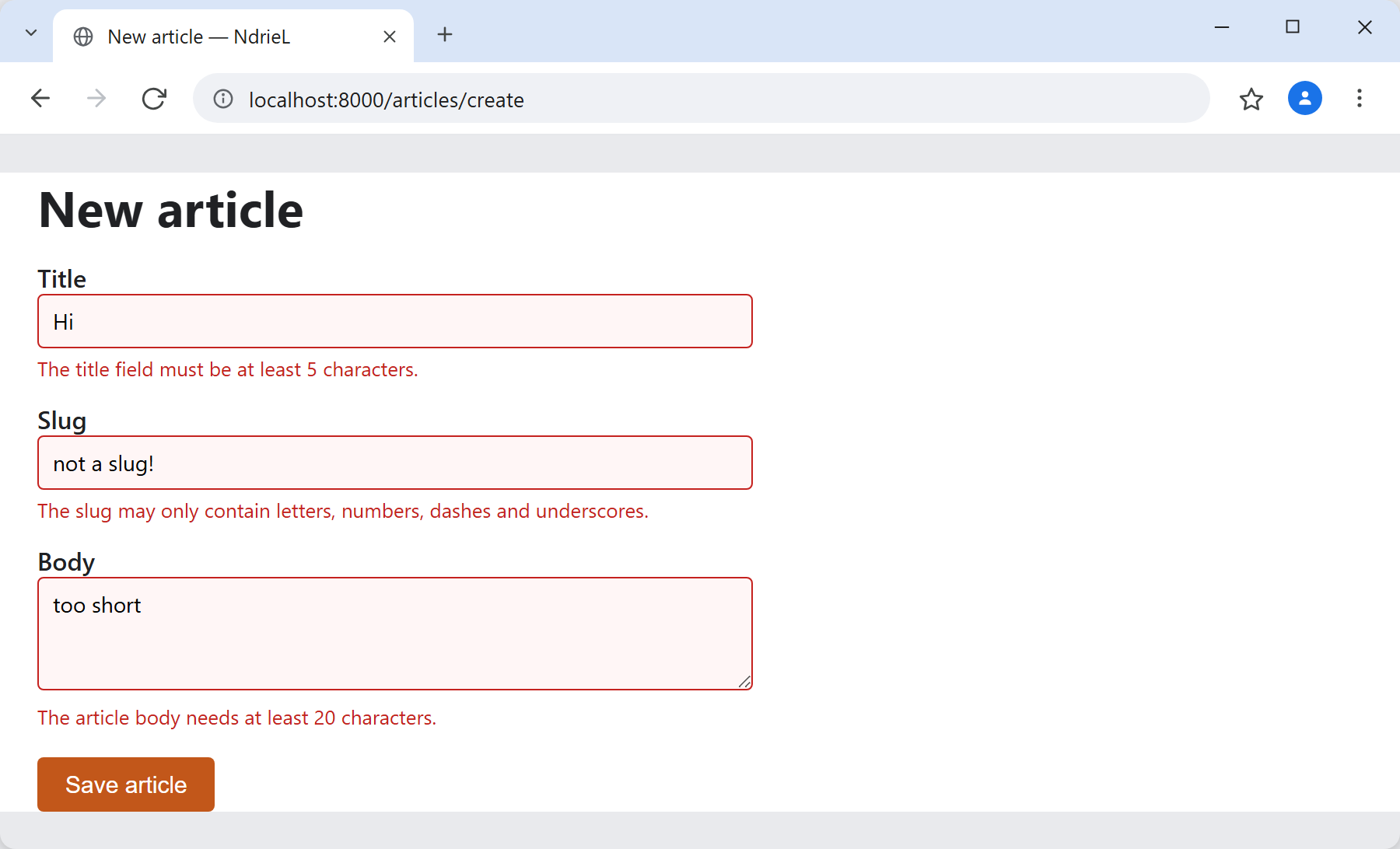
Notes on validating a form in Laravel:
- Validation is server-side and non-negotiable. HTML attributes such as
requiredimprove the experience, but anyone can bypass them, so the rules must live on the server. - Rule order shapes the message. Laravel stops at the first failing rule per field, so
['required', 'min:5']reports “required” on an empty box rather than the length complaint. - Only flashed input survives. Password fields are excluded from
old()on purpose, so a rejected form always clears them. - For an update route, exclude the current row from
unique. UseRule::unique('articles')->ignore($article->id), otherwise saving a record without changing its slug fails against itself. - Return JSON errors for free. When the request expects JSON, the same
validate()call answers422with anerrorsobject instead of redirecting, which suits the AJAX request handling pattern.
