
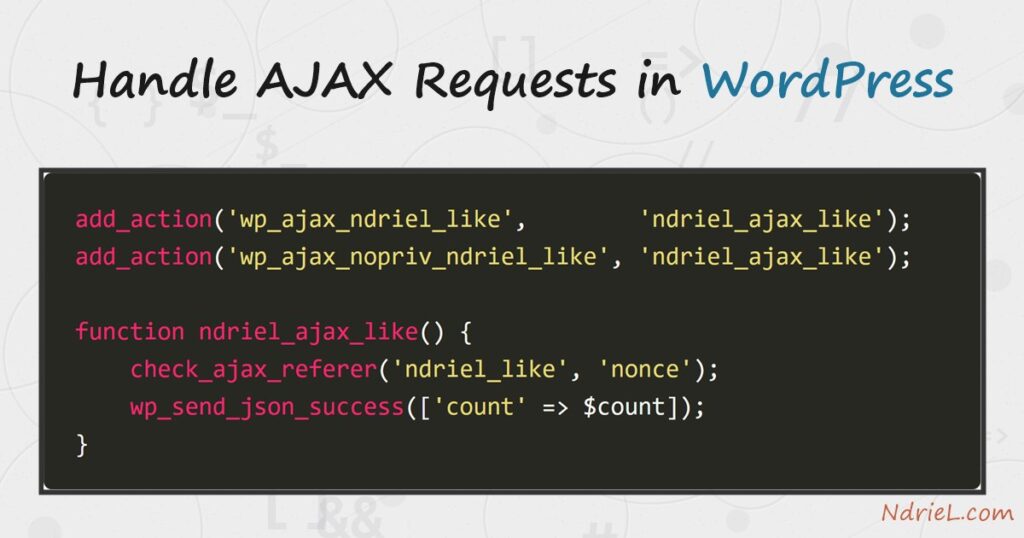
Handling AJAX requests in WordPress lets the browser talk to your server without reloading the page — a like button, a load-more link, a live search. You handle AJAX requests in WordPress by routing them through admin-ajax.php: the browser posts an action, and WordPress fires your wp_ajax_{action} hook. This tutorial wires up a like button end to end — enqueuing the script, passing a nonce, writing the handler — and shows the real JSON that comes back.
Requirements to handle AJAX requests in WordPress:
- WordPress 6.0 or newer (tested on WordPress 7.0.2). Both admin-ajax.php and jQuery ship in core.
- Administrator access to install a plugin.
- Basic jQuery — the request below uses
$.post(), thoughfetch()works the same way.
How To Handle AJAX Requests in WordPress.
The objective is to send a request from the browser, verify it with a nonce on the server, update a value, and return JSON — all through WordPress’s own AJAX entry point.
Step 1.
First, create a plugin and enqueue a script. The browser needs two things your PHP knows but your JavaScript does not: the URL of admin-ajax.php, and a security nonce. Pass both with wp_localize_script(), which prints them as a JavaScript object before your script runs.
<?php
/**
 * Plugin Name: NdrieL Like Button
 * Description: An AJAX like button routed through admin-ajax.php.
 * Version:     1.0.0
 */
if (!defined('ABSPATH')) {
    exit;
}

add_action('wp_enqueue_scripts', function () {
    wp_enqueue_script(
        'ndriel-like',
        plugins_url('like.js', __FILE__),
        array('jquery'),
        '1.0.0',
        true
    );
    wp_localize_script('ndriel-like', 'ndrielLike', array(
        'url'   => admin_url('admin-ajax.php'),
        'nonce' => wp_create_nonce('ndriel_like'),
    ));
});
Step 2.
Next, write the front-end script — like.js, beside the plugin file. On click it posts to ndrielLike.url with two fields WordPress needs: the action, which selects your handler, and the nonce. The handler’s JSON reply arrives as the response argument.
jQuery(function ($) {
    $('#ndriel-like').on('click', function () {
        $.post(ndrielLike.url, {
            action: 'ndriel_like',
            nonce:  ndrielLike.nonce
        }, function (response) {
            if (response.success) {
                $('#ndriel-like-count').text(response.data.count);
            }
        });
    });
});
The action value — ndriel_like — is the whole routing mechanism: WordPress turns it into the hook name in the next step. You would attach this to a button with id="ndriel-like", the same way you handle events with jQuery anywhere else.
Step 3.
Then, write the server handler. WordPress builds two hooks from your action: wp_ajax_ndriel_like for logged-in users and wp_ajax_nopriv_ndriel_like for logged-out visitors. Hook the same callback to both if the action is public. Inside, check_ajax_referer() validates the nonce — on failure it stops with -1 and a 403 — then wp_send_json_success() returns JSON and exits cleanly.
add_action('wp_ajax_ndriel_like',        'ndriel_ajax_like');
add_action('wp_ajax_nopriv_ndriel_like', 'ndriel_ajax_like');

function ndriel_ajax_like() {
    check_ajax_referer('ndriel_like', 'nonce');

    $count = (int) get_option('ndriel_like_count', 0);
    $count++;
    update_option('ndriel_like_count', $count);

    wp_send_json_success(array('count' => $count));
}
Step 4.
Finally, activate the plugin and trigger the request. In a browser the button click posts the form; to prove the round trip on its own, post to admin-ajax.php with a valid nonce, then with a bad one to see the guard reject it.
curl -X POST http://ndriel.local/wp-admin/admin-ajax.php \
     --data "action=ndriel_like&nonce=4872e0a303"
Result of the AJAX request in WordPress.
A valid request returns a success envelope whose data holds the new count; each call increments it. A missing or wrong nonce never reaches your logic — check_ajax_referer() answers -1 with HTTP 403. This is the real output from WordPress 7.0.2:
# first click
{"success":true,"data":{"count":1}}      HTTP 200

# second click
{"success":true,"data":{"count":2}}      HTTP 200

# bad / missing nonce
-1                                       HTTP 403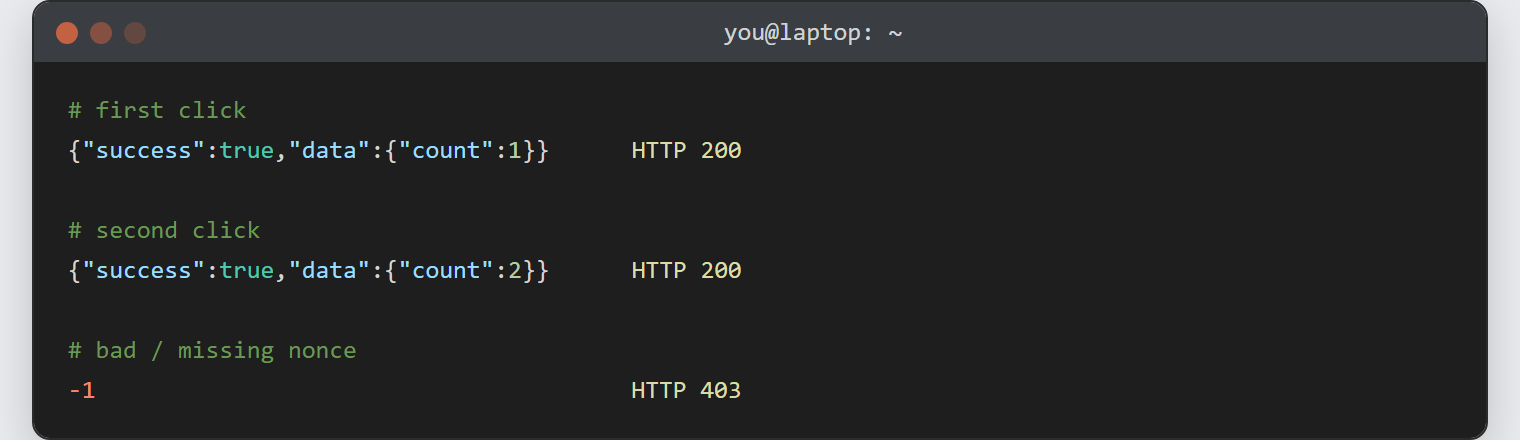
Notes on AJAX requests in WordPress:
- Every AJAX action needs a nonce. Create it with
wp_create_nonce(), pass it viawp_localize_script(), and check it withcheck_ajax_referer(). Without it, any site could post to your endpoint. - Register both hooks deliberately.
wp_ajax_only fires for logged-in users; skipwp_ajax_nopriv_and logged-out visitors get a silent0. Add it only when the action really should be public. - Always end the handler with a
wp_send_json_*call (orwp_die()). They exit for you; a plainreturnleaves WordPress to append a trailing0to your response. - The
actionstring is the routing key — it must match between the JavaScript and the hook suffix exactly, or nothing fires. - For a public, cacheable, read-only feed, a JSON file loaded with jQuery or a custom REST route is a lighter choice than admin-ajax.php, which always bootstraps WordPress.
