
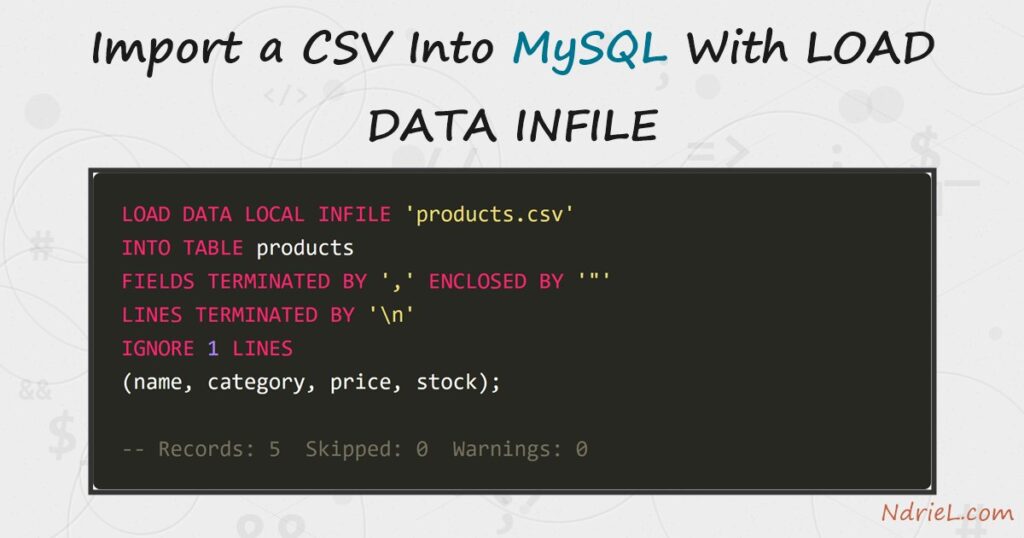
Import a CSV into MySQL with LOAD DATA INFILE — the server’s bulk loader, and by far the fastest way to turn a spreadsheet export into table rows. First, you create the target table and a small CSV file. Next, you enable local_infile on both the client and the server, because MySQL ships with it off. Then, one LOAD DATA LOCAL INFILE statement maps the file’s comma-separated fields onto the table’s columns, skips the header row, and loads everything in a single pass. Finally, a SELECT confirms the rows landed. This tutorial runs from the mysql terminal.
Requirements to use LOAD DATA INFILE:
- MySQL 8.4 (tested against 8.4.10). The statement also exists in MySQL 5.7 and MariaDB.
- Terminal access to the mysql client, logged in as a user who can create tables and, for one step, set a global variable (or an admin who will do it for you).
- A CSV file. This tutorial creates products.csv in Step 2, so nothing else is needed.
How To Import the CSV File With LOAD DATA INFILE.
The objective is to load a five-row product list from products.csv into a products table, quoted commas and all, and to get past the “loading local data is disabled” error that stops most first attempts.
Step 1.
First, create the table the rows will land in. The id column is AUTO_INCREMENT, so the CSV does not need to supply it — the import lists only the four columns the file provides.
CREATE TABLE products (
    id        INT UNSIGNED AUTO_INCREMENT PRIMARY KEY,
    name      VARCHAR(50) NOT NULL,
    category  VARCHAR(30) NOT NULL,
    price     DECIMAL(8,2) NOT NULL,
    stock     INT UNSIGNED NOT NULL
);
Step 2.
Next, save this as products.csv in the directory you run mysql from. The first line is a header, and the second product wraps its name in quotes because it contains a comma — both are things the import statement must be told about.
name,category,price,stock
Mechanical Keyboard,Keyboards,89.00,24
"Monitor, 27-inch",Monitors,249.00,11
Standing Desk,Desks,412.50,5
Desk Lamp,Lighting,34.99,40
Wireless Mouse,Accessories,19.95,60
Step 3.
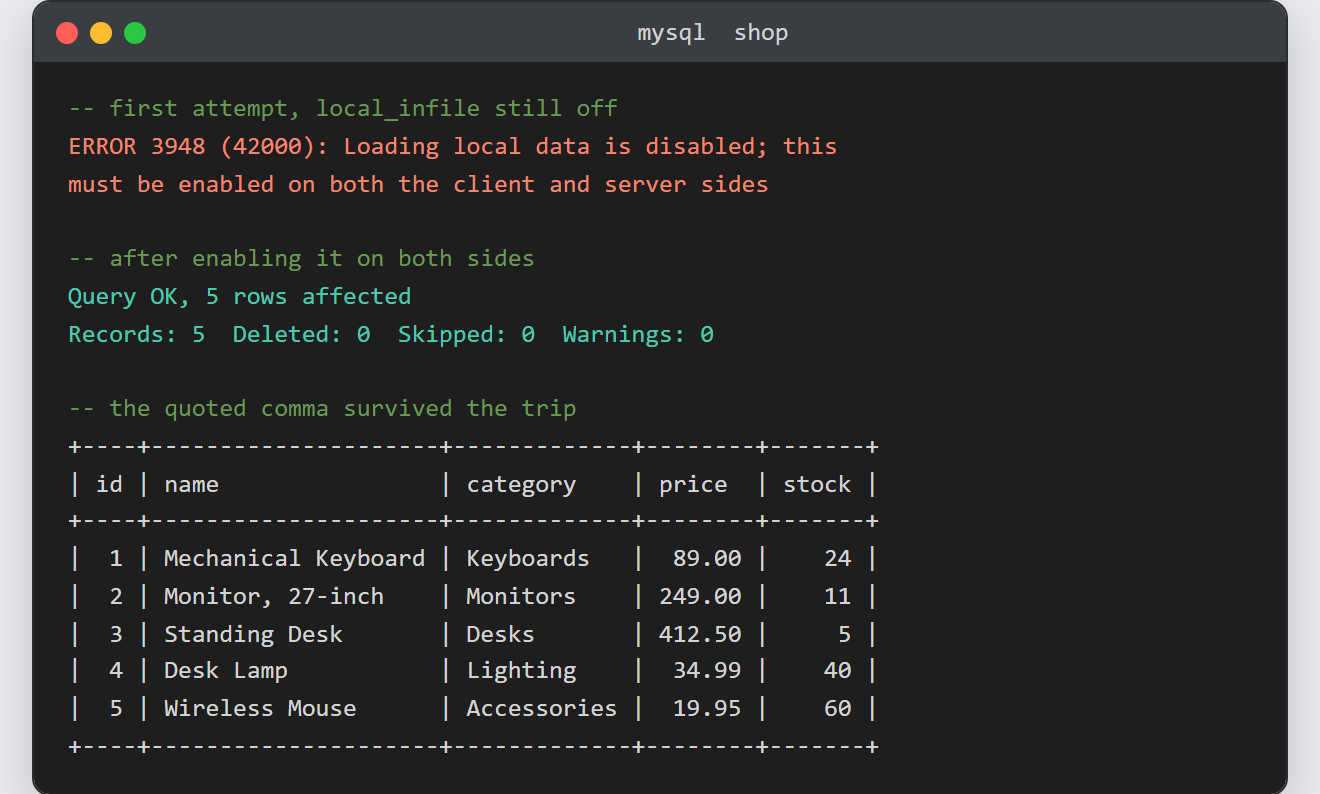
Then, clear the safety catch. A plain attempt fails, because MySQL disables client-file loading out of the box:
ERROR 3948 (42000): Loading local data is disabled; this must
be enabled on both the client and server sides
Enable it in both places. On the server, an administrator turns the global on; on the client, you pass a flag when connecting:
-- server side (as an admin user)
SET GLOBAL local_infile = 1;
# client side: reconnect with the flag
mysql --local-infile=1 -u root -p shopStep 4.
Now run the import. Each clause answers one question about the file: FIELDS TERMINATED BY ',' sets the separator, ENCLOSED BY '"' lets a quoted field keep its comma, LINES TERMINATED BY '\n' names the line ending, and IGNORE 1 LINES skips the header. The column list at the end maps the four CSV fields onto the four real columns, leaving id to auto-increment.
LOAD DATA LOCAL INFILE 'products.csv'
INTO TABLE products
FIELDS TERMINATED BY ',' ENCLOSED BY '"'
LINES TERMINATED BY '\n'
IGNORE 1 LINES
(name, category, price, stock);
MySQL reports exactly what it did — five records, nothing skipped, no warnings:
Query OK, 5 rows affected
Records: 5  Deleted: 0  Skipped: 0  Warnings: 0
Step 5.
Finally, verify with a SELECT. The quoted name kept its comma, and every price and stock figure landed in a typed column.
SELECT * FROM products;Result of the LOAD DATA INFILE import.
The import loads all five data rows in one statement and skips the header. This is the real output from MySQL 8.4.10:
+----+---------------------+-------------+--------+-------+
| id | name                | category    | price  | stock |
+----+---------------------+-------------+--------+-------+
|  1 | Mechanical Keyboard | Keyboards   |  89.00 |    24 |
|  2 | Monitor, 27-inch    | Monitors    | 249.00 |    11 |
|  3 | Standing Desk       | Desks       | 412.50 |     5 |
|  4 | Desk Lamp           | Lighting    |  34.99 |    40 |
|  5 | Wireless Mouse      | Accessories |  19.95 |    60 |
+----+---------------------+-------------+--------+-------+
Notes on LOAD DATA INFILE:
- LOCAL vs server-side.
LOAD DATA LOCAL INFILEreads the file where the client runs. DroppingLOCALmakes the server read it instead — but then the file must live inside the directory named by@@secure_file_priv(on this test box, C:\ProgramData\MySQL\MySQL Server 8.4\Uploads\; on Linux packages, commonly /var/lib/mysql-files/), and the server needs theFILEprivilege. - Windows line endings. A CSV saved with CRLF endings needs
LINES TERMINATED BY '\r\n'— with plain'\n', every last field silently gains a carriage return. If numbers import as zero or strings gain invisible whitespace, check this first. local_infileis off by default for a reason: a malicious server can ask a connecting client for arbitrary files. Therefore, enable it for the import session and switch it back off after.- The reverse trip — writing a query out to CSV — is a separate task with its own restrictions. Meanwhile, to read the same file in application code instead, see reading a CSV file in PHP; the target table itself comes from creating a MySQL table from the terminal.
