
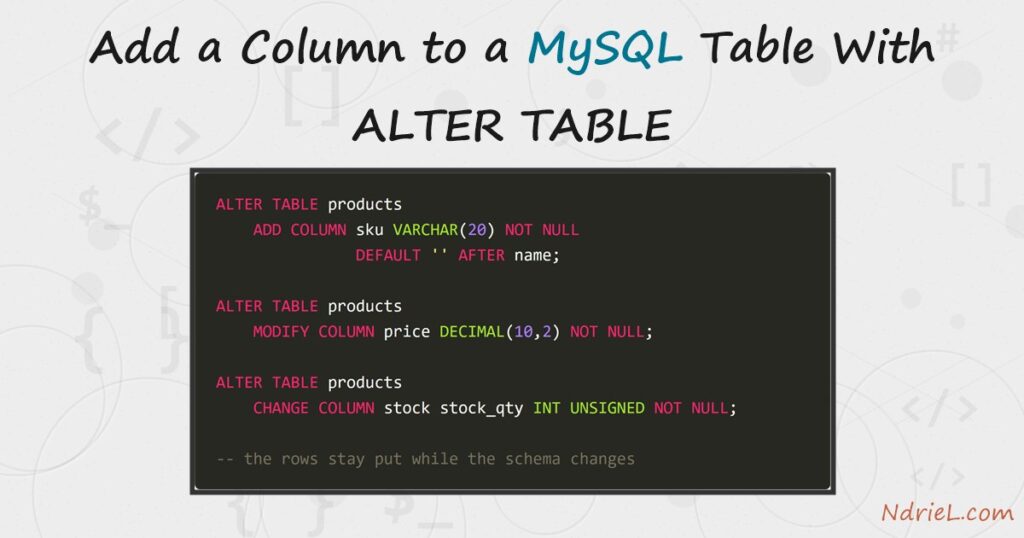
Add a column to a MySQL table with ALTER TABLE — no drop, no re-import, the data stays put while the schema changes around it. First, you add a column exactly where you want it with ADD COLUMN ... AFTER. Next, a second column arrives with a DEFAULT, so every existing row gets a value for free. Then, MODIFY widens a column’s type and CHANGE renames one. Finally, DROP COLUMN removes what you no longer need, and DESCRIBE confirms every step. This tutorial runs from the mysql terminal.
Requirements to add a column with ALTER TABLE:
- MySQL 8.4 (tested against 8.4.10). Every statement here also works on MySQL 5.7 and MariaDB.
- Terminal access to the mysql client, logged in to a database where you can alter tables.
How To Add the Column With ALTER TABLE.
The objective is to evolve a live products table — add a sku column in the right position, widen the price, rename a badly named column, and drop a column — without losing a single row.
Step 1.
First, create the working table and check its shape. DESCRIBE prints one row per column — the before picture.
CREATE TABLE products (
    id        INT UNSIGNED AUTO_INCREMENT PRIMARY KEY,
    name      VARCHAR(50) NOT NULL,
    category  VARCHAR(30) NOT NULL,
    price     DECIMAL(8,2) NOT NULL,
    stock     INT UNSIGNED NOT NULL
);

DESCRIBE products;
+----------+--------------+------+-----+---------+----------------+
| Field | Type | Null | Key | Default | Extra |
+----------+--------------+------+-----+---------+----------------+
| id | int unsigned | NO | PRI | NULL | auto_increment |
| name | varchar(50) | NO | | NULL | |
| category | varchar(30) | NO | | NULL | |
| price | decimal(8,2) | NO | | NULL | |
| stock | int unsigned | NO | | NULL | |
+----------+--------------+------+-----+---------+----------------+Step 2.
Next, add a column in a chosen position. By default a new column lands at the end; AFTER name slots sku right where a human looks for it, and FIRST would put it at the front.
ALTER TABLE products
    ADD COLUMN sku VARCHAR(20) NOT NULL DEFAULT '' AFTER name;
Step 3.
Then, add a column with a working default. Because the table already holds rows, MySQL back-fills every one of them with the default — no UPDATE needed.
ALTER TABLE products
    ADD COLUMN reorder_level INT UNSIGNED NOT NULL DEFAULT 10;
Step 4.
Now reshape existing columns. MODIFY keeps the name and changes the definition — here it widens price from DECIMAL(8,2) to DECIMAL(10,2). CHANGE renames as it redefines, so it takes the old name, the new name, and the full definition — leave a modifier out and the column loses it.
ALTER TABLE products
    MODIFY COLUMN price DECIMAL(10,2) NOT NULL;

ALTER TABLE products
    CHANGE COLUMN stock stock_qty INT UNSIGNED NOT NULL;
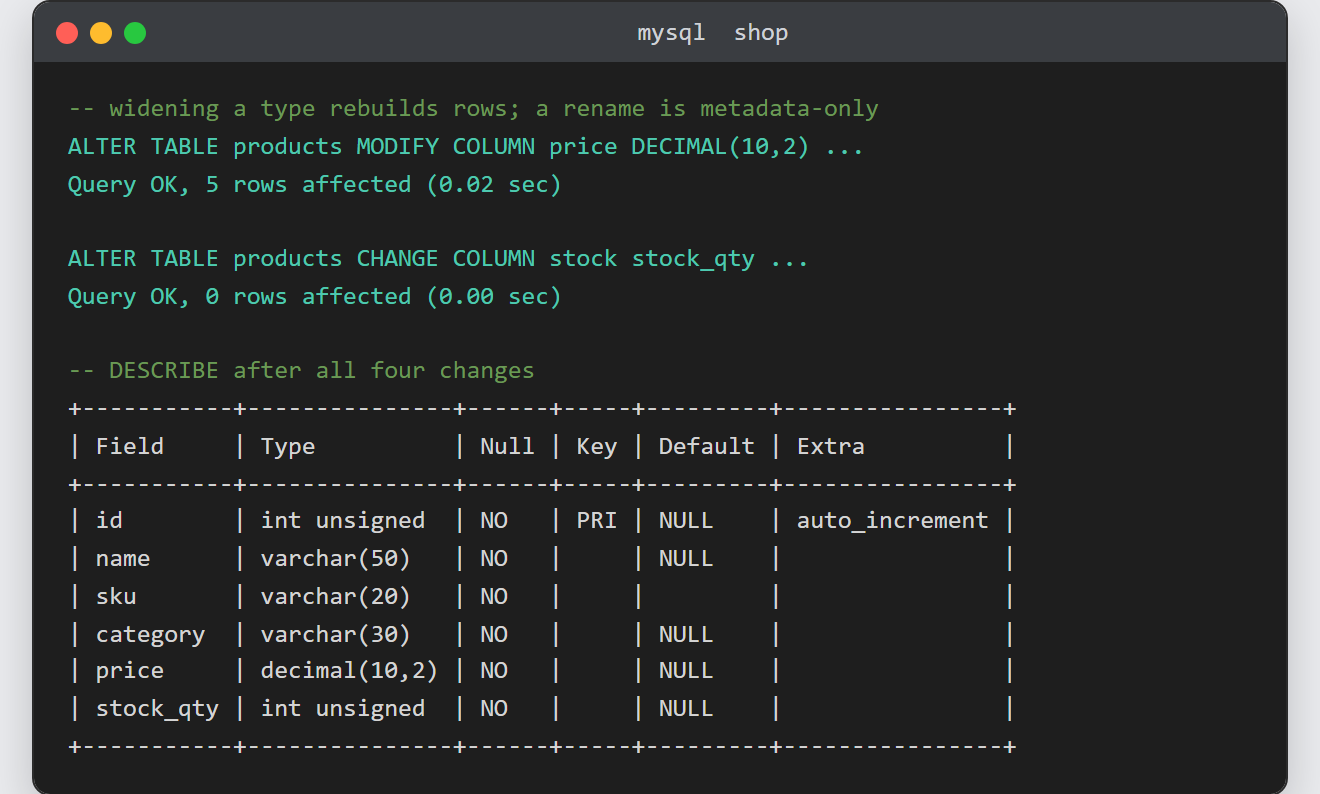
Watch the rows affected counter: widening the type rebuilt the five stored rows (5 rows affected), while the pure rename was a metadata-only change (0 rows affected) and finished instantly.
Step 5.
Finally, drop the column you no longer want, and confirm the after picture. DROP COLUMN deletes the column and its data — there is no undo outside a backup.
ALTER TABLE products DROP COLUMN reorder_level;

DESCRIBE products;
Result of adding the column with ALTER TABLE.
The final DESCRIBE shows all four changes landed: sku sits after name, price is two digits wider, stock is now stock_qty, and reorder_level is gone again. This is the real output from MySQL 8.4.10:
+-----------+---------------+------+-----+---------+----------------+
| Field     | Type          | Null | Key | Default | Extra          |
+-----------+---------------+------+-----+---------+----------------+
| id        | int unsigned  | NO   | PRI | NULL    | auto_increment |
| name      | varchar(50)   | NO   |     | NULL    |                |
| sku       | varchar(20)   | NO   |     |         |                |
| category  | varchar(30)   | NO   |     | NULL    |                |
| price     | decimal(10,2) | NO   |     | NULL    |                |
| stock_qty | int unsigned  | NO   |     | NULL    |                |
+-----------+---------------+------+-----+---------+----------------+
Notes on adding a column with ALTER TABLE:
- Mind the size of the table. Some alterations rewrite every row (the type widening above), so on a table with millions of rows they take time and disk. Many others — renames, and plain
ADD COLUMNon InnoDB — are instant metadata changes. The rows affected count tells you which one you got. CHANGErequires the complete column definition after the new name. WritingCHANGE stock stock_qty INTwould silently dropUNSIGNEDandNOT NULL.- Several changes can share one statement — separate them with commas (
ALTER TABLE products ADD COLUMN a INT, DROP COLUMN b;) and MySQL applies them in a single pass. SHOW CREATE TABLE products;prints the full current definition — handy whenDESCRIBEis not detailed enough.- This is the “change it later” half of creating a MySQL table from the terminal. Also, adding a constraint rather than a column works the same way — see adding a foreign key in MySQL.
