
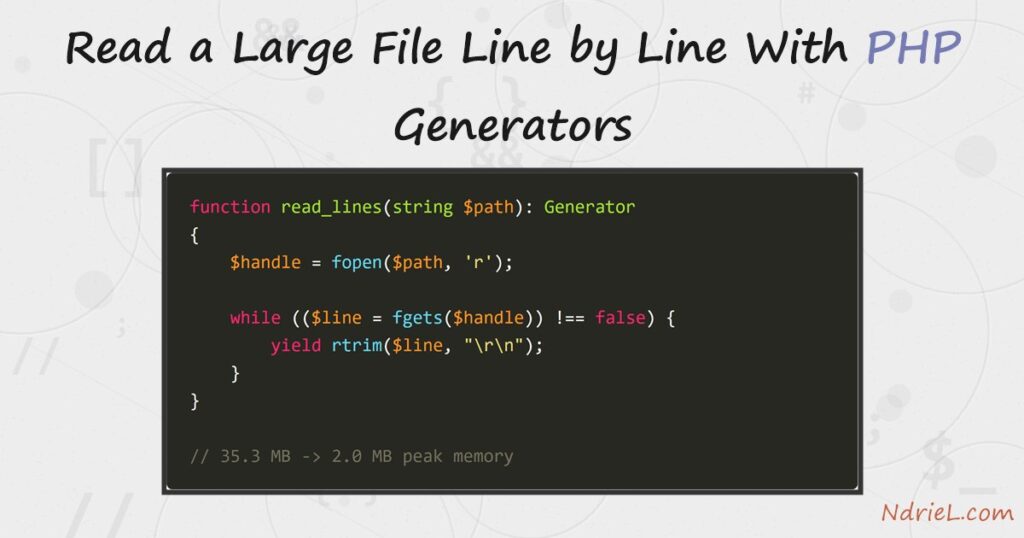
PHP generators let a function hand back one value at a time instead of building the whole array first. That difference decides whether an 11 MB log file costs 35 MB of memory or 2 MB. A generator is any function containing yield; calling it runs no code at all until something iterates it. First, this tutorial writes a tiny generator. Next, it streams a large log through one. Finally, it measures both approaches with memory_get_peak_usage() and joins several files with yield from.
Requirements to use PHP generators:
- PHP 8.0 or newer (tested on PHP 8.3.6, Ubuntu 24.04.4). Generators arrived in PHP 5.5 and
yield fromin 7.0. - A file big enough to notice. The examples use a 200,000-line, 11.3 MB app.log.
- The CLI, because the numbers below come from running
php script.phpin a terminal.
How To Read a Large File With PHP Generators.
The objective is to count the errors in a log that will not fit comfortably in memory. Build the sample file first, so the figures match.
<?php
// make-log.php - build a big-but-boring log to read.
$levels = ['INFO', 'INFO', 'INFO', 'WARN', 'ERROR'];
$fh = fopen('app.log', 'w');

for ($i = 1; $i <= 200000; $i++) {
    fwrite($fh, sprintf("2026-08-10 %02d:%02d:%02d %-5s request %d completed in %dms\n",
        $i % 24, $i % 60, ($i * 7) % 60, $levels[$i % 5], $i, 20 + ($i % 400)));
}

fclose($fh);

printf("app.log: %s lines, %.1f MB\n", number_format(200000), filesize('app.log') / 1048576);
app.log: 200,000 lines, 11.3 MBStep 1.
First, write a generator. The yield keyword replaces return, and each one pauses the function until the loop asks for the next value.
<?php
// step1.php - a generator function: yield hands back one value at a time.
function countdown(int $from): Generator
{
    while ($from > 0) {
        yield $from--;
    }

    return 'lift off';
}

$counter = countdown(5);

foreach ($counter as $n) {
    echo $n . ' ';
}

echo "\n" . $counter->getReturn() . "\n";
5 4 3 2 1
lift offThe function body has not run when countdown(5) returns; the foreach drives it. A generator may still return a final value, which getReturn() collects once iteration finishes.
Step 2.
Next, point one at a file. This generator holds a single line in memory no matter how large the file gets.
<?php
// read_lines.php - read a file line by line.
function read_lines(string $path): Generator
{
    $handle = fopen($path, 'r');

    if ($handle === false) {
        throw new RuntimeException("cannot open $path");
    }

    try {
        while (($line = fgets($handle)) !== false) {
            yield rtrim($line, "\r\n");
        }
    } finally {
        fclose($handle);
    }
}

foreach (read_lines('app.log') as $i => $line) {
    if ($i >= 3) {
        break;
    }

    echo $line . "\n";
}
2026-08-10 01:01:07 INFO request 1 completed in 21ms
2026-08-10 02:02:14 INFO request 2 completed in 22ms
2026-08-10 03:03:21 WARN request 3 completed in 23msThe finally block matters more than it looks. Breaking out of the loop abandons the generator mid-run, so without it the file handle stays open until the script ends.
Step 3.
Then, count the errors the obvious way. file() reads the whole log into an array before the loop starts.
<?php
// step3.php - the eager way: file() builds the whole array first.
$lines = file('app.log', FILE_IGNORE_NEW_LINES);
$errors = 0;

foreach ($lines as $line) {
    if (str_contains($line, 'ERROR')) {
        $errors++;
    }
}

printf("file():    %d errors, peak memory %.1f MB\n",
    $errors, memory_get_peak_usage(true) / 1048576);
file(): 40000 errors, peak memory 35.3 MBAn 11.3 MB file cost 35.3 MB, because each of the 200,000 lines becomes its own PHP string with its own overhead. Consequently, a file three times this size would breach the default 128 MB limit.
Step 4.
Now run the identical count through the generator. Only the source of the loop changes.
<?php
// step4.php - the same count, streamed through a generator.
require 'read_lines.php';

$errors = 0;

foreach (read_lines('app.log') as $line) {
    if (str_contains($line, 'ERROR')) {
        $errors++;
    }
}

printf("generator: %d errors, peak memory %.1f MB\n",
    $errors, memory_get_peak_usage(true) / 1048576);
generator: 40000 errors, peak memory 2.0 MBSame answer, 2.0 MB instead of 35.3 MB. The peak no longer depends on the file at all, so the same script handles a 10 GB log unchanged.
Step 5.
Finally, read several files as one stream. yield from delegates to another generator and passes its values straight through.
<?php
// step5.php - yield from reads several files as one stream.
require 'read_lines.php';

function read_all(array $paths): Generator
{
    foreach ($paths as $path) {
        yield from read_lines($path);
    }
}

$total = 0;

foreach (read_all(['app.log', 'app-2.log']) as $line) {
    $total++;
}

printf("%s lines across 2 files, peak memory %.1f MB\n",
    number_format($total), memory_get_peak_usage(true) / 1048576);
400,000 lines across 2 files, peak memory 2.0 MBTwice the data at the same cost. Because a rotated log set is exactly this shape, one foreach can now walk a month of them.
Result of reading the file with PHP generators.
Both scripts report the same 40,000 errors, and the memory figures are the whole point. This is the real output from PHP 8.3.6:
$ php make-log.php
app.log: 200,000 lines, 11.3 MB

$ php step3.php
file():    40000 errors, peak memory 35.3 MB

$ php step4.php
generator: 40000 errors, peak memory 2.0 MB

$ php step5.php
400,000 lines across 2 files, peak memory 2.0 MB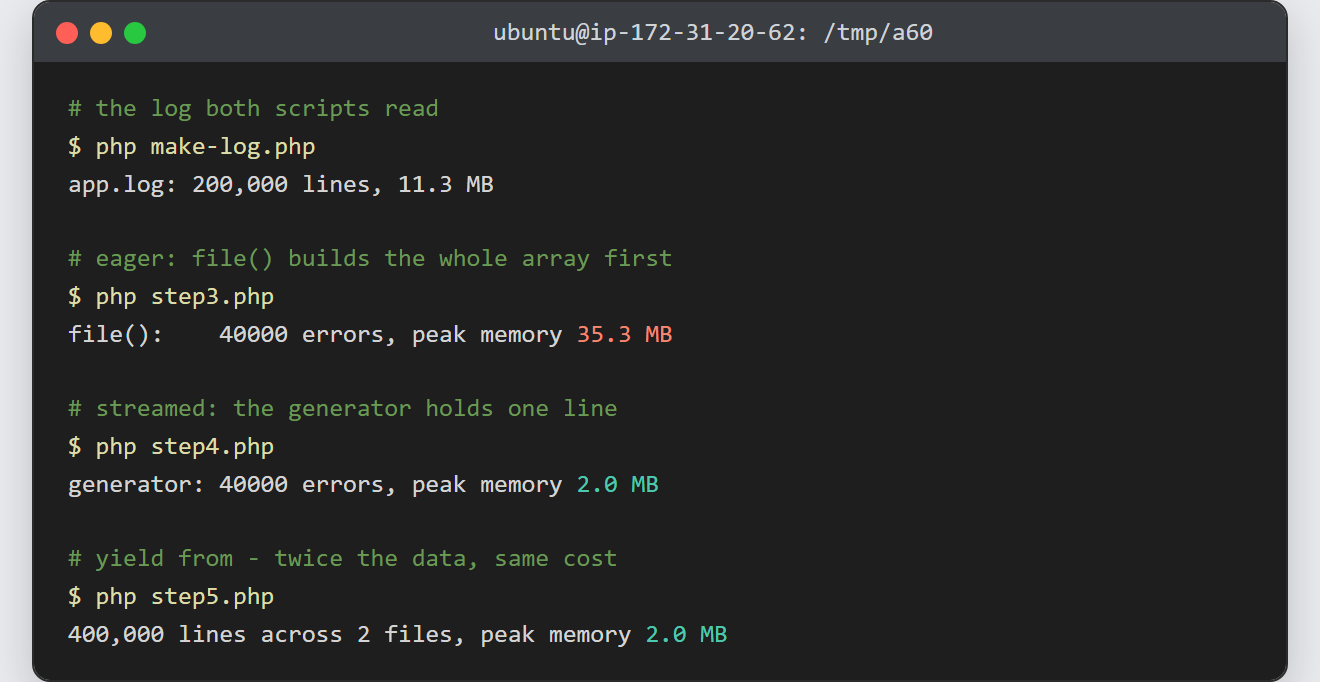
Notes on PHP generators:
- A generator is forward-only and single-use. There is no rewinding and no
count(). Loop over one you already drained and PHP throwsCannot traverse an already closed generator, so call the function again for a fresh one. A generator you merelybreakout of is different — it is paused, not closed, and a second loop carries on where the first stopped. - Wrap it in
iterator_to_array()and you have thrown the saving away, because that builds the full array again. yieldworks as an expression too.$reply = yield $value;receives whatever the caller passes tosend(), which is how coroutines are built on top of this.- Keys are yours to choose:
yield $id => $row;makes theforeachkey meaningful instead of a counter. - This is the memory-safe way to handle the files the site already covers. A large import can stream through reading a CSV file in PHP row by row, and sorting and filtering arrays in PHP then applies to the small result rather than the whole file.
- Sorting needs everything at once, so it cannot be streamed. Filter first with a generator, then sort what survives.
