
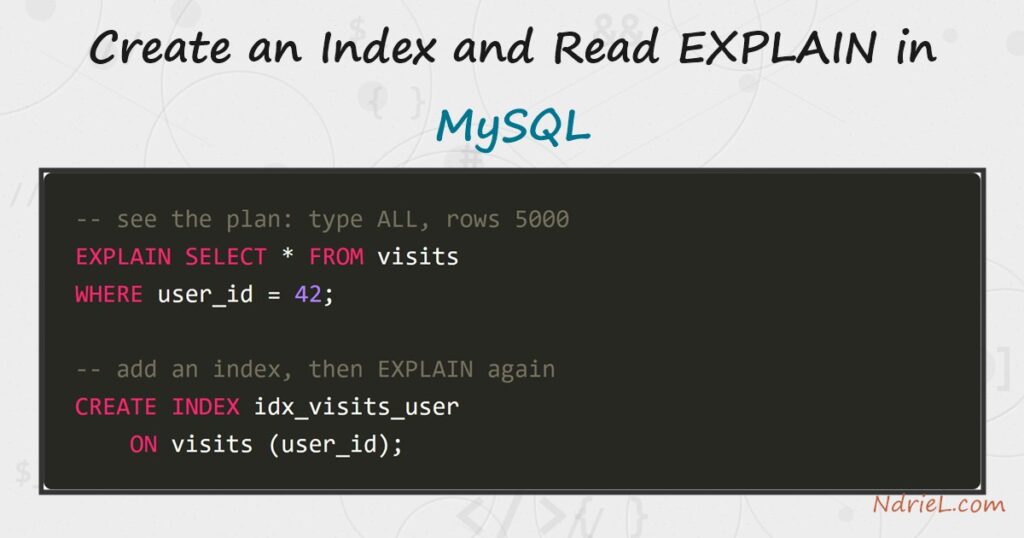
Create an index in MySQL to turn a slow full-table scan into a fast, targeted
lookup, and use EXPLAIN to prove it worked. First, you run a
query against an unindexed column and read its plan. Then a single
CREATE INDEX statement builds a B-tree on that column.
Finally, EXPLAIN shows the optimizer switch from scanning
every row to seeking just the ones it needs.
Requirements to create an index in MySQL:
- MySQL 8.4 (tested against 8.4.10). Indexes and
EXPLAINare
standard SQL features that also work on MySQL 5.7 and MariaDB. - Terminal access to the mysql client, logged in to a database where you can create
tables.
How To Create an Index and Read EXPLAIN in MySQL.
The objective is to filter a visits table by user_id and make that filter
fast. We measure the query with EXPLAIN first, then add an
index, then measure again to see the difference.
Step 1.
First, build a table with enough rows that a scan actually hurts. This
INSERT uses a recursive query to generate 5,000 visits. The
cte_max_recursion_depth setting is raised, because the default
of 1,000 would stop it early.
SET SESSION cte_max_recursion_depth = 10000;

CREATE TABLE visits (
    id         INT UNSIGNED AUTO_INCREMENT PRIMARY KEY,
    user_id    INT UNSIGNED NOT NULL,
    page       VARCHAR(60)  NOT NULL,
    visited_at DATETIME     NOT NULL
) ENGINE = InnoDB;

INSERT INTO visits (user_id, page, visited_at)
WITH RECURSIVE seq (n) AS (
    SELECT 1 UNION ALL SELECT n + 1 FROM seq WHERE n < 5000
)
SELECT (n % 200) + 1, CONCAT('/page/', (n % 50) + 1), NOW() - INTERVAL n MINUTE
FROM seq;
The table now holds 5,000 rows spread across 200 users. Because
user_id has no index yet, MySQL has no shortcut to the rows
for any one user.
Step 2.
Next, ask the optimizer how it would run the query. Put
EXPLAIN in front of a normal
SELECT, and MySQL prints its plan instead of the data. Read
the type and rows columns
first.
EXPLAIN SELECT * FROM visits WHERE user_id = 42;The plan shows type: ALL and
rows: 5000. In other words, MySQL expects to read every row
in the table to find the handful that match. For example, on a million-row table that same
plan would be painfully slow.
Step 3.
Then, create the index. A CREATE INDEX statement builds a
B-tree on user_id, which MySQL can search directly. You can also add one to an
existing table with ALTER TABLE visits ADD INDEX (user_id) —
the two forms are equivalent.
CREATE INDEX idx_visits_user ON visits (user_id);Name the index for the table and column it covers, so it is obvious later. Building an
index takes time and disk on a large table, so create the ones your queries need rather than
one per column.
Step 4.
Finally, run the exact same EXPLAIN again and compare. The
optimizer now sees a usable index and picks it. As a result, the plan changes completely.
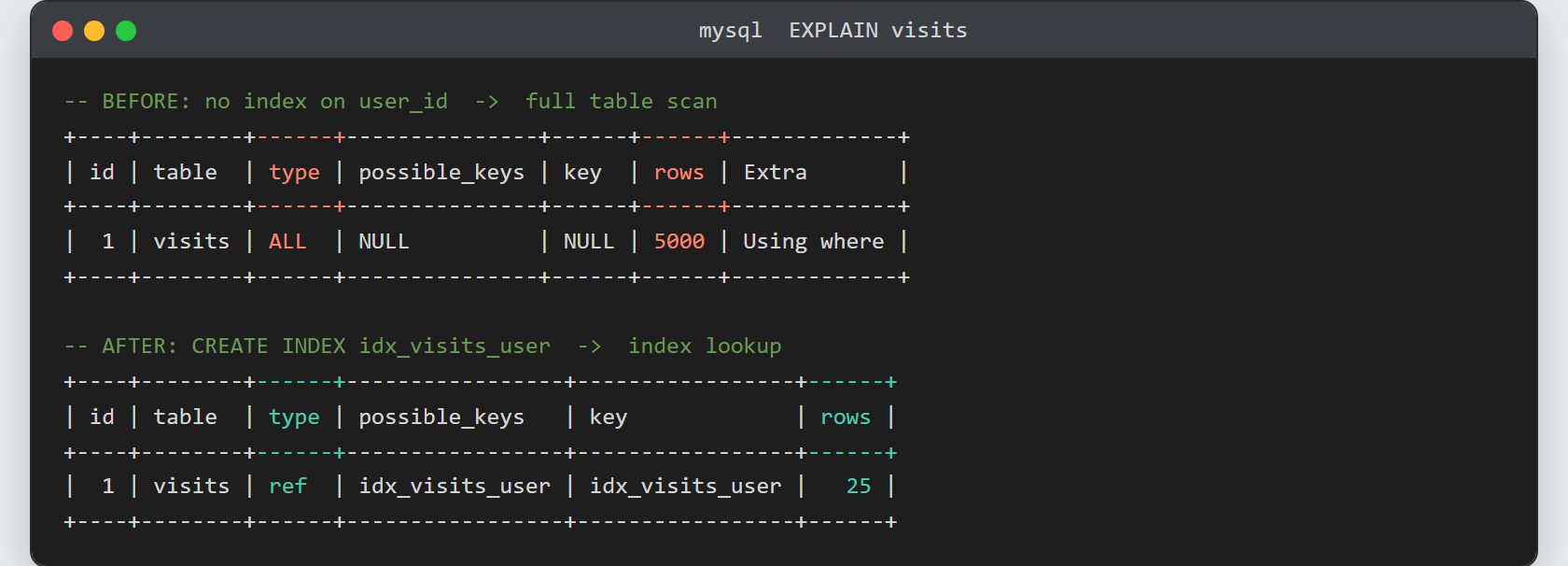
EXPLAIN SELECT * FROM visits WHERE user_id = 42;This time type is ref,
key is idx_visits_user, and
rows drops to 25. MySQL now
seeks straight to the 25 matching rows instead of reading 5,000, which is exactly the count the
query returns.
Result after you create an index in MySQL.
Before the index, the plan reads every row: type ALL over
5000 rows. After the index, it seeks:
type ref using idx_visits_user,
estimating just 25 rows — a 200-fold cut in the work:
-- BEFORE: no index on user_id -> full table scan
+----+-------------+--------+------+---------------+------+------+------+-------------+
| id | select_type | table  | type | possible_keys | key  | rows | ref  | Extra       |
+----+-------------+--------+------+---------------+------+------+------+-------------+
|  1 | SIMPLE      | visits | ALL  | NULL          | NULL | 5000 | NULL | Using where |
+----+-------------+--------+------+---------------+------+------+------+-------------+

-- AFTER: CREATE INDEX idx_visits_user -> index lookup
+----+-------------+--------+------+-----------------+-----------------+------+-------+-------+
| id | select_type | table  | type | possible_keys   | key             | rows | ref   | Extra |
+----+-------------+--------+------+-----------------+-----------------+------+-------+-------+
|  1 | SIMPLE      | visits | ref  | idx_visits_user | idx_visits_user |   25 | const | NULL  |
+----+-------------+--------+------+-----------------+-----------------+------+-------+-------+
Notes on how to create an index and read EXPLAIN:
- Index the columns you filter, join, or sort on — the ones in
WHERE,JOIN ... ON, and
ORDER BY. An index on a column you never query is pure
overhead. - Read
typefrom best to worst:
const,ref,
range, thenALL. Seeing
ALLon a big table is the signal to add an index. - Every index speeds reads but slows writes, because
INSERT,UPDATE, and
DELETEmust maintain it. So do not index every column. - The
rowsfigure is an estimate from table statistics, not
an exact count. RunANALYZE TABLEif the estimates look stale. - Indexes matter most on the columns that join tables. See how to
access the MySQL database from the terminal
to try these plans yourself, then index the foreign-key column you
select MySQL data with PHP PDO
against.
