
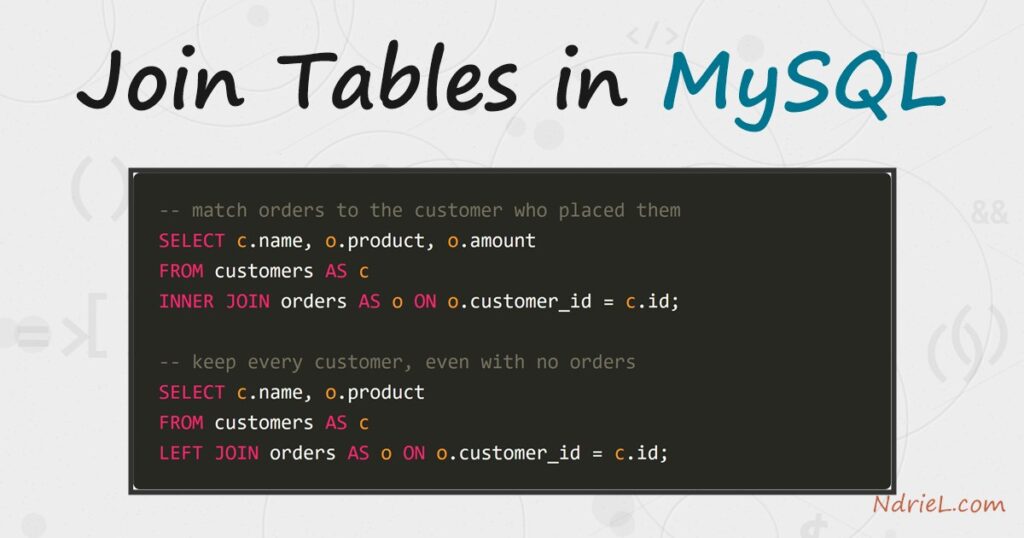
Join tables in MySQL to pull related rows from two tables in a single query.
A JOIN matches rows using a shared key — usually a
foreign key like customer_id — so you can list each order next to the
customer who placed it. This tutorial runs from the mysql terminal and covers the
INNER JOIN for matches, the LEFT for keeping unmatched rows, table aliases, and grouping across a join.
JOIN
Requirements to join tables in MySQL:
- MySQL 8.4 (tested against 8.4.10). The syntax is standard SQL and works on MySQL 5.7
and MariaDB too. - Terminal access to the mysql client, logged in to a database where you can
create tables.
How To Join Tables in MySQL.
The objective is to report each order together with its customer, and then to list every
customer whether or not they have ordered. We use two tables linked by a key: a
customers table and an orders table whose customer_id column
points back at it.
Step 1.
First, create the two related tables and add a few rows. Open the terminal, connect with
the mysql client, and run the following. Each order’s customer_id is the
link back to a customer.
CREATE TABLE customers (
id INT UNSIGNED AUTO_INCREMENT PRIMARY KEY,
name VARCHAR(50) NOT NULL,
city VARCHAR(50) NOT NULL
);
CREATE TABLE orders (
id INT UNSIGNED AUTO_INCREMENT PRIMARY KEY,
customer_id INT UNSIGNED NOT NULL,
product VARCHAR(50) NOT NULL,
amount DECIMAL(8,2) NOT NULL
);
INSERT INTO customers (name, city) VALUES
('Ada Lovelace', 'London'),
('Alan Turing', 'Manchester'),
('Grace Hopper', 'New York'),
('Linus Torvalds', 'Helsinki');
INSERT INTO orders (customer_id, product, amount) VALUES
(1, 'Mechanical Keyboard', 89.00),
(1, 'Standing Desk', 412.50),
(2, 'Desk Lamp', 34.99),
(3, 'Monitor Arm', 129.00);Note that Linus has no orders. That gap matters in Step 3, where the choice of join
decides whether he appears at all.
Step 2.
Next, join the tables with an INNER JOIN. The
ON clause states how the rows match — here, an
order’s customer_id equals a customer’s id. The short aliases
c and o keep the column
list readable.
SELECT c.name, c.city, o.product, o.amount
FROM customers AS c
INNER JOIN orders AS o ON o.customer_id = c.id
ORDER BY c.name, o.id;An INNER JOIN returns only rows that match on both sides.
Because Ada has two orders, she appears twice; because Linus has none, he does not appear at
all. This is the join you want when you need pairs that actually exist.
Step 3.
Then, switch to a LEFT JOIN to keep every customer. A
left join returns all rows from the left table — customers — and fills
the right-side columns with NULL when there is no matching
order.
SELECT c.name, o.product, o.amount
FROM customers AS c
LEFT JOIN orders AS o ON o.customer_id = c.id
ORDER BY c.name, o.id;Now Linus shows up with NULL in the product and amount
columns. Swapping the table order turns this into a right join, so a
RIGHT JOIN is just a left join read from the other side;
most people stick with LEFT JOIN for clarity.
Step 4.
To find only the customers with no orders, keep the left join but filter for the
NULL side. Because an unmatched row has a
NULL order id, testing o.id IS NULL isolates exactly
those rows.
SELECT c.name, c.city
FROM customers AS c
LEFT JOIN orders AS o ON o.customer_id = c.id
WHERE o.id IS NULL;
Step 5.
Finally, aggregate across the join. Combining a LEFT JOIN
with GROUP BY gives a per-customer summary, and
COUNT(o.id) counts only real orders — so a customer with
none scores zero rather than one.
SELECT c.name, COUNT(o.id) AS orders, SUM(o.amount) AS total
FROM customers AS c
LEFT JOIN orders AS o ON o.customer_id = c.id
GROUP BY c.id, c.name
ORDER BY total DESC;
Result of joining the tables in MySQL.
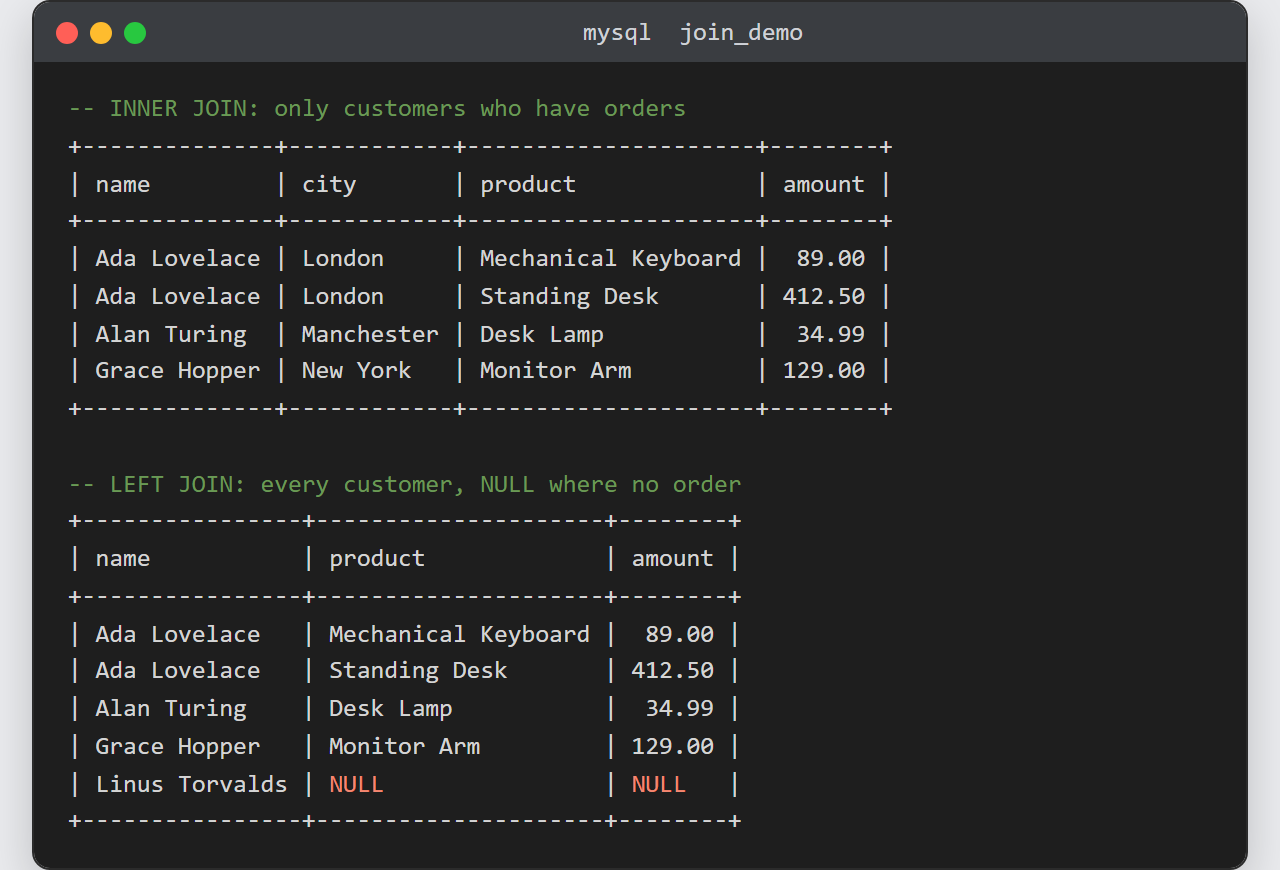
The INNER JOIN lists four order rows, pairing each product
with its customer and dropping Linus. The LEFT JOIN adds a
fifth row for Linus with NULL values, because a left join
keeps unmatched customers:
-- INNER JOIN: only customers who have orders
+--------------+------------+---------------------+--------+
| name         | city       | product             | amount |
+--------------+------------+---------------------+--------+
| Ada Lovelace | London     | Mechanical Keyboard |  89.00 |
| Ada Lovelace | London     | Standing Desk       | 412.50 |
| Alan Turing  | Manchester | Desk Lamp           |  34.99 |
| Grace Hopper | New York   | Monitor Arm         | 129.00 |
+--------------+------------+---------------------+--------+

-- LEFT JOIN: every customer, NULL where there is no order
+----------------+---------------------+--------+
| name           | product             | amount |
+----------------+---------------------+--------+
| Ada Lovelace   | Mechanical Keyboard |  89.00 |
| Ada Lovelace   | Standing Desk       | 412.50 |
| Alan Turing    | Desk Lamp           |  34.99 |
| Grace Hopper   | Monitor Arm         | 129.00 |
| Linus Torvalds | NULL                |   NULL |
+----------------+---------------------+--------+
Notes on joining tables in MySQL:
- Qualify every column with its table alias when the same name exists in both tables. An
unqualified id in a join raises an “ambiguous column” error. - The plain word
JOINmeans
INNER JOIN— the INNER keyword is optional.
Spelling it out makes the intent obvious to the next reader. - Join on indexed columns. A join comparing large tables on unindexed columns is slow;
the linking column (here customer_id) should carry an index, which a real foreign
key adds for you. - MySQL has no
FULL OUTER JOIN. To get every row from both
sides,UNIONaLEFT JOINwith a
RIGHT JOIN. - You will often run these joins over a connection rather than by hand. Before writing
them, make sure you can access the MySQL database from the terminal,
and from application code you can select MySQL data with PHP PDO
using the very same query.
