
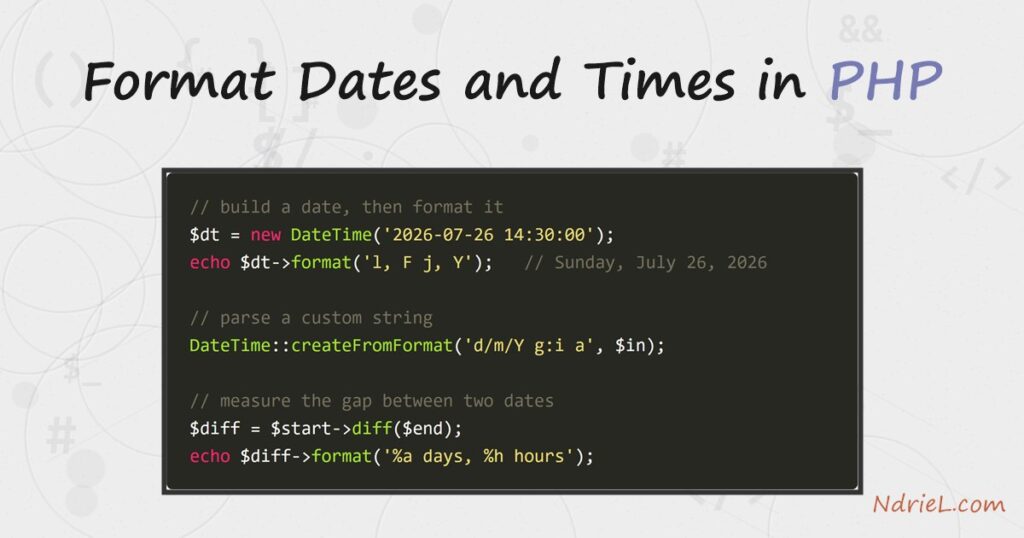
Format dates and times in PHP with the built-in DateTime
class and its format() method. First, you build a
DateTime object from a string. Then
format() turns it into any layout you want, using single-letter
format characters. Next, createFromFormat() parses dates that are
not ISO standard. Finally, diff() measures the gap between two
moments. No library is needed, because these classes ship with PHP.
Requirements to format dates and times in PHP:
- PHP 8.5 (tested against 8.5.7). The
DateTimeclass has shipped since PHP 5.2, so the code runs on any modern version. - Nothing else — no Composer package or extension. The date functions are part of core.
How To Format Dates and Times in PHP.
The objective is to take a date, print it in several layouts, parse a custom string back into
a date, and measure the distance between two dates. Specifically, one class does all four:
DateTime. It is safer and clearer than the older
date() function, because each date is an object you can reuse.
Step 1.
First, create a DateTime and format it. Pass a date string to the
constructor, then call format() with a pattern of format
characters. Each letter stands for one part of the date. Save this as dates.php.
<?php
$dt = new DateTime('2026-07-26 14:30:00');

echo $dt->format('Y-m-d H:i:s') . "\n";  // 2026-07-26 14:30:00
echo $dt->format('l, F j, Y') . "\n";    // Sunday, July 26, 2026
echo $dt->format('g:i A') . "\n";        // 2:30 PM
The letters are the whole language here. For example, Y is a
four-digit year, m is a zero-padded month, and
l is the weekday name. Also, any letter you want to print
literally must be escaped with a backslash.
Step 2.
Next, parse a string that is not ISO format. The constructor only understands standard
formats, so a value like 26/07/2026 2:30 pm needs
DateTime::createFromFormat(). You give it the exact pattern the input
uses, and it hands back a DateTime.
$in     = '26/07/2026 2:30 pm';
$parsed = DateTime::createFromFormat('d/m/Y g:i a', $in);

echo $parsed->format('Y-m-d H:i') . "\n";  // 2026-07-26 14:30
The pattern must match the input character for character. Therefore, if parsing returns
false, check that your format string lines up with the real data,
including the separators.
Step 3.
Then, measure the gap between two dates. Call diff() on one
DateTime, passing another. It returns a
DateInterval, which you format with its own percent-prefixed
placeholders to build a human “time ago” string.
$start = new DateTime('2026-07-20 09:00:00');
$end   = new DateTime('2026-07-26 14:30:00');
$diff  = $start->diff($end);

echo $diff->format('%a days, %h hours, %i minutes') . "\n";
echo ($diff->invert ? 'in the future' : 'ago') . "\n";
Here %a is the total number of days, while
%h and %i are the leftover hours and
minutes. In addition, the invert flag tells you which date came
first, so you can label the result correctly.
Step 4.
Finally, convert a moment between time zones. Create the
DateTime with a DateTimeZone, then call
setTimezone() to shift it. The underlying instant does not change; only
its wall-clock display does.
$utc = new DateTime('2026-07-26 12:00:00', new DateTimeZone('UTC'));
$utc->setTimezone(new DateTimeZone('America/New_York'));

echo $utc->format('Y-m-d H:i T') . "\n";  // 2026-07-26 08:00 EDT
Storing dates in UTC and converting only for display is the safe habit. As a result, daylight
saving and regional offsets stay a presentation detail, instead of leaking into your stored
data.
Result of the format dates and times in PHP script.
Running dates.php prints each layout, the parsed custom date, the interval between
the two dates, and the time-zone conversion. Because every input is a fixed date, the output is
the same on every run:
$ php dates.php
2026-07-26 14:30:00
Sunday, July 26, 2026
2:30 PM
2026-07-26 14:30
6 days, 5 hours, 30 minutes
ago
2026-07-26 08:00 EDT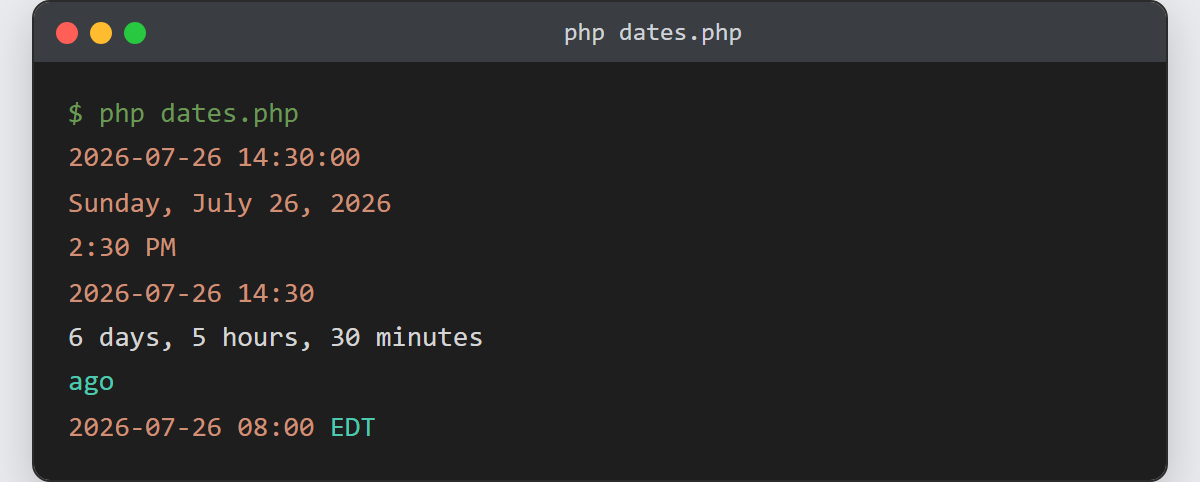
Notes on how to format dates and times in PHP:
- Prefer
DateTimeover the old
date()andstrtotime()pair. An object
carries its own time zone and never relies on a hidden global “current time”. - Use
DateTimeImmutablewhen you pass dates around. Unlike
DateTime, its methods return a new object, so a stray
modify()cannot mutate a date another part of your code still holds. - Escape literal letters in a format string with a backslash, for example
'\o\n l'to print the word “on” before the weekday. Otherwise each
letter is read as a format character. - Always store timestamps in UTC and convert on output. It keeps comparisons correct across
regions and daylight-saving changes. - Dates often arrive from a file or a form. See how to
read a CSV file in PHP,
then parse each date column withcreateFromFormat()as shown above.
