
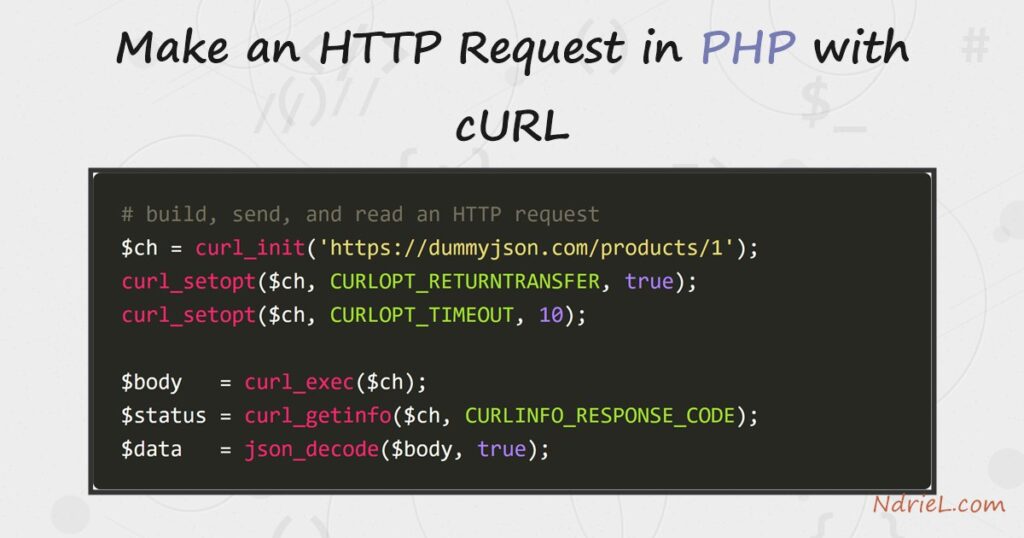
Make an HTTP request in PHP with the bundled cURL extension. You build a request with curl_init(), configure it through curl_setopt(), send it with curl_exec(), and close it with curl_close(). This tutorial calls a public JSON API twice. First it runs a GET to fetch a record, then it runs a POST to create one. Along the way it reads the status code and decodes the JSON reply, so you get usable PHP data rather than a raw string.
Requirements to make an HTTP request in PHP:
- PHP 7.0 or newer (tested on PHP 8.5.7) with the curl extension enabled. Check with
php -m | grep curl. - Outbound internet access from the server, and a URL to call. This example uses the free dummyjson.com API.
How To Make an HTTP Request in PHP.
The objective is to fetch a JSON resource over HTTPS, read its status code, and decode it into a PHP array. Then it sends data back with a POST.
Step 1.
First, create the script, name it request.php, and set up a GET. curl_init() takes the URL. The key option is CURLOPT_RETURNTRANSFER, which makes curl_exec() return the body as a string instead of printing it. A timeout keeps a slow server from hanging your script.
<?php
$ch = curl_init('https://dummyjson.com/products/1');
curl_setopt($ch, CURLOPT_RETURNTRANSFER, true);
curl_setopt($ch, CURLOPT_TIMEOUT, 10);
curl_setopt($ch, CURLOPT_HTTPHEADER, ['Accept: application/json']);

$body = curl_exec($ch);
if ($body === false) {
    exit('Request failed: ' . curl_error($ch));
}
$status = curl_getinfo($ch, CURLINFO_RESPONSE_CODE);
curl_close($ch);
Always check curl_exec() for false, which signals a transport error such as a DNS failure or a timeout. curl_getinfo() then reports the HTTP status, so you can tell a 200 from a 404.
Step 2.
Next, turn the JSON string into PHP data. json_decode() with true returns an associative array, so you reach each field by its key.
$data = json_decode($body, true);
echo "GET  status: $status\n";
echo "Product:     {$data['title']} (\${$data['price']})\n";
Step 3.
Then, send data with a POST. Set CURLOPT_POST, pass the body through CURLOPT_POSTFIELDS, and declare the content type in a header. The API replies with the created record, which you decode the same way.
$payload = json_encode(['title' => 'NdrieL Mug', 'price' => 12]);
$ch = curl_init('https://dummyjson.com/products/add');
curl_setopt($ch, CURLOPT_RETURNTRANSFER, true);
curl_setopt($ch, CURLOPT_POST, true);
curl_setopt($ch, CURLOPT_POSTFIELDS, $payload);
curl_setopt($ch, CURLOPT_HTTPHEADER, ['Content-Type: application/json']);

$reply  = json_decode(curl_exec($ch), true);
$status = curl_getinfo($ch, CURLINFO_RESPONSE_CODE);
curl_close($ch);
echo "POST status: $status\n";
echo "Created id:  {$reply['id']} — {$reply['title']}\n";
Result of the HTTP request in PHP.
The GET returns a 200 with a product record, and the POST returns a 201 with the id the API assigned. As a result, both calls confirm the request succeeded and the JSON decoded cleanly:
$ php request.php
GET  status: 200
Product:     Essence Mascara Lash Princess ($9.99)
POST status: 201
Created id:  195 — NdrieL Mug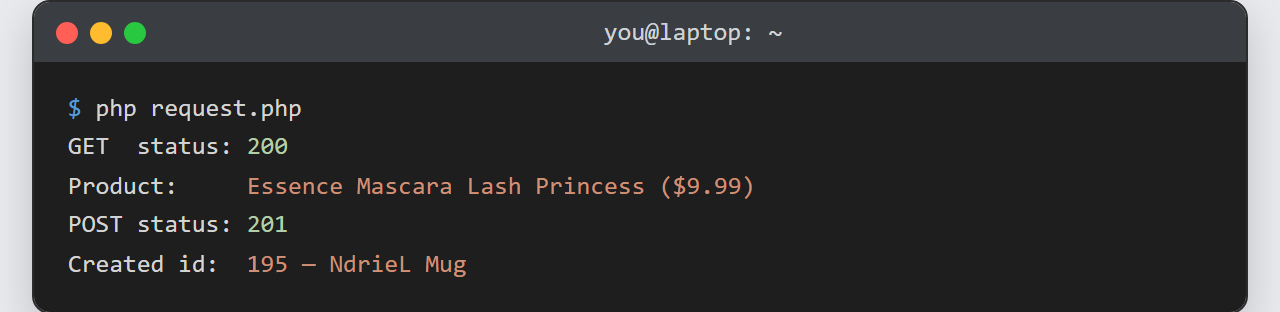
Notes on making an HTTP request in PHP:
- Reuse or close every handle. Each
curl_init()allocates a handle, so callcurl_close()when done. For many calls to the same host, reuse one handle to keep the connection alive. - Set a timeout. Without
CURLOPT_TIMEOUT, a hung endpoint can stall your whole script. Also setCURLOPT_CONNECTTIMEOUTfor the connect phase. - Some APIs require a User-Agent. GitHub, for example, rejects a request with no
User-Agentheader. So add one viaCURLOPT_HTTPHEADERorCURLOPT_USERAGENT. - Keep certificate verification on. cURL verifies TLS certificates by default. Never disable
CURLOPT_SSL_VERIFYPEERto “fix” an error — fix the certificate bundle instead. - The reply is often JSON you then process. Once decoded, you can handle it like any array — the same way you would when you read and parse JSON files in PHP.
