
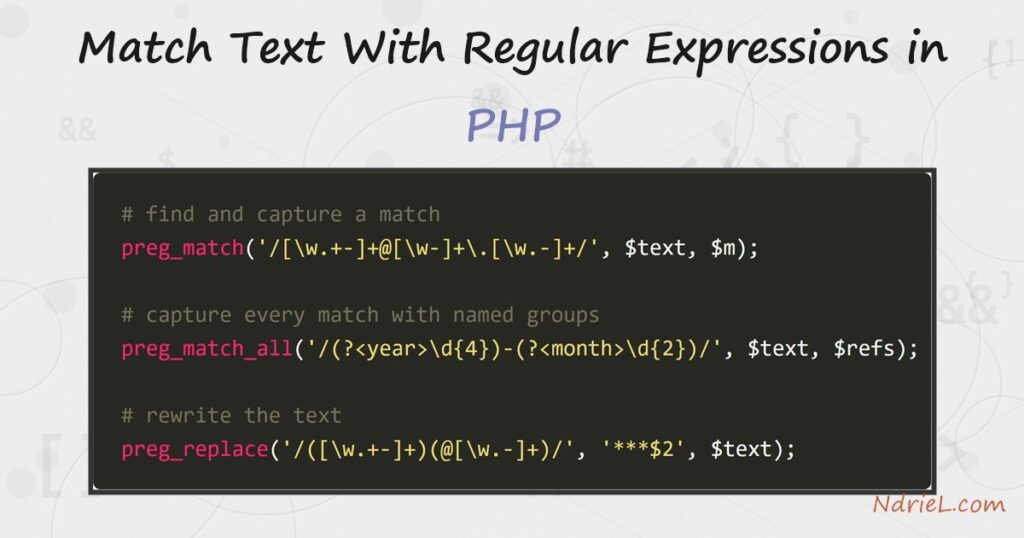
Match text with regular expressions in PHP using preg_match(), preg_match_all(), and preg_replace(). A pattern describes the shape of the text you want, and these functions find it, capture parts of it, or rewrite it. This tutorial works one sample string through four common jobs. First it finds an email and captures it, then it pulls every reference code with named groups, next it validates a slug with anchors, and finally it masks the email with a replacement. Each job is only a few lines.
Requirements to use regular expressions in PHP:
- PHP 7.0 or newer (tested on PHP 8.5.7). The PCRE engine that powers the
preg_*functions is built in — no extension to install. - A command line or web server to run the script.
How To Use Regular Expressions in PHP.
The objective is to find, capture, validate, and replace text with one pattern per task. Every pattern is written between delimiters, usually forward slashes.
Step 1.
First, create the script, name it match.php, and find a match. preg_match() returns 1 when the pattern is found, and it fills $m with the match. Here the pattern describes an email address, so $m[0] holds the whole match.
<?php
$text = "Order #4521 from ada@example.com — total £39.90, ref ND-2026-07.";

if (preg_match('/[\w.+-]+@[\w-]+\.[\w.-]+/', $text, $m)) {
    echo "Email:   {$m[0]}\n";
}
Step 2.
Next, capture parts of every match with preg_match_all(). Named groups, written (?<name>...), make the captures readable. This pulls the year and month out of each reference code.
preg_match_all('/(?<prefix>ND)-(?<year>\d{4})-(?<month>\d{2})/', $text, $refs);
echo "Ref:     {$refs['year'][0]}/{$refs['month'][0]}\n";
Step 3.
Then, validate a whole string, and rewrite text. The anchors ^ and $ force the pattern to match the entire value, which is how you check a format like a slug. Finally, preg_replace() swaps every match for new text, using $2 to keep the second capture group.
$slug = "set-and-read-cookies";
$ok = preg_match('/^[a-z0-9]+(?:-[a-z0-9]+)*$/', $slug);
echo "Slug OK: " . ($ok ? "yes" : "no") . "\n";

echo preg_replace('/([\w.+-]+)(@[\w.-]+)/', '***$2', $text) . "\n";
Result of the regular expressions in PHP.
PHP captures the email, reads the year and month from the reference, confirms the slug is valid, and masks the address in the rewritten line. As a result, one small script covers finding, capturing, validating, and replacing:
$ php match.php
Email:   ada@example.com
Ref:     2026/07
Slug OK: yes
Order #4521 from ***@example.com — total £39.90, ref ND-2026-07.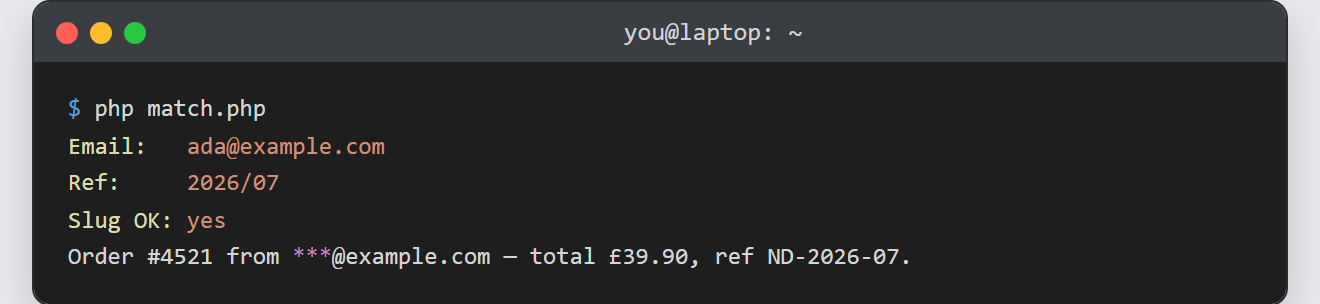
Notes on regular expressions in PHP:
- Delimiters and flags. The pattern sits between delimiters (
/.../); a trailingimakes it case-insensitive, andmmakes^and$match per line. Pick a different delimiter, like#...#, when the pattern itself contains slashes. preg_match()stops at the first match, whilepreg_match_all()finds them all. Use the first to test or grab one value, and the second to collect a list.- Check for
false. On an invalid pattern these functions returnfalse, not 0. So use===when the difference matters. - Do not validate email with regex alone. A short pattern is fine to extract a likely address, but real validation belongs to
filter_var($email, FILTER_VALIDATE_EMAIL)or an actual confirmation message. - Regex is a good fit for cleaning parsed input. For example, after you read a CSV file in PHP, a pattern can validate or reformat each field before you store it.
