
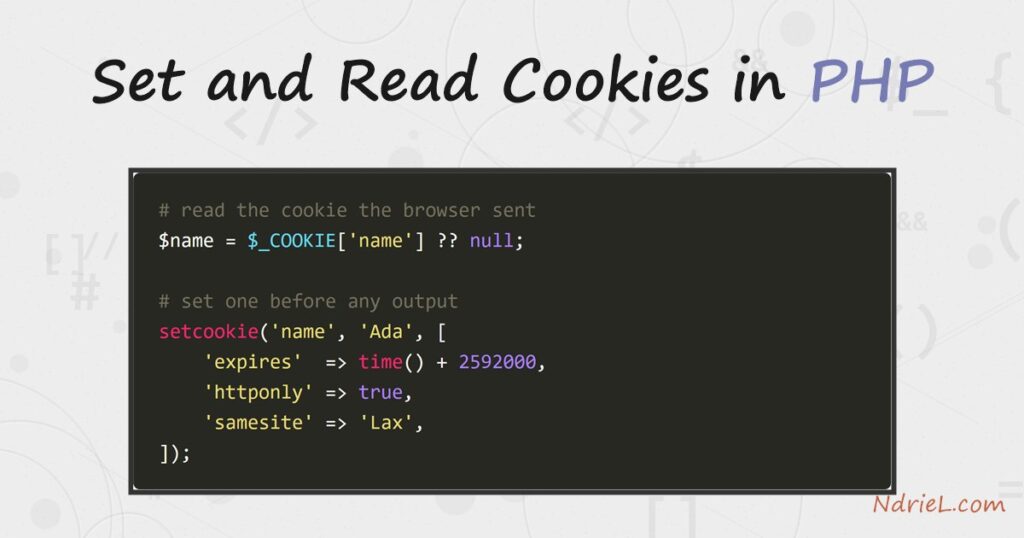
Cookies in PHP let you store a small value in the visitor’s browser and read it back on their next request. You write one with setcookie() and read it from the $_COOKIE array. This tutorial builds a small welcome.php page that remembers a visitor. First it reads any cookie already sent, then it sets a fresh one, and finally it greets a returning visitor by name and counts their visits. Because a cookie lives in the browser, it survives across page loads and even after the browser closes.
Requirements to set cookies in PHP:
- PHP 7.0 or newer (tested on PHP 8.5.7). No extensions needed —
setcookie()and$_COOKIEare built in. - A web server so the browser can send cookies back. The built-in server (
php -S) is enough.
How To Set and Read Cookies in PHP.
The objective is a page that sets a cookie on the first visit and reads it on every visit after. A cookie travels as an HTTP header, so the order of the code matters.
Step 1.
First, create the script, name it welcome.php, and read the incoming cookies at the top. The $_COOKIE array holds whatever the browser sent. On a first visit it is empty, so the null-coalescing operator supplies a default.
<?php
$name   = $_COOKIE['name']   ?? null;
$visits = (int)($_COOKIE['visits'] ?? 0) + 1;
Step 2.
Next, set the cookies with setcookie(). This must run before any HTML or echo, because a cookie is an HTTP header and headers come before the body. The options array is the modern form. It sets an expiry 30 days out, scopes the cookie to the whole site, and hides it from JavaScript.
setcookie('name', 'Ada', [
    'expires'  => time() + 60 * 60 * 24 * 30, // 30 days
    'path'     => '/',
    'httponly' => true,   // JavaScript cannot read it
    'samesite' => 'Lax',  // not sent on cross-site requests
]);
setcookie('visits', (string)$visits, time() + 60 * 60 * 24 * 30, '/');
The first call uses the options-array signature added in PHP 7.3, which is the one to prefer. The second shows the older positional form, where the third argument is the expiry and the fourth is the path. Both set a cookie; the array form is simply clearer about flags like httponly.
Step 3.
Then, send the response and load the page. Because the cookie is read at the top and written just after, the greeting reflects the previous visit. So start the built-in server and open the page in a browser, or use curl to watch the header.
header('Content-Type: text/plain');
if ($name === null) {
    echo "Welcome! Setting your cookie now.\n";
} else {
    echo "Welcome back, {$name}. Visit #{$visits}.\n";
}
php -S 127.0.0.1:8000
# then, in another terminal:
curl -i http://127.0.0.1:8000/welcome.phpResult of reading cookies in PHP.
On the first request the browser has no cookie, so PHP sends a Set-Cookie header and the “Welcome!” line. On the next request the browser returns the cookie, so PHP greets the visitor and increments the counter. As a result, the page remembers the visitor between loads:
$ curl -i http://127.0.0.1:8000/welcome.php
HTTP/1.1 200 OK
Set-Cookie: name=Ada; expires=Tue, 25 Aug 2026 06:47:46 GMT; Max-Age=2592000; path=/; HttpOnly; SameSite=Lax
Set-Cookie: visits=1; expires=Tue, 25 Aug 2026 06:47:46 GMT; Max-Age=2592000; path=/
Content-Type: text/plain

Welcome! Setting your cookie now.

# reload — the browser now sends the cookie back:
Welcome back, Ada. Visit #2.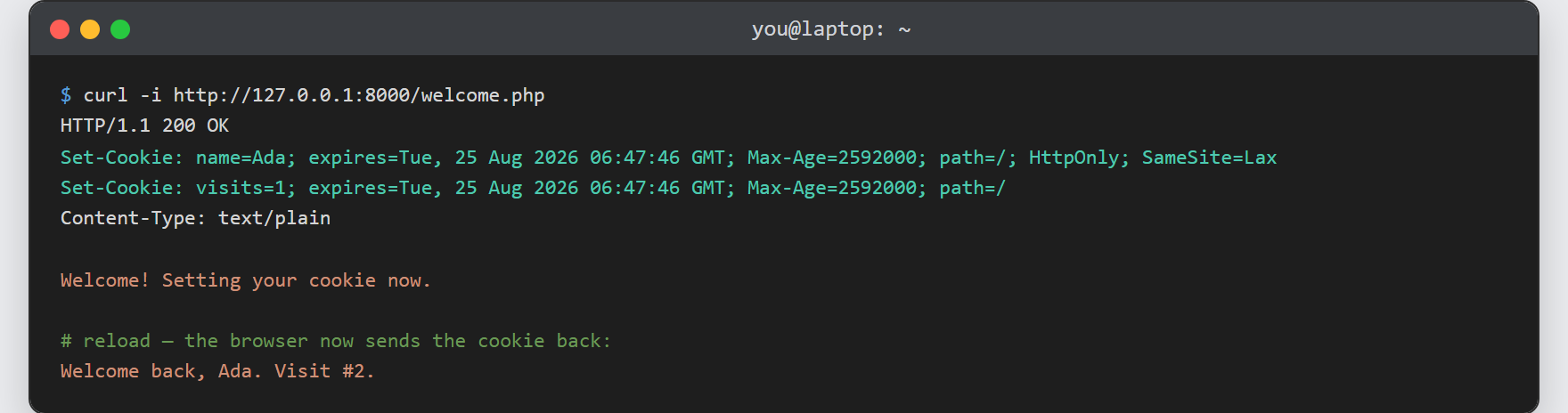
Notes on cookies in PHP:
- Set cookies before output.
setcookie()sends a header, so it must run before any echo, HTML, or even a blank line ahead of<?php. Otherwise PHP warns “headers already sent” and the cookie is lost. - The current request does not see a just-set cookie.
$_COOKIEis filled from the incoming request, so a cookie you set now first appears on the next request. Read it back only after the browser has returned it. - Always set
httponlyandsamesite. HttpOnly keeps JavaScript from reading the cookie, which blunts XSS theft. SameSite=Lax stops the cookie riding along on cross-site requests. Also add'secure' => trueonce the site runs on HTTPS. - Delete a cookie by expiring it. Call
setcookie('name', '', time() - 3600, '/')with a past time and the same path, and the browser drops it. - Cookies are not for secrets. They live in the browser, so the user can read or edit them. For login state, keep the data server-side and store only an id — and hash any credentials first, as in hashing and verifying passwords in PHP.
