
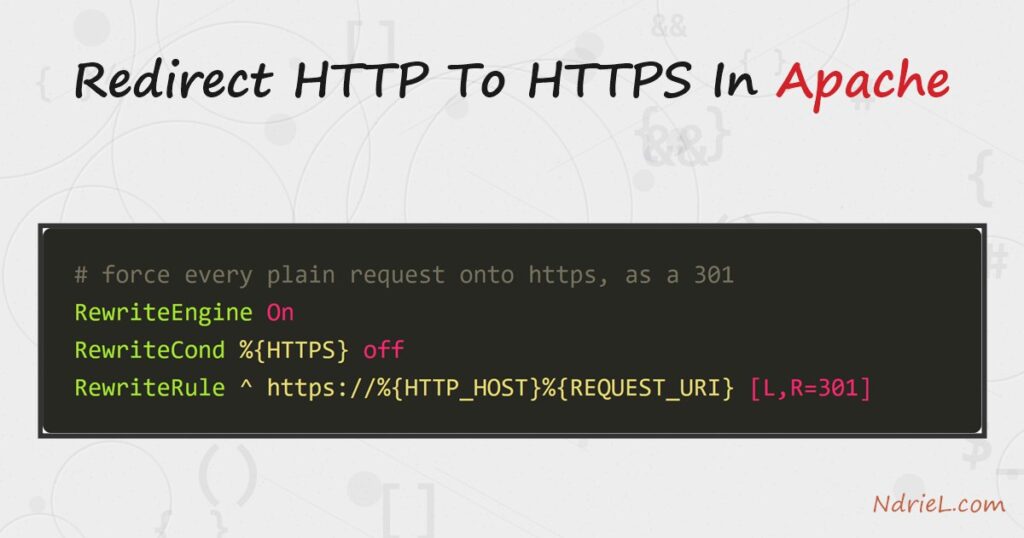
Redirect HTTP to HTTPS in Apache so every visitor lands on the secure version of your
site, even when they type a bare http:// address. The redirect is a small
RewriteCond and RewriteRule
pair, or a dedicated port-80 virtual host, that answers each plain request with a
301 Moved Permanently pointing at the
https:// URL. This tutorial adds the rule, restarts Apache,
and proves the redirect with a real request.
Requirements to redirect HTTP to HTTPS:
- Apache 2.4 (tested on Apache 2.4.68) with permission to edit its config and restart the
server. - A working HTTPS site already on port 443 — the redirect only forwards traffic to it.
If you have no certificate yet, secure the site first. - The mod_rewrite module loaded (the rule form below needs it).
How To Redirect HTTP to HTTPS in Apache.
The objective is simple. A request for http://example.com/pricing should return a
301 that sends the browser to https://example.com/pricing, keeping the path intact.
We use the mod_rewrite form first, then show the cleaner dedicated-vhost form.
Step 1.
First, confirm mod_rewrite is active. The rewrite form of the redirect does nothing
without it, so list the loaded modules and look for rewrite_module.
httpd -M | grep rewriteIf it prints rewrite_module (shared), you are set. If not,
enable it first — see how to enable mod_rewrite in Apache,
then come back to this step.
Step 2.
Next, add the redirect rule. Put these three lines in the site’s .htaccess, or
inside its port-80 <VirtualHost> block. The condition
matches only plain requests, so it never loops once the visitor is already on HTTPS.
RewriteEngine On

# Send every non-HTTPS request to the same URL over https, as a 301.
RewriteCond %{HTTPS} off
RewriteRule ^ https://%{HTTP_HOST}%{REQUEST_URI} [L,R=301]
Read it in order. %{HTTPS} off is true only for plain
requests. Then https://%{HTTP_HOST}%{REQUEST_URI} rebuilds the
exact address over HTTPS, so the host and path survive. Finally the flags:
R=301 makes it a permanent redirect, and
L stops further rules.
Step 3.
Then, prefer a dedicated port-80 host for a whole site. Rather than a per-directory
.htaccess, give port 80 its own virtual host whose only job is to forward. This is
faster, because Apache reads it once at startup instead of on every request.
<VirtualHost *:80>
    ServerName example.com
    ServerAlias www.example.com

    RewriteEngine On
    RewriteRule ^ https://%{HTTP_HOST}%{REQUEST_URI} [L,R=301]
</VirtualHost>
Here the RewriteCond is unnecessary, because this block
answers port 80 alone — everything reaching it is already plain HTTP. Keep your real site
config in the separate *:443 block.
Step 4.
Finally, check the config and restart Apache so it reads the change. Test the syntax first,
because a typo here stops the server from starting.
httpd -t
httpd -k restart
On Linux the equivalent is sudo apachectl configtest then
sudo systemctl reload apache2. Edits to .htaccess need
no restart, but changes to a vhost or httpd.conf always do.
Result of the redirect from HTTP to HTTPS.
Now a plain request no longer serves a page. Instead Apache answers with a
301 Moved Permanently and a
Location header pointing at the HTTPS address, so the browser
follows it automatically. As a result, the visitor ends up on the padlocked site with the path
preserved. The transcript below is a real curl -I against the
redirect:
$ curl -I http://example.com/pricing
HTTP/1.1 301 Moved Permanently
Date: Sat, 26 Jul 2026 09:14:52 GMT
Server: Apache/2.4.68 (Win64)
Location: https://example.com/pricing
Content-Type: text/html; charset=iso-8859-1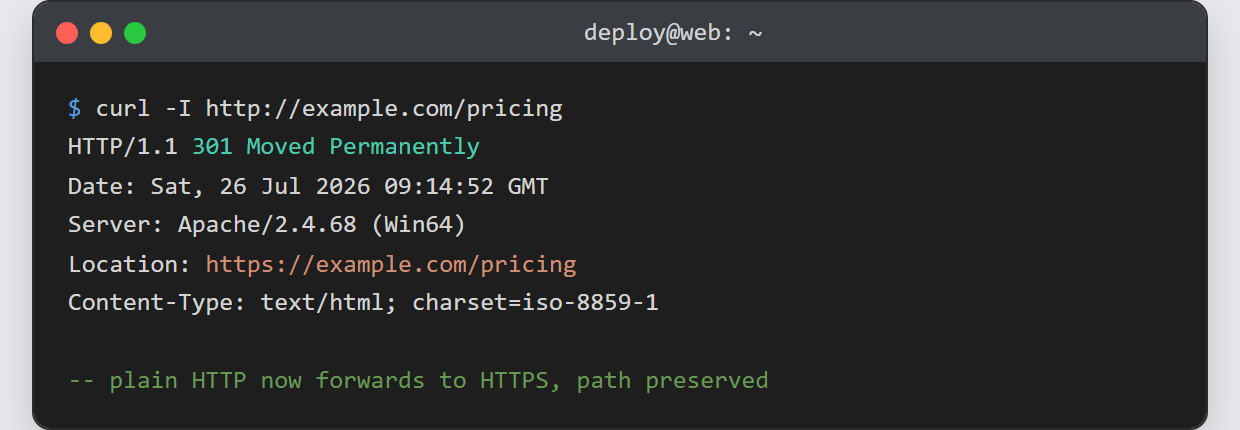
Notes on the redirect from HTTP to HTTPS:
- Use 301, not 302. A permanent redirect tells browsers and search engines to remember the
HTTPS address, so they stop requesting the plain one. A temporary 302 is not cached the same
way and hurts SEO. - Avoid the redirect loop. If the browser reports “too many redirects”, the
RewriteCond %{HTTPS} offis missing, or a proxy terminates TLS
and Apache never sees HTTPS as on. Behind a load balancer, test
%{HTTP:X-Forwarded-Proto}instead. - Redirect www and non-www together. A single rule with
%{HTTP_HOST}keeps whatever host the visitor used; add a second
rule if you also want to canonicalise www to the bare domain. - The redirect needs a certificate to land on. This rule only forwards traffic; the HTTPS
site on port 443 must already answer. If it does not yet, first
create an Apache virtual host
for the site and give it a certificate.
