
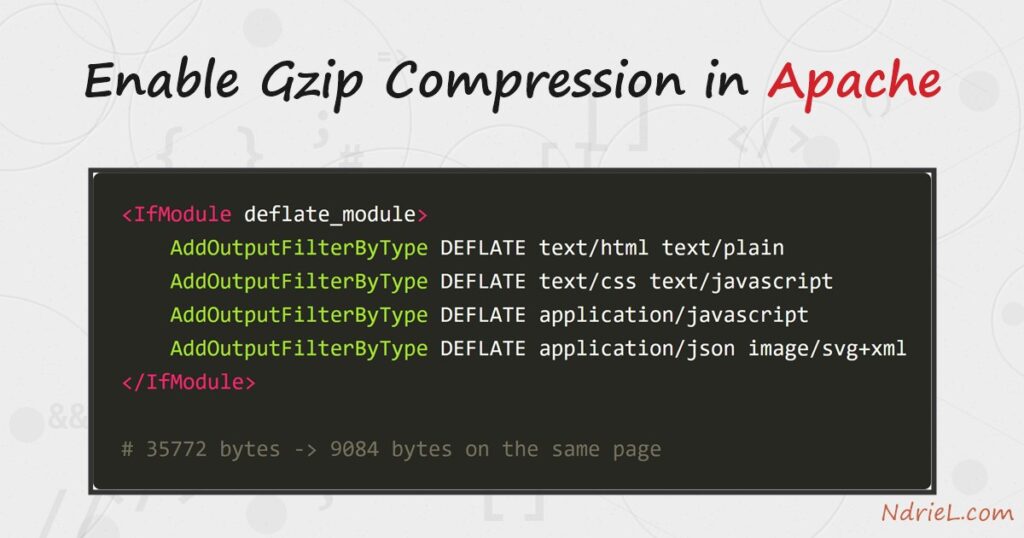
Enable gzip compression in Apache and every text response — HTML, CSS, JavaScript, JSON — shrinks before it crosses the wire. The work is done by mod_deflate: you load the module, tell it which content types to compress with AddOutputFilterByType, and restart. First, this tutorial switches the module on. Next, it adds a compression block to httpd.conf. Finally, it proves the gain with curl — the same page drops from 35 KB to 9 KB, a 75% saving, with the Content-Encoding: gzip header to show for it.
Requirements to enable gzip compression in Apache:
- Apache 2.4 (tested on Apache 2.4.68) with access to httpd.conf and permission to restart the server.
- The curl command-line tool for the verification step. It ships with Windows 10+, macOS, and every major Linux distribution.
How To Enable the Gzip Compression in Apache.
The objective is to serve the same pages in a fraction of the bytes. A response only gets compressed when both sides agree: the browser offers Accept-Encoding: gzip, and Apache answers with a compressed body and a Content-Encoding: gzip header.
Step 1.
First, load the module. Open httpd.conf and remove the leading # from this line, then save.
LoadModule deflate_module modules/mod_deflate.soOn Debian or Ubuntu, run sudo a2enmod deflate instead — recent releases ship it enabled already, in which case the command simply tells you so. Either way, restart Apache and confirm the module is active:
httpd -k restart
httpd -M | grep deflate
deflate_module (shared)Step 2.
Next, tell Apache what to compress. Add this block at the end of httpd.conf (on Ubuntu, /etc/apache2/conf-available/ is the tidy home for it). Each AddOutputFilterByType DEFLATE line names response types worth compressing — text formats, scripts, JSON, and SVG.
<IfModule deflate_module>
    AddOutputFilterByType DEFLATE text/html text/plain text/css text/xml
    AddOutputFilterByType DEFLATE text/javascript application/javascript
    AddOutputFilterByType DEFLATE application/json application/xml image/svg+xml
</IfModule>
Notice what the list leaves out. JPEG, PNG, WebP, video, and ZIP downloads are already compressed; running them through gzip burns CPU to save almost nothing, and occasionally makes the file bigger. Compress text, skip binaries.
Step 3.
Then, restart Apache once more and verify with curl. The -H flag offers gzip the way a browser would, and -D - prints the response headers.
curl -s -o /dev/null -H "Accept-Encoding: gzip" -D - http://ndriel.local/HTTP/1.1 200 OK
Vary: Accept-Encoding
Content-Encoding: gzipBoth headers matter. Content-Encoding: gzip says this response is compressed. In turn, Vary: Accept-Encoding tells every cache between you and the visitor to store the compressed and uncompressed versions separately — mod_deflate adds it for you.
Step 4.
Finally, measure the difference. Asking curl to print the downloaded byte count, with and without the gzip offer, puts a number on the saving.
# with compression
curl -s -o /dev/null -H "Accept-Encoding: gzip" \
     -w "%{size_download} bytes\n" http://ndriel.local/

# without
curl -s -o /dev/null -w "%{size_download} bytes\n" http://ndriel.local/
Result of enabling gzip compression in Apache.
The same WordPress front page travels at a quarter of its size once gzip is on. This is the real output from Apache 2.4.68:
9084 bytes     <-- with Accept-Encoding: gzip
35772 bytes    <-- without

HTTP/1.1 200 OK
Server: Apache/2.4.68 (Win64) PHP/8.5.7
Vary: Accept-Encoding
Content-Encoding: gzip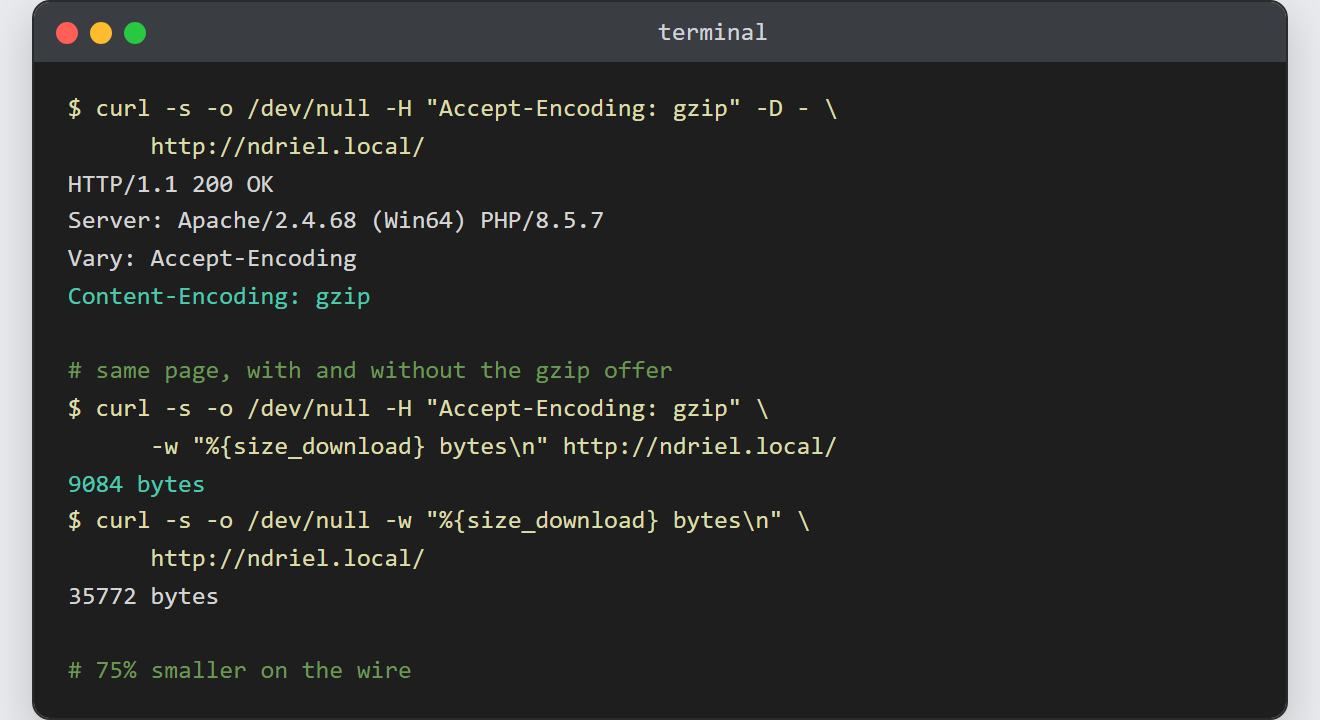
Notes on gzip compression in Apache:
- Compression level is tunable.
DeflateCompressionLevel 6is a sensible middle ground; 9 squeezes slightly harder for noticeably more CPU. The default serves almost everyone. - Modern browsers also accept Brotli (mod_brotli, also in Apache 2.4), which compresses a little tighter than gzip. The setup is the same shape; gzip remains the universally supported baseline.
- Dynamic pages are compressed per request, so there is a small CPU cost per hit. For high-traffic static assets, consider pre-compressed .gz files served via
mod_rewriterules instead. - If the header refuses to appear, check that mod_filter is loaded too, and that nothing upstream (a proxy, a CDN) strips
Accept-Encoding. - This tutorial edits the same file as enabling mod_rewrite in Apache. Similarly, if you serve several sites, the block can live inside one Apache virtual host to compress just that site.
