
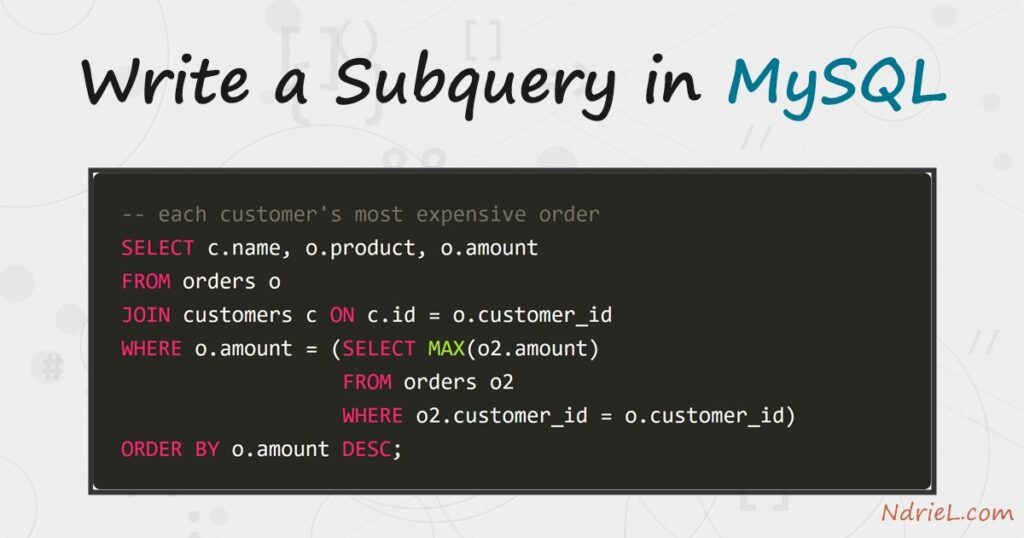
Write a subquery in MySQL to answer a question inside a question — a SELECT nested in another statement’s WHERE or column list. First, an IN subquery finds every customer whose id appears in the orders table, and NOT IN flips it to find the ones who never bought. Next, a scalar subquery returns a single value — the average order — that the outer query compares against. Finally, a correlated subquery re-runs per row to find each customer’s most expensive order. This tutorial runs from the mysql terminal on the same two tables the join tutorial uses.
Requirements to write a subquery in MySQL:
- MySQL 8.4 (tested against 8.4.10). Subqueries work on MySQL 5.7 and MariaDB as well.
- Terminal access to the mysql client, logged in to a database where you can create tables.
How To Write the Subquery in MySQL.
The objective is to answer four report questions — who has ordered, who has not, which orders beat the average, and each customer’s biggest purchase — without ever leaving a single statement.
Step 1.
First, the tables: customers, and orders pointing back at them by customer_id. If you followed the join tutorial, you already have these; otherwise run the setup below. Linus has no orders, which the NOT IN step will catch.
CREATE TABLE customers (
    id    INT UNSIGNED AUTO_INCREMENT PRIMARY KEY,
    name  VARCHAR(50) NOT NULL,
    city  VARCHAR(50) NOT NULL
);

CREATE TABLE orders (
    id           INT UNSIGNED AUTO_INCREMENT PRIMARY KEY,
    customer_id  INT UNSIGNED NOT NULL,
    product      VARCHAR(50) NOT NULL,
    amount       DECIMAL(8,2) NOT NULL
);

INSERT INTO customers (name, city) VALUES
    ('Ada Lovelace',   'London'),
    ('Alan Turing',    'Manchester'),
    ('Grace Hopper',   'New York'),
    ('Linus Torvalds', 'Helsinki');

INSERT INTO orders (customer_id, product, amount) VALUES
    (1, 'Mechanical Keyboard', 89.00),
    (1, 'Standing Desk',      412.50),
    (2, 'Desk Lamp',           34.99),
    (3, 'Monitor Arm',        129.00);
Step 2.
Next, the IN subquery. The inner SELECT produces the list of customer ids that appear in orders, and the outer query keeps the customers on that list. Read it inside-out.
SELECT name, city
FROM customers
WHERE id IN (SELECT customer_id FROM orders);
+--------------+------------+
| name | city |
+--------------+------------+
| Ada Lovelace | London |
| Alan Turing | Manchester |
| Grace Hopper | New York |
+--------------+------------+Step 3.
Then, flip it with NOT IN to find customers with no orders at all — the classic “who never converted” report, and only Linus qualifies.
SELECT name, city
FROM customers
WHERE id NOT IN (SELECT customer_id FROM orders);
+----------------+----------+
| name | city |
+----------------+----------+
| Linus Torvalds | Helsinki |
+----------------+----------+Step 4.
Now the scalar subquery — an inner query that returns exactly one value. Because (SELECT AVG(amount) FROM orders) collapses to the single number 166.37, the outer WHERE can compare against it directly. The same expression also works inside the column list, where it prints beside every row.
SELECT product, amount
FROM orders
WHERE amount > (SELECT AVG(amount) FROM orders);
+---------------+--------+
| product | amount |
+---------------+--------+
| Standing Desk | 412.50 |
+---------------+--------+Step 5.
Finally, the correlated subquery. Unlike the others, the inner query references the outer row (o.customer_id), so conceptually it re-runs for every order — each time asking “what is this customer’s maximum?”. The result is each customer’s most expensive purchase.
SELECT c.name, o.product, o.amount
FROM orders o
JOIN customers c ON c.id = o.customer_id
WHERE o.amount = (SELECT MAX(o2.amount)
                  FROM orders o2
                  WHERE o2.customer_id = o.customer_id)
ORDER BY o.amount DESC;
Result of writing the subqueries in MySQL.
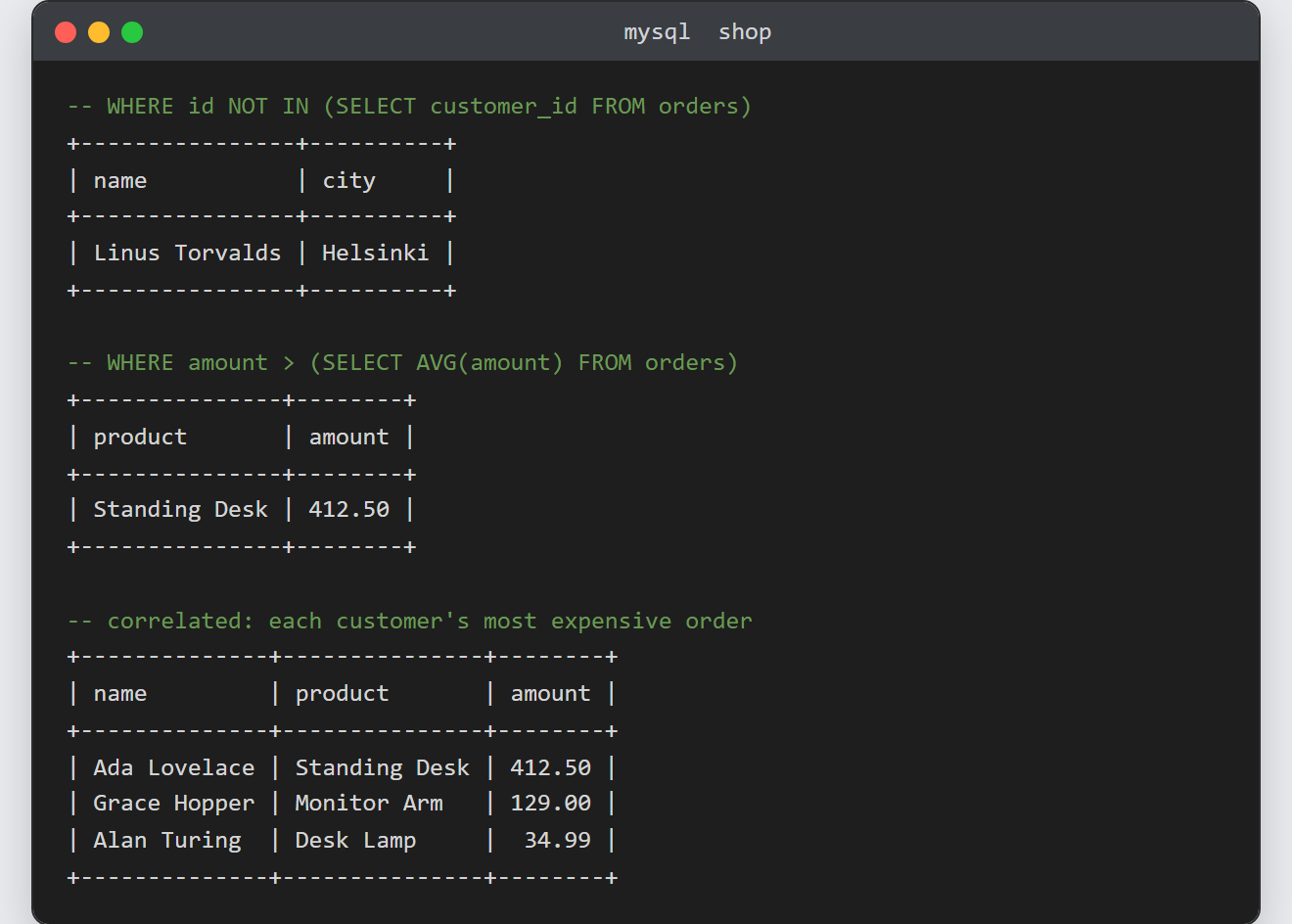
Each nested query answers its question in one statement — and the correlated one returns exactly one row per buying customer. This is the real output from MySQL 8.4.10:
-- each customer's most expensive order (correlated)
+--------------+---------------+--------+
| name         | product       | amount |
+--------------+---------------+--------+
| Ada Lovelace | Standing Desk | 412.50 |
| Grace Hopper | Monitor Arm   | 129.00 |
| Alan Turing  | Desk Lamp     |  34.99 |
+--------------+---------------+--------+

-- the scalar average, shown alongside each row
+---------------------+--------+------------+
| product             | amount | avg_amount |
+---------------------+--------+------------+
| Mechanical Keyboard |  89.00 |     166.37 |
| Standing Desk       | 412.50 |     166.37 |
| Desk Lamp           |  34.99 |     166.37 |
| Monitor Arm         | 129.00 |     166.37 |
+---------------------+--------+------------+
Notes on writing a subquery in MySQL:
- The NOT IN null trap. If the inner query can return
NULL,NOT INsilently matches nothing — every comparison againstNULLis unknown. On nullable columns, useNOT EXISTSwith a correlated test instead. - Many
INsubqueries rewrite naturally as joins — Step 2 isSELECT DISTINCT c.name, c.city FROM customers c JOIN orders o ON o.customer_id = c.id. The optimizer often produces the same plan for both; write whichever states the question more clearly, and check withEXPLAINwhen it matters. - A scalar subquery must return one row and one column — two rows raise ERROR 1242: Subquery returns more than 1 row. Aggregates like
AVG()andMAX()are safe because they always collapse to one value. - A subquery in
FROM(a derived table) must be given an alias, and on MySQL 8.0+ aWITHclause (CTE) usually reads better for that job. - The base tables and the join used in Step 5 come from joining tables in MySQL. Similarly, when a subquery grows slow on real data, create an index and read EXPLAIN to see what it is doing.
