
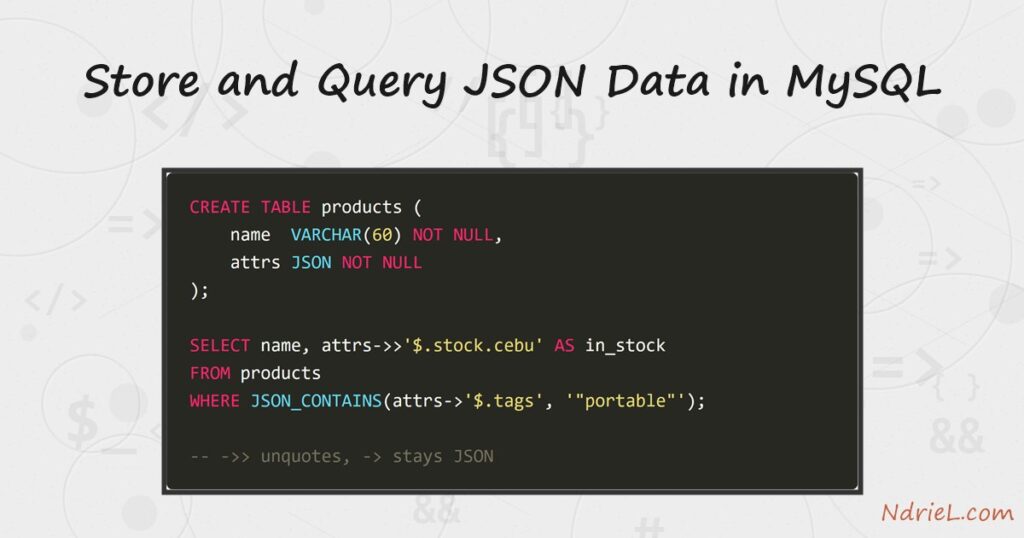
JSON data in MySQL lives in a real column type, not a text field that happens to hold braces. The server parses each document on the way in, rejects malformed input, and stores a binary form that lets a query pluck out individual keys. First, this tutorial creates a JSON column and inserts documents into it. Next, it pulls values out with JSON_EXTRACT and the ->> shorthand. Then it edits one key in place with JSON_SET. Finally, it filters on an array with JSON_CONTAINS.
Requirements for JSON data in MySQL:
- MySQL 8.0 or newer (tested on MySQL 8.4.10). The
JSONtype arrived in 5.7, but the operators below are cleanest on 8. - Terminal access to the mysql client, and a user that can create a database.
- Data with a genuinely variable shape. Fixed fields still belong in ordinary columns.
How To Store and Query JSON Data in MySQL.
The objective is a product catalogue where every item carries a different set of attributes. Note that this is not the same subject as reading and parsing JSON files in PHP, which handles JSON as text on disk. Here the database itself understands the document. Create the demo data first, so every query below returns exactly what the article shows.
CREATE DATABASE ndriel_json_demo;
USE ndriel_json_demo;

CREATE TABLE products (
    id    INT AUTO_INCREMENT PRIMARY KEY,
    name  VARCHAR(60) NOT NULL,
    attrs JSON NOT NULL
);

INSERT INTO products (name, attrs) VALUES
    ('Aurora 14 Laptop', '{"brand": "Aurora", "price": 48999, "ram_gb": 16, "tags": ["laptop", "portable"], "stock": {"berlin": 4, "toronto": 11}}'),
    ('Nimbus Phone X',   '{"brand": "Nimbus", "price": 21499, "ram_gb": 8,  "tags": ["phone", "portable"], "stock": {"berlin": 0, "toronto": 7}}'),
    ('Orbit Desk Pro',   '{"brand": "Orbit",  "price": 63500, "ram_gb": 32, "tags": ["desktop"],           "stock": {"berlin": 2, "toronto": 3}}'),
    ('Pixel Tab 11',     '{"brand": "Nimbus", "price": 15750, "ram_gb": 6,  "tags": ["tablet", "portable"], "stock": {"berlin": 9, "toronto": 0}}');
Each document mixes strings, numbers, an array and a nested object. Feed the column a broken string and the insert fails immediately, so validation is free.
Step 1.
First, read one key three ways. The difference between them is quoting, and it catches almost everyone once.
SELECT name,
       JSON_EXTRACT(attrs, '$.brand') AS extract_brand,
       attrs->'$.brand'               AS arrow_brand,
       attrs->>'$.brand'              AS unquoted_brand
FROM products;
+------------------+---------------+-------------+----------------+
| name | extract_brand | arrow_brand | unquoted_brand |
+------------------+---------------+-------------+----------------+
| Aurora 14 Laptop | "Aurora" | "Aurora" | Aurora |
| Nimbus Phone X | "Nimbus" | "Nimbus" | Nimbus |
| Orbit Desk Pro | "Orbit" | "Orbit" | Orbit |
| Pixel Tab 11 | "Nimbus" | "Nimbus" | Nimbus |
+------------------+---------------+-------------+----------------+The first two return a JSON string, quotes included, because the result is still JSON. The ->> operator unquotes it into an ordinary SQL string. Those quotes are real characters, so LENGTH(attrs->'$.brand') reports 8 for Aurora while the double arrow reports 6. Plain equality hides the difference, because MySQL coerces both sides; anything text-shaped does not. As a result WHERE attrs->'$.brand' LIKE 'Nim%' matches no rows at all, while the double-arrow version matches two. Reach for ->> whenever you plan to display, concatenate, pattern-match, or join on the value.
Step 2.
Next, follow a path deeper. Dots walk into nested objects and square brackets index into arrays, both starting from $, the document root.
SELECT name,
attrs->>'$.ram_gb' AS ram_gb,
attrs->>'$.stock.berlin' AS berlin_stock,
attrs->>'$.tags[0]' AS first_tag
FROM products
ORDER BY attrs->>'$.ram_gb' DESC;+------------------+--------+--------------+-----------+
| name | ram_gb | berlin_stock | first_tag |
+------------------+--------+--------------+-----------+
| Nimbus Phone X | 8 | 0 | phone |
| Pixel Tab 11 | 6 | 9 | tablet |
| Orbit Desk Pro | 32 | 2 | desktop |
| Aurora 14 Laptop | 16 | 4 | laptop |
+------------------+--------+--------------+-----------+The paths are right but the sort is wrong: 8 GB outranks 32 GB. An extracted value arrives as text, so the ordering is alphabetical and “8” sorts after “3”. Adding a cast fixes it.
ORDER BY CAST(attrs->>'$.ram_gb' AS UNSIGNED) DESC;+------------------+--------+--------------+-----------+
| name | ram_gb | berlin_stock | first_tag |
+------------------+--------+--------------+-----------+
| Orbit Desk Pro | 32 | 2 | desktop |
| Aurora 14 Laptop | 16 | 4 | laptop |
| Nimbus Phone X | 8 | 0 | phone |
| Pixel Tab 11 | 6 | 9 | tablet |
+------------------+--------+--------------+-----------+Cast anything numeric before you sort or compare it, therefore. A missing path is not an error either; it simply yields NULL, which is what makes ragged documents workable.
Step 3.
Then, change one key without rewriting the document. JSON_SET takes path and value pairs, and it adds a key that does not exist yet.
UPDATE products
SET attrs = JSON_SET(attrs, '$.price', 45999,
'$.stock.berlin', 6,
'$.warranty_months', 24)
WHERE name = 'Aurora 14 Laptop';
SELECT JSON_PRETTY(attrs) AS attrs FROM products WHERE name = 'Aurora 14 Laptop';{
"tags": [
"laptop",
"portable"
],
"brand": "Aurora",
"price": 45999,
"stock": {
"berlin": 6,
"toronto": 11
},
"ram_gb": 16,
"warranty_months": 24
}Two keys changed and one appeared. Notice that the key order does not match the order you typed — MySQL normalises objects when it stores them, so never rely on document order. Also worth knowing: JSON_REPLACE only touches keys that already exist, while JSON_INSERT only adds new ones. JSON_SET does both, which is why it is the usual choice.
Step 4.
Now filter on an array. JSON_CONTAINS asks whether one document appears inside another, so you write the search value as JSON.
SELECT name, attrs->>'$.tags' AS tags
FROM products
WHERE JSON_CONTAINS(attrs->'$.tags', '"portable"');+------------------+------------------------+
| name | tags |
+------------------+------------------------+
| Aurora 14 Laptop | ["laptop", "portable"] |
| Nimbus Phone X | ["phone", "portable"] |
| Pixel Tab 11 | ["tablet", "portable"] |
+------------------+------------------------+The quotes around "portable" matter, because a bare portable is not valid JSON. Note the single arrow on the left as well: JSON_CONTAINS wants JSON on both sides, so the unquoting arrow would break it.
Step 5.
Finally, try to index the column. This is where a JSON design meets its one hard limit.
CREATE INDEX idx_attrs ON products (attrs);ERROR 3152 (42000): JSON column 'attrs' supports indexing only via generated columns on a specified JSON path.Every path filter above therefore reads every row. EXPLAIN confirms it, reporting type: ALL and no candidate key — the full-scan signature described in creating an index and reading EXPLAIN. Four rows do not care; four million would. The error message also names the fix, which is a generated column over the path you actually search on.
Result of querying JSON data in MySQL.
The clearest lesson is Step 1, where one key read three ways produces two different types. This is the real output from MySQL 8.4.10:
mysql> SELECT name,
-> JSON_EXTRACT(attrs, '$.brand') AS extract_brand,
-> attrs->'$.brand' AS arrow_brand,
-> attrs->>'$.brand' AS unquoted_brand
-> FROM products;
+------------------+---------------+-------------+----------------+
| name             | extract_brand | arrow_brand | unquoted_brand |
+------------------+---------------+-------------+----------------+
| Aurora 14 Laptop | "Aurora"      | "Aurora"    | Aurora         |
| Nimbus Phone X   | "Nimbus"      | "Nimbus"    | Nimbus         |
| Orbit Desk Pro   | "Orbit"       | "Orbit"     | Orbit          |
| Pixel Tab 11     | "Nimbus"      | "Nimbus"    | Nimbus         |
+------------------+---------------+-------------+----------------+
4 rows in set (0.00 sec)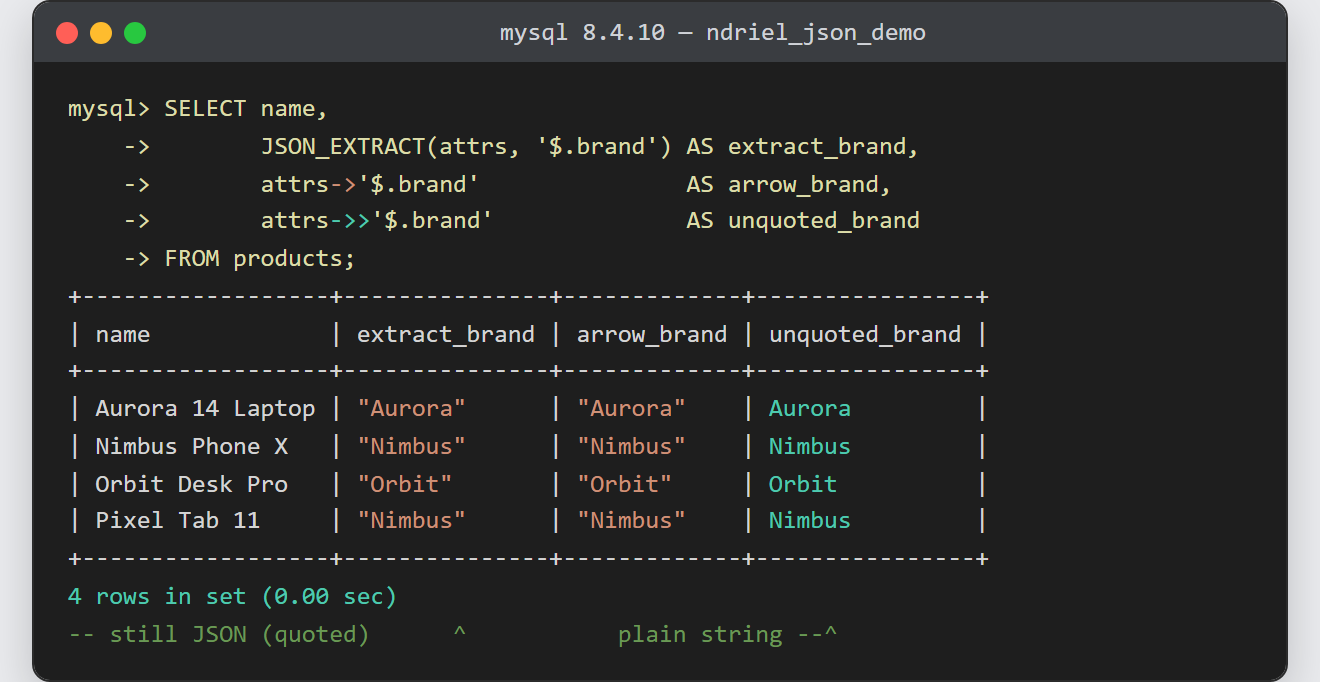
Notes on JSON data in MySQL:
- Use
->>for comparisons and->for JSON functions. Most silent “why does this match nothing” bugs are the wrong arrow. - Do not reach for a document where a column would do. You cannot constrain a
JSONcolumn, give one key its own default, or read it from anything that does not already know the paths. JSON_TABLEturns a document into rows, so a query can join an array against ordinary tables. That is the tool for reporting over nested data.- Numbers survive the round trip as numbers, however extraction hands them back as text. Cast before sorting or comparing, exactly as Step 2 does.
- Building the documents in the application is the common path, and creating JSON files in PHP covers the encoding side of that.
- The Step 5 error is the beginning of the answer, not a dead end. MySQL indexes a generated column over a JSON path like any other column.
