
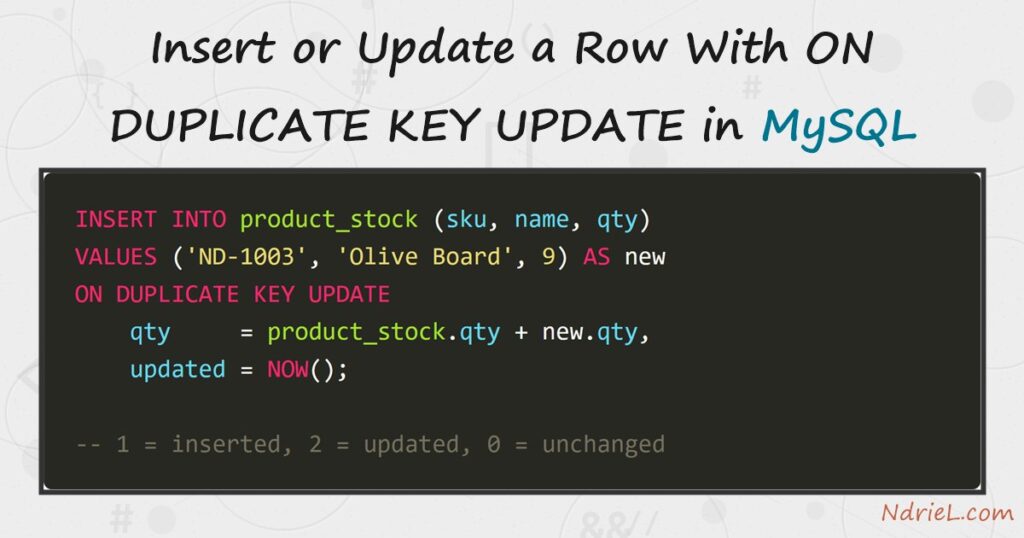
ON DUPLICATE KEY UPDATE turns one MySQL statement into an insert or an update, depending on what the table already holds. First, the table needs a UNIQUE or primary key, because that key is what “duplicate” means. Next, a row alias hands the clause the values you tried to insert. Then one statement absorbs a whole supplier feed, and ROW_COUNT() reports which rows landed and which ones changed. Finally, this tutorial measures the clause against REPLACE INTO and INSERT IGNORE, because both look like the same tool and behave very differently. Everything runs from the mysql terminal.
Requirements for ON DUPLICATE KEY UPDATE:
- MySQL 8.4 (tested against 8.4.10). The row alias needs MySQL 8.0.19 or newer, so older servers use the
VALUES()form in step 3 instead. - Terminal access to the mysql client, logged in to a database where you can create tables.
- A table with a
UNIQUEor primary key. Without one the clause never fires — see the notes.
How To Insert or Update a Row With ON DUPLICATE KEY UPDATE.
The objective is a product_stock table that a supplier feed can run against twice without breaking. A sku that is new gets inserted. A sku that is already stocked gets its quantity updated instead, in the same statement.
Step 1.
First, create the table. The UNIQUE KEY on sku is the whole mechanism here, so it is not decoration — it is the condition the clause tests.
CREATE TABLE product_stock (
    id       INT UNSIGNED AUTO_INCREMENT PRIMARY KEY,
    sku      VARCHAR(20)  NOT NULL,
    name     VARCHAR(60)  NOT NULL,
    qty      INT UNSIGNED NOT NULL DEFAULT 0,
    updated  DATETIME     NOT NULL DEFAULT CURRENT_TIMESTAMP,
    UNIQUE KEY uk_sku (sku)
);

DESCRIBE product_stock;
+---------+--------------+------+-----+-------------------+-------------------+
| Field | Type | Null | Key | Default | Extra |
+---------+--------------+------+-----+-------------------+-------------------+
| id | int unsigned | NO | PRI | NULL | auto_increment |
| sku | varchar(20) | NO | UNI | NULL | |
| name | varchar(60) | NO | | NULL | |
| qty | int unsigned | NO | | 0 | |
| updated | datetime | NO | | CURRENT_TIMESTAMP | DEFAULT_GENERATED |
+---------+--------------+------+-----+-------------------+-------------------+The UNI in the Key column confirms the index exists.
Step 2.
Next, see the problem. A plain INSERT works the first time and fails the second time, because the sku collides with the row already stored.
INSERT INTO product_stock (sku, name, qty)
VALUES ('ND-1001', 'Terracotta Mug', 12);
Query OK, 1 row affected (0.02 sec)Run that same statement again and MySQL refuses it outright.
ERROR 1062 (23000): Duplicate entry 'ND-1001' for key 'product_stock.uk_sku'Checking with a SELECT first would work, but two statements are two round trips. Worse, another connection can insert the row between them.
Step 3.
Then, append the clause. The AS new alias names the row you tried to insert, so new.qty is the value from the VALUES list rather than the value already stored.
INSERT INTO product_stock (sku, name, qty)
VALUES ('ND-1001', 'Terracotta Mug', 18) AS new
ON DUPLICATE KEY UPDATE
    name    = new.name,
    qty     = new.qty,
    updated = NOW();
Query OK, 2 rows affected (0.00 sec)That counter is the tell, and it is worth learning. MySQL reports 1 when it inserted a new row, 2 when it updated an existing one, and 0 when the update changed nothing. So the same statement with a fresh sku reports 1 instead.
INSERT INTO product_stock (sku, name, qty)
VALUES ('ND-1002', 'Linen Apron', 5) AS new
ON DUPLICATE KEY UPDATE
    name    = new.name,
    qty     = new.qty,
    updated = NOW();
Query OK, 1 row affected (0.00 sec)Send the same values a third time and MySQL writes nothing at all. Here the update list drops updated, so no column is left to change.
INSERT INTO product_stock (sku, name, qty)
VALUES ('ND-1002', 'Linen Apron', 5) AS new
ON DUPLICATE KEY UPDATE
    name    = new.name,
    qty     = new.qty;
Query OK, 0 rows affected (0.00 sec)Older servers have no row alias, so they reach for VALUES(qty) instead. MySQL 8.4 still runs it, yet SHOW WARNINGS makes its position clear.
INSERT INTO product_stock (sku, name, qty)
VALUES ('ND-1001', 'Terracotta Mug', 3)
ON DUPLICATE KEY UPDATE qty = VALUES(qty);

SHOW WARNINGS;
Query OK, 0 rows affected, 1 warning (0.00 sec)
Warning 1287: 'VALUES function' is deprecated and will be removed in a future
release. Please use an alias (INSERT INTO ... VALUES (...) AS alias) and replace
VALUES(col) in the ON DUPLICATE KEY UPDATE clause with alias.col insteadStep 4.
Now feed it the whole delivery. One statement takes every row, and the clause decides per row. Because the update expression can read the stored value too, product_stock.qty + new.qty adds the delivery to the shelf instead of overwriting it.
INSERT INTO product_stock (sku, name, qty)
VALUES
    ('ND-1001', 'Terracotta Mug', 6),
    ('ND-1002', 'Linen Apron',    4),
    ('ND-1003', 'Olive Board',    9) AS new
ON DUPLICATE KEY UPDATE
    qty     = product_stock.qty + new.qty,
    updated = NOW();
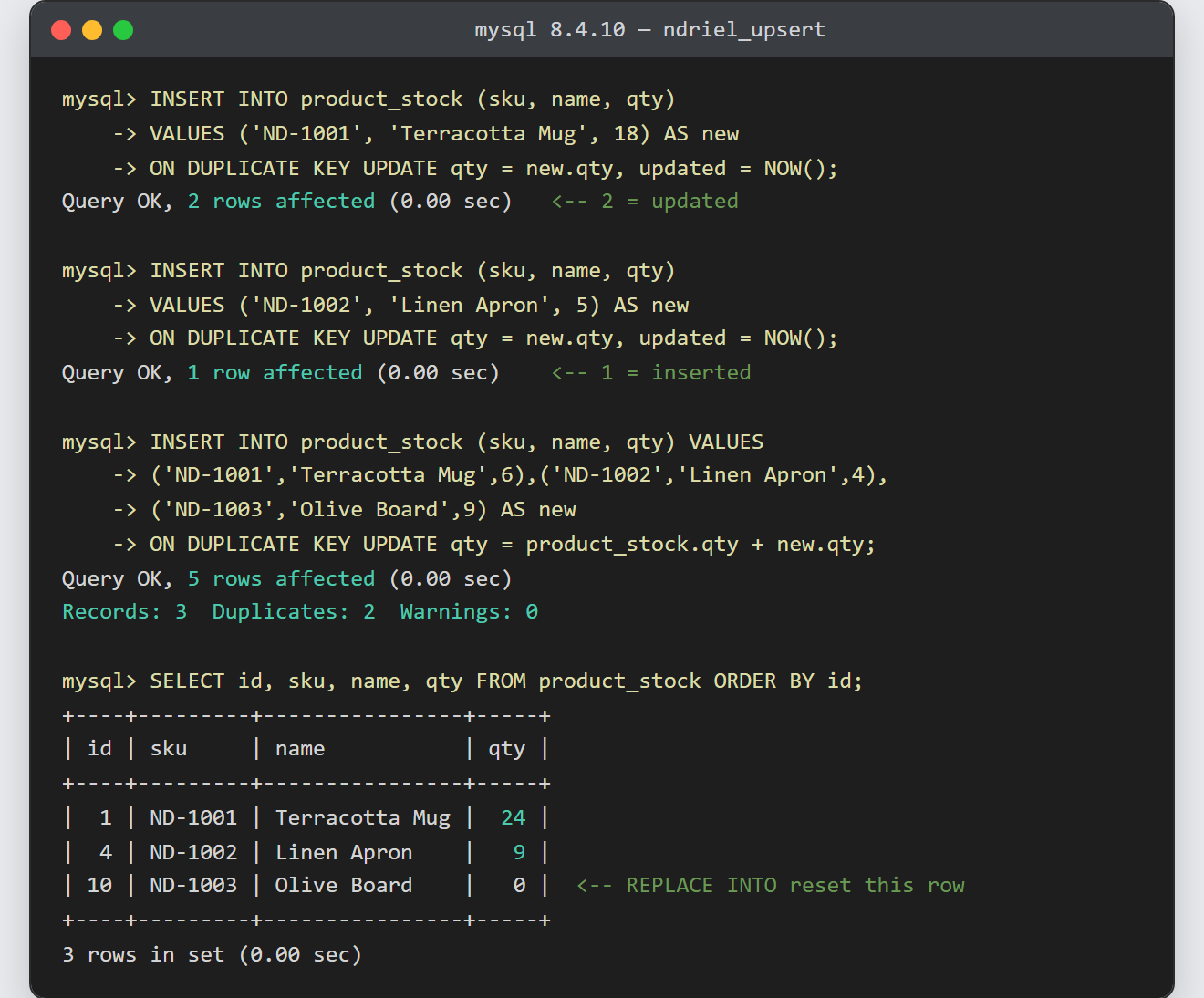
Query OK, 5 rows affected (0.00 sec)
Records: 3 Duplicates: 2 Warnings: 0Five for three rows looks wrong, yet it follows the same rule: two updates score 2 each and the one insert scores 1. The Records line reads more plainly — 3 rows offered, 2 of them already present. Meanwhile the shelf adds up instead of resetting.
+----+---------+----------------+-----+
| id | sku     | name           | qty |
+----+---------+----------------+-----+
|  1 | ND-1001 | Terracotta Mug |  24 |
|  4 | ND-1002 | Linen Apron    |   9 |
|  7 | ND-1003 | Olive Board    |   9 |
+----+---------+----------------+-----+
Step 5.
Finally, compare the two statements people reach for instead. REPLACE INTO looks equivalent and is not, because it deletes the old row and inserts a new one.
REPLACE INTO product_stock (sku, name) VALUES ('ND-1003', 'Olive Board');

SELECT id, sku, name, qty FROM product_stock WHERE sku = 'ND-1003';
+----+---------+-------------+-----+
| id | sku | name | qty |
+----+---------+-------------+-----+
| 10 | ND-1003 | Olive Board | 0 |
+----+---------+-------------+-----+The row survived, but its id jumped from 7 to 10 and its stock reset to 0. The statement never listed qty, so the replacement row took the column default. Any foreign key pointing at the old id is now pointing at a deleted row.
INSERT IGNORE goes the other way and discards the incoming row silently.
INSERT IGNORE INTO product_stock (sku, name, qty)
VALUES ('ND-1003', 'Olive Serving Board', 40);

SHOW WARNINGS;
Query OK, 0 rows affected, 1 warning (0.00 sec)
+---------+------+----------------------------------------------------------+
| Level | Code | Message |
+---------+------+----------------------------------------------------------+
| Warning | 1062 | Duplicate entry 'ND-1003' for key 'product_stock.uk_sku' |
+---------+------+----------------------------------------------------------+Result of ON DUPLICATE KEY UPDATE.
The feed ran twice and the table still holds exactly three rows, with the quantities accumulated rather than duplicated. Only ND-1003 reads 0, because step 5 ran REPLACE INTO over it. This is the real output from MySQL 8.4.10:
+----+---------+----------------+-----+
| id | sku     | name           | qty |
+----+---------+----------------+-----+
|  1 | ND-1001 | Terracotta Mug |  24 |
|  4 | ND-1002 | Linen Apron    |   9 |
| 10 | ND-1003 | Olive Board    |   0 |
+----+---------+----------------+-----+
3 rows in set (0.00 sec)
Also notice the ids: 1, 4 and 10, not 1, 2 and 3. Every attempt claimed an auto-increment value, so the failed insert and the updates left gaps behind.
Notes on ON DUPLICATE KEY UPDATE:
- No unique key, no clause. On a table without a
UNIQUEor primary key nothing ever counts as a duplicate, so every run simply inserts another row. It fails silently, which makes it easy to miss — adding the index is the fix. - Two unique keys make it ambiguous. When a row could collide on either key, MySQL updates whichever row it matched first, and the order is not guaranteed. Therefore keep the target to one unique key per upsert.
- Auto-increment gaps are normal here, as the ids above show. InnoDB claims the value before it tests the key, so it never hands it back.
- Prefer this clause over
REPLACE INTOwhenever the row has columns the statement does not list, triggers, or children pointing at its id.REPLACEfiresDELETEtriggers and takes a new id, as step 5 showed. INSERT IGNOREhides more than duplicates. It also downgrades bad dates, truncated strings and out-of-range numbers to warnings, so a row can land with values you never sent.- The natural companion is a bulk import. Once LOAD DATA INFILE has staged the feed, an upsert from the staging table merges it in one pass.
