
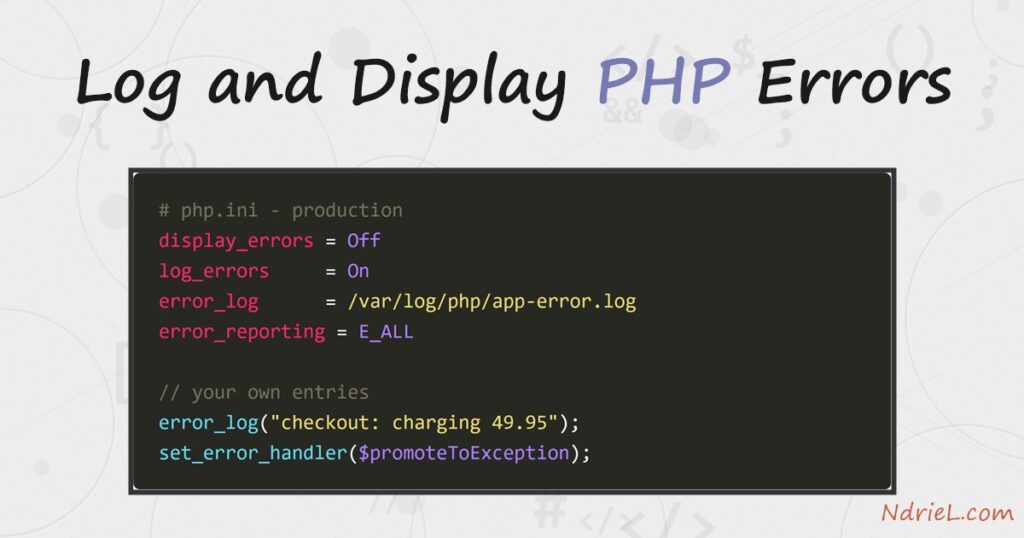
Log and display PHP errors deliberately, and a silent white page turns into a line number you can act on. PHP decides two things separately: whether to print a problem to the browser, and whether to write it to a file. The first is display_errors, the second is log_errors plus error_log. First, this tutorial switches errors on for a development machine. Next, it hides them and logs them instead, the way a production server should. Finally, it adds your own entries with error_log() and promotes warnings to exceptions with set_error_handler().
Requirements to log and display PHP errors:
- PHP 8.0 or newer (tested on PHP 8.3.6). Every setting below has been in PHP for years, so older versions behave the same way.
- Permission to edit php.ini, or a project where you can add settings per script.
- Shell access to read the log file. A hosting file manager works too.
How To Log and Display PHP Errors.
The objective is to make failures visible in development and permanent in production. Here is the script the examples use. It totals a month of sales, but february was never added to the array.
<?php
// report.php - a small script with a deliberate bug.

function monthly_total(array $sales, string $month): float
{
    return array_sum($sales[$month]);
}

$sales = ['january' => [120.50, 340.00, 89.99]];

echo "January: " . monthly_total($sales, 'january') . "\n";
echo "February: " . monthly_total($sales, 'february') . "\n";
echo "Done.\n";
Step 1.
First, turn errors on while you are building. Open php.ini and set these three values, then restart the web server.
display_errors = On
display_startup_errors = On
error_reporting = E_ALL
error_reporting chooses the severities PHP cares about. E_ALL means everything, including the notices and deprecations that quietly become tomorrow’s bugs. In turn, display_errors decides whether those reports reach the screen.
php -d display_errors=1 -d error_reporting=E_ALL report.phpJanuary: 550.49
Warning: Undefined array key "february" in /tmp/a50/report.php on line 6
Fatal error: Uncaught TypeError: array_sum(): Argument #1 ($array) must be of
type array, null given in /tmp/a50/report.php:6The warning names the real fault, and the fatal error is only its consequence. Notice that the script never printed Done. — a fatal error stops execution on the spot.
Step 2.
Next, reverse both settings for production. Visitors should never see a file path or a stack trace, because that detail helps an attacker map your application.
display_errors = Off
display_startup_errors = Off
log_errors = On
error_log = /var/log/php/app-error.log
error_reporting = E_ALLKeep error_reporting at E_ALL here as well. You still want PHP to notice everything; you simply want it written down rather than displayed. The directory must exist and be writable by the web server user, otherwise PHP silently falls back to the server’s own log.
php -d display_errors=0 -d log_errors=1 -d error_reporting=E_ALL \
-d error_log=/tmp/a50/php-error.log report.phpThe terminal now shows only the successful line. Meanwhile, the same two problems are waiting in the file, each stamped with the time it happened.
[10-Aug-2026 11:58:29 UTC] PHP Warning: Undefined array key "february" in /tmp/a50/report.php on line 6
[10-Aug-2026 11:58:29 UTC] PHP Fatal error: Uncaught TypeError: array_sum(): Argument #1 ($array) must be of type array, null given in /tmp/a50/report.php:6Step 3.
Then, write your own entries. error_log() appends a line to exactly the same destination, so your notes sit beside PHP’s in one timeline.
error_log(sprintf("checkout: charging %.2f for order %s", $amount, $order));This matters most in code that fails without crashing. A refused payment or a missing config file leaves no trace otherwise, so log the decision as you make it.
Step 4.
PHP warnings do not stop a script; consequently, a bad value can travel a long way before it breaks something. set_error_handler() fixes that by turning warnings into exceptions you can catch.
<?php
set_error_handler(function (int $severity, string $message, string $file, int $line) {
if (!(error_reporting() & $severity)) {
return false;
}
throw new ErrorException($message, 0, $severity, $file, $line);
});
try {
$rates = file_get_contents('/tmp/a50/rates.json');
} catch (ErrorException $e) {
error_log("checkout: promoted a warning - " . $e->getMessage());
echo "Caught a warning as an exception.\n";
}The error_reporting() & $severity check honours any severity you chose to ignore. Without the handler, file_get_contents() would emit a warning and hand back false, and the script would carry on with a broken value.
Step 5.
Finally, know where the log lives when error_log has no value. PHP then hands the message to whatever is running it, so the destination depends on your server.
# the value PHP is actually using
php -i | grep '^error_log'
# common destinations
tail -f /var/log/apache2/error.log # Apache on Debian/Ubuntu
tail -f /var/log/php8.3-fpm.log # nginx with PHP-FPM
tail -f C:/Apache24/logs/error.log # Apache on WindowsAlways trust php -i over a guess, because a pool config can override the global file. On nginx the PHP error log and the nginx error log are different files, and beginners often watch the wrong one.
Result when you log and display PHP errors.
The same broken script behaves in two ways, and you chose both. On the development machine it prints the fault; on the production server it stays quiet and files a dated record instead. This is the real output from PHP 8.3.6:
$ php -d display_errors=1 -d error_reporting=E_ALL report.php
January: 550.49

Warning: Undefined array key "february" in /tmp/a50/report.php on line 6

Fatal error: Uncaught TypeError: array_sum(): Argument #1 ($array) must be of
type array, null given in /tmp/a50/report.php:6
Stack trace:
#0 /tmp/a50/report.php(6): array_sum()
#1 /tmp/a50/report.php(12): monthly_total()
#2 {main}
thrown in /tmp/a50/report.php on line 6
$ php -d display_errors=0 -d log_errors=1 -d error_log=/tmp/a50/app.log checkout.php
Order failed. The details are in the error log.
Caught a warning as an exception.
$ cat /tmp/a50/app.log
[10-Aug-2026 11:59:01 UTC] checkout: charging 49.95 for order A-1001
[10-Aug-2026 11:59:01 UTC] checkout: charging 0.00 for order A-1002
[10-Aug-2026 11:59:01 UTC] checkout: InvalidArgumentException - Amount must be positive.
[10-Aug-2026 11:59:01 UTC] checkout: promoted a warning - file_get_contents(/tmp/a50/rates.json): Failed to open stream: No such file or directory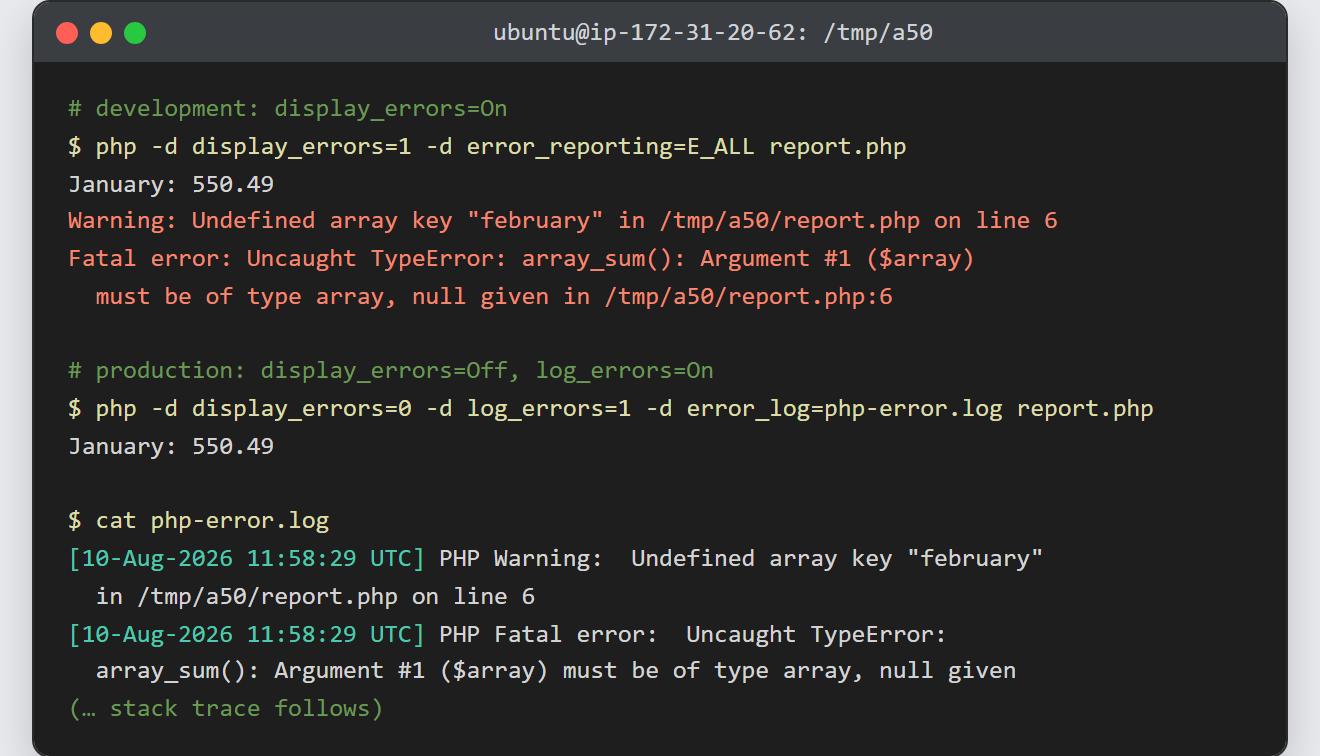
Notes on how to log and display PHP errors:
- Never leave
display_errorson in production. A stack trace exposes absolute paths, function names, and sometimes arguments. Log the detail instead, and show visitors a plain error page. - Settings can be scoped per project.
ini_set('display_errors', '1')works at the top of a script, and an .htaccess file acceptsphp_value error_logwhen the server allows it. However, a startup error happens before your script runs, so only php.ini catches those. - An error log grows without limit and will eventually fill the disk. Rotate it, or the same file that saved you becomes the outage.
error_log()writes one line per call. For structured data, encode it first —error_log(json_encode($context))keeps a multi-field record greppable.- Fatal errors escape
set_error_handler(). Pair it withregister_shutdown_function()anderror_get_last()if you need to record those too. - These settings pay off in any script that touches the filesystem. For example, the warnings raised while uploading a file in PHP or reading a CSV file in PHP are exactly what the log is for. Similarly, if you run several sites, each Apache virtual host can point at its own error log.
