
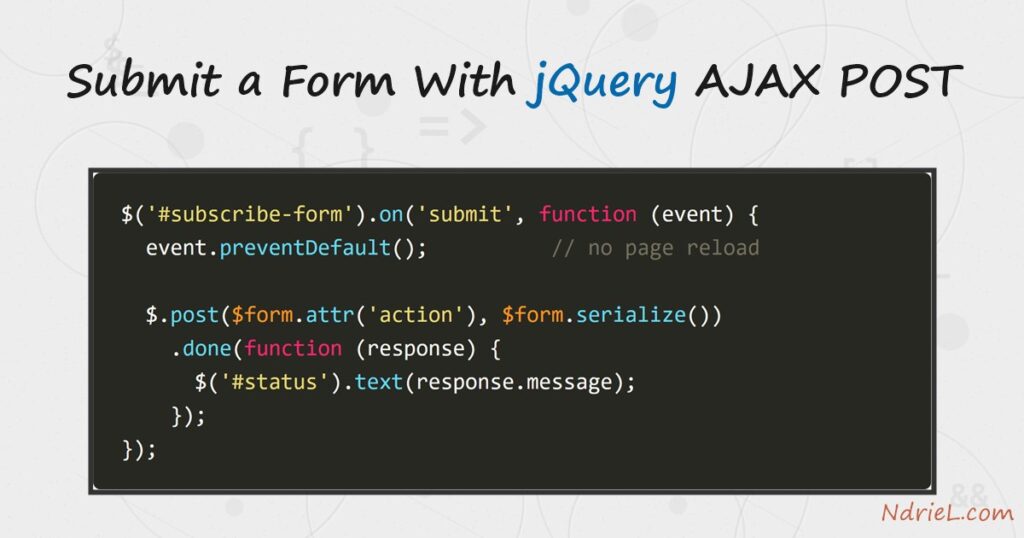
Submit a form with jQuery AJAX POST and the page sends its fields in the background, then shows the answer without reloading. Three pieces do the work: preventDefault() stops the normal submission, serialize() packs every field into one string, and $.post() sends it. First, this tutorial builds the form and a plain PHP endpoint. Next, it wires up the request and renders the JSON reply. Finally, it handles the failure case, because a form that only works when the input is perfect is not finished.
Requirements to submit a form with jQuery AJAX POST:
- jQuery 3.x (tested on jQuery 3.7.1). The methods used here are unchanged since jQuery 1.x.
- PHP 8.0 or newer (tested on PHP 8.5.7) for the receiving script. Any server language works the same way.
- A local web server. The built-in one is enough:
php -S 127.0.0.1:8099.
How To Submit a Form With jQuery AJAX POST.
The objective is a newsletter signup that answers in place. This is the plain-PHP case, so the request goes straight to your own script. Inside WordPress the shape is different, because requests route through admin-ajax.php with a nonce — that variant is covered in handling AJAX requests in WordPress.
Step 1.
First, write the form. Give it an id, keep the real action and method, and name every field.
<form id="subscribe-form" method="post" action="subscribe.php">
  <label for="name">Name</label>
  <input type="text" id="name" name="name">

  <label for="email">Email</label>
  <input type="text" id="email" name="email">

  <label for="plan">Plan</label>
  <select id="plan" name="plan">
    <option value="weekly">Weekly</option>
    <option value="monthly">Monthly</option>
  </select>

  <button type="submit">Subscribe</button>
</form>

<p id="status"></p>

<script src="https://code.jquery.com/jquery-3.7.1.min.js"></script>
Those attributes are not decoration. The name of each field becomes its key in $_POST, and keeping action on the form means it still works if JavaScript fails to load. As a result, the AJAX version is an enhancement rather than a dependency.
Step 2.
Next, write the endpoint. It reads $_POST, validates, and answers with JSON — never with HTML.
<?php
// subscribe.php - the endpoint the form posts to.

header('Content-Type: application/json');

$name  = trim($_POST['name']  ?? '');
$email = trim($_POST['email'] ?? '');
$plan  = $_POST['plan'] ?? '';

$errors = [];

if ($name === '') {
    $errors['name'] = 'Please enter your name.';
}

if (!filter_var($email, FILTER_VALIDATE_EMAIL)) {
    $errors['email'] = 'That email address does not look right.';
}

if ($errors) {
    http_response_code(422);
    echo json_encode(['ok' => false, 'errors' => $errors]);
    exit;
}

echo json_encode([
    'ok'      => true,
    'message' => "Thanks, $name. Your $plan subscription is confirmed.",
    'id'      => 1042,
]);
Validate here even though the browser also checks. Anyone can post to this URL directly with curl, so the server is the only place where a rule is actually enforced. Notice the 422 status on failure; that is what lets jQuery route the response to the right callback.
Step 3.
Then, wire up the submit. This is the whole technique, and it is shorter than the form it replaces.
jQuery(function ($) {
    $('#subscribe-form').on('submit', function (event) {
        event.preventDefault();

        var $form = $(this);

        $.post($form.attr('action'), $form.serialize())
            .done(function (response) {
                $('#status').attr('class', 'ok').text(response.message);
            });
    });
});
Take the three calls in turn. preventDefault() cancels the browser’s own navigation, so the page stays put. Then serialize() walks every named field and builds name=Ana+Reyes&email=…&plan=monthly, which means adding a field to the HTML needs no JavaScript change. Finally, $.post() sends that string and parses the JSON reply for you, because the endpoint set a JSON content type.
Step 4.
Finally, handle the rejection. $.post() returns a promise, so .fail() catches any non-2xx response.
$.post($form.attr('action'), $form.serialize())
    .done(function (response) {
        $('#status').attr('class', 'ok').text(response.message);
    })
    .fail(function (xhr) {
        var errors = xhr.responseJSON ? xhr.responseJSON.errors : {};
        $('#status').attr('class', 'err')
                    .text($.map(errors, function (m) { return m; }).join(' '));
    });
The rejected body is still JSON, and jQuery parses it into xhr.responseJSON. Consequently, the same endpoint can return field-level messages that you drop next to the offending input. Always guard that property, however, because a server error may return HTML instead.
Result of submitting a form with jQuery AJAX POST.
Pressing Subscribe leaves the page exactly where it was, and the confirmation appears underneath the button. Behind it, the endpoint really answered. This is the live exchange on PHP 8.5.7 with jQuery 3.7.1:
$ curl -s -X POST -d "name=Ana Reyes&email=ana@example.com&plan=monthly" \
       http://127.0.0.1:8099/subscribe.php
{"ok":true,"message":"Thanks, Ana Reyes. Your monthly subscription is confirmed.","id":1042}

$ curl -s -i -X POST -d "name=&email=nope" http://127.0.0.1:8099/subscribe.php
HTTP/1.1 422 Unknown Status Code
Content-Type: application/json

{"ok":false,"errors":{"name":"Please enter your name.","email":"That email address does not look right."}}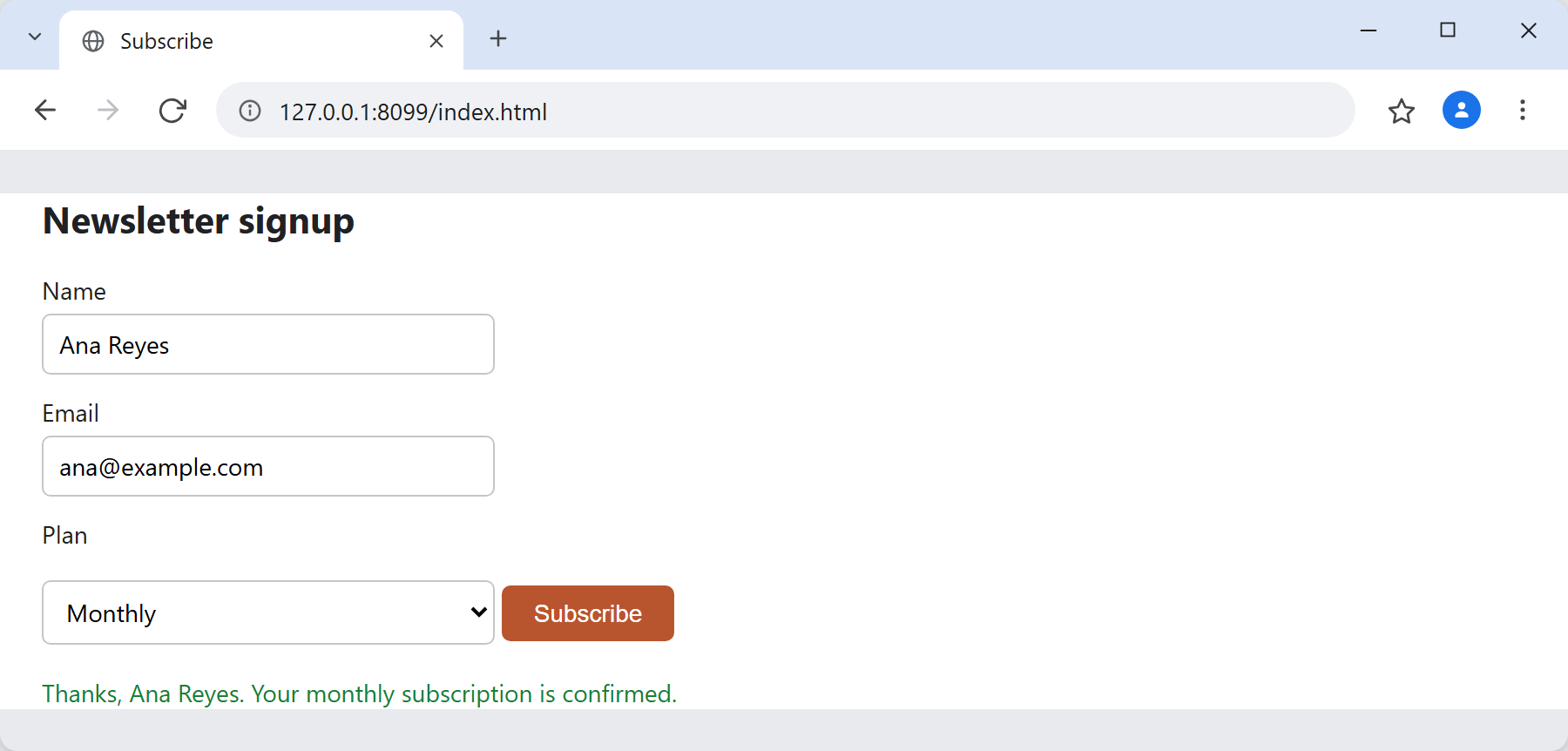
Notes on submitting a form with jQuery AJAX POST:
serialize()skips some fields. Unchecked boxes, disabled inputs, and anything without anameare left out, which is standard form behaviour rather than a bug.- File uploads need
FormDatainstead, withprocessData: falseandcontentType: falseon$.ajax(). The server side is unchanged — see uploading a file in PHP. $.post()is shorthand for$.ajax({ type: 'POST' }). Switch to the long form when you need a timeout, custom headers, orbeforeSend.- Disable the button while the request is in flight. Otherwise an impatient double-click sends two subscriptions, and the endpoint has no way to tell them apart.
- Escape anything you echo back into the page. Here
.text()does that for you, whereas.html()would happily render markup the user typed. - Ignore the odd reason phrase above. PHP’s built-in server prints Unknown Status Code for 422 because it has no label for it, yet the number is what jQuery and every browser act on.
- Binding the handler to
submitrather than the button’sclickalso catches the Enter key. That distinction is covered in handling events with jQuery.
