
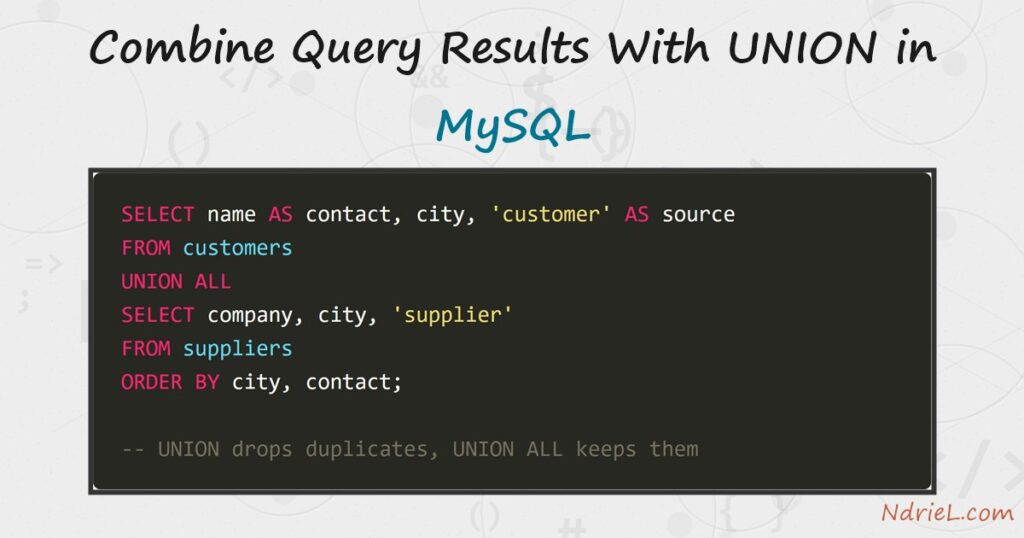
Combine query results with UNION in MySQL when two tables hold the same kind of row in different places. A join widens a row by adding columns; UNION instead stacks one result on top of another. First, this tutorial builds one contact list from a customers and a suppliers table. Next, it shows how UNION quietly drops duplicates while UNION ALL keeps them. Finally, it sorts the combined set and covers SELECT DISTINCT, the single-table way to remove repeats.
Requirements to combine query results with UNION in MySQL:
- MySQL 8.0 or newer (tested on MySQL 8.4.10). MariaDB behaves the same way here.
- Terminal access to the mysql client, and a user that can create a database.
- Two tables holding comparable rows. The setup below creates them.
How To Combine Query Results With UNION in MySQL.
The objective is a single contact list drawn from two tables. Create the demo data first, so every query below returns exactly what the article shows.
CREATE DATABASE ndriel_union_demo;
USE ndriel_union_demo;

CREATE TABLE customers (
    id    INT AUTO_INCREMENT PRIMARY KEY,
    name  VARCHAR(60) NOT NULL,
    city  VARCHAR(40) NOT NULL,
    email VARCHAR(80) NOT NULL
);

CREATE TABLE suppliers (
    id      INT AUTO_INCREMENT PRIMARY KEY,
    company VARCHAR(60) NOT NULL,
    city    VARCHAR(40) NOT NULL,
    email   VARCHAR(80) NOT NULL
);

INSERT INTO customers (name, city, email) VALUES
    ('Ana Reyes',        'Cebu',   'ana@example.com'),
    ('Ben Cruz',         'Manila', 'ben@example.com'),
    ('Cielo Santos',     'Davao',  'cielo@example.com'),
    ('Northwind Paper',  'Manila', 'hello@northwind.example');

INSERT INTO suppliers (company, city, email) VALUES
    ('Northwind Paper',  'Manila', 'hello@northwind.example'),
    ('Pacific Inks',     'Cebu',   'sales@pacificinks.example'),
    ('Summit Bindery',   'Baguio', 'orders@summit.example');
Notice that Northwind Paper appears in both tables. That overlap is the point — it is what makes the difference between the two operators visible.
Step 1.
First, stack the two results. Each SELECT lists the same number of columns, in the same order, and the first one names the output columns.
SELECT name AS contact, city FROM customers
UNION
SELECT company, city FROM suppliers;
+-----------------+--------+
| contact | city |
+-----------------+--------+
| Ana Reyes | Cebu |
| Ben Cruz | Manila |
| Cielo Santos | Davao |
| Northwind Paper | Manila |
| Pacific Inks | Cebu |
| Summit Bindery | Baguio |
+-----------------+--------+Seven rows went in and six came out. UNION removed the second Northwind Paper, because that row was identical across every selected column. The column names come from the first branch only; AS contact on the second branch would be ignored.
Step 2.
Next, keep every row with UNION ALL. This is the version you usually want, and it is also the faster one.
SELECT name AS contact, city FROM customers
UNION ALL
SELECT company, city FROM suppliers;| Northwind Paper | Manila |
| Northwind Paper | Manila | <-- both copies surviveThe distinction is a real cost, not a style choice. UNION must compare every row against every other to find duplicates, so it sorts or hashes the whole result first. Therefore, reach for UNION ALL unless you actively need the de-duplication.
Step 3.
Then, record which table each row came from. A literal in the select list survives the union, so a constant makes a source column.
SELECT name AS contact, city, 'customer' AS source FROM customers
UNION ALL
SELECT company, city, 'supplier' FROM suppliers
ORDER BY city, contact;+-----------------+--------+----------+
| contact | city | source |
+-----------------+--------+----------+
| Summit Bindery | Baguio | supplier |
| Ana Reyes | Cebu | customer |
| Pacific Inks | Cebu | supplier |
| Cielo Santos | Davao | customer |
| Ben Cruz | Manila | customer |
| Northwind Paper | Manila | customer |
| Northwind Paper | Manila | supplier |
+-----------------+--------+----------+
7 rows in set (0.00 sec)Two things happened at once. The ORDER BY sits at the very end, so it sorts the combined result rather than either branch. Meanwhile, the source column now differs between the two Northwind Paper rows, so even a plain UNION would keep both.
Step 4.
The branches must agree on column count. Ask for a different number and MySQL refuses the query outright.
SELECT name, city FROM customers
UNION
SELECT company FROM suppliers;ERROR 1222 (21000): The used SELECT statements have a different number of columnsTypes are treated more gently. MySQL does not demand a match; instead it widens each column to a type that fits both branches, so a VARCHAR(40) and a VARCHAR(60) merge without complaint. However, stacking a number onto a date is a design mistake the server will happily let you make.
Step 5.
Finally, use SELECT DISTINCT when the duplicates live in one table. Combining results is unnecessary here, because there is only ever one source.
SELECT DISTINCT city FROM customers ORDER BY city;+--------+
| city |
+--------+
| Cebu |
| Davao |
| Manila |
+--------+Both features remove repeated rows by the same rule: every selected column must match. As a result, adding one more column to the select list often makes duplicates reappear, simply because that column tells the rows apart.
Result of combining query results with UNION in MySQL.
The two operators return different row counts from identical branches, and that gap is the whole lesson. This is the real output from MySQL 8.4.10:
mysql> SELECT name AS contact, city FROM customers
-> UNION
-> SELECT company, city FROM suppliers;
+-----------------+--------+
| contact         | city   |
+-----------------+--------+
| Ana Reyes       | Cebu   |
| Ben Cruz        | Manila |
| Cielo Santos    | Davao  |
| Northwind Paper | Manila |
| Pacific Inks    | Cebu   |
| Summit Bindery  | Baguio |
+-----------------+--------+
6 rows in set (0.00 sec)
mysql> SELECT name AS contact, city FROM customers
-> UNION ALL
-> SELECT company, city FROM suppliers;
+-----------------+--------+
| contact | city |
+-----------------+--------+
| Ana Reyes | Cebu |
| Ben Cruz | Manila |
| Cielo Santos | Davao |
| Northwind Paper | Manila |
| Northwind Paper | Manila |
| Pacific Inks | Cebu |
| Summit Bindery | Baguio |
+-----------------+--------+
7 rows in set (0.00 sec)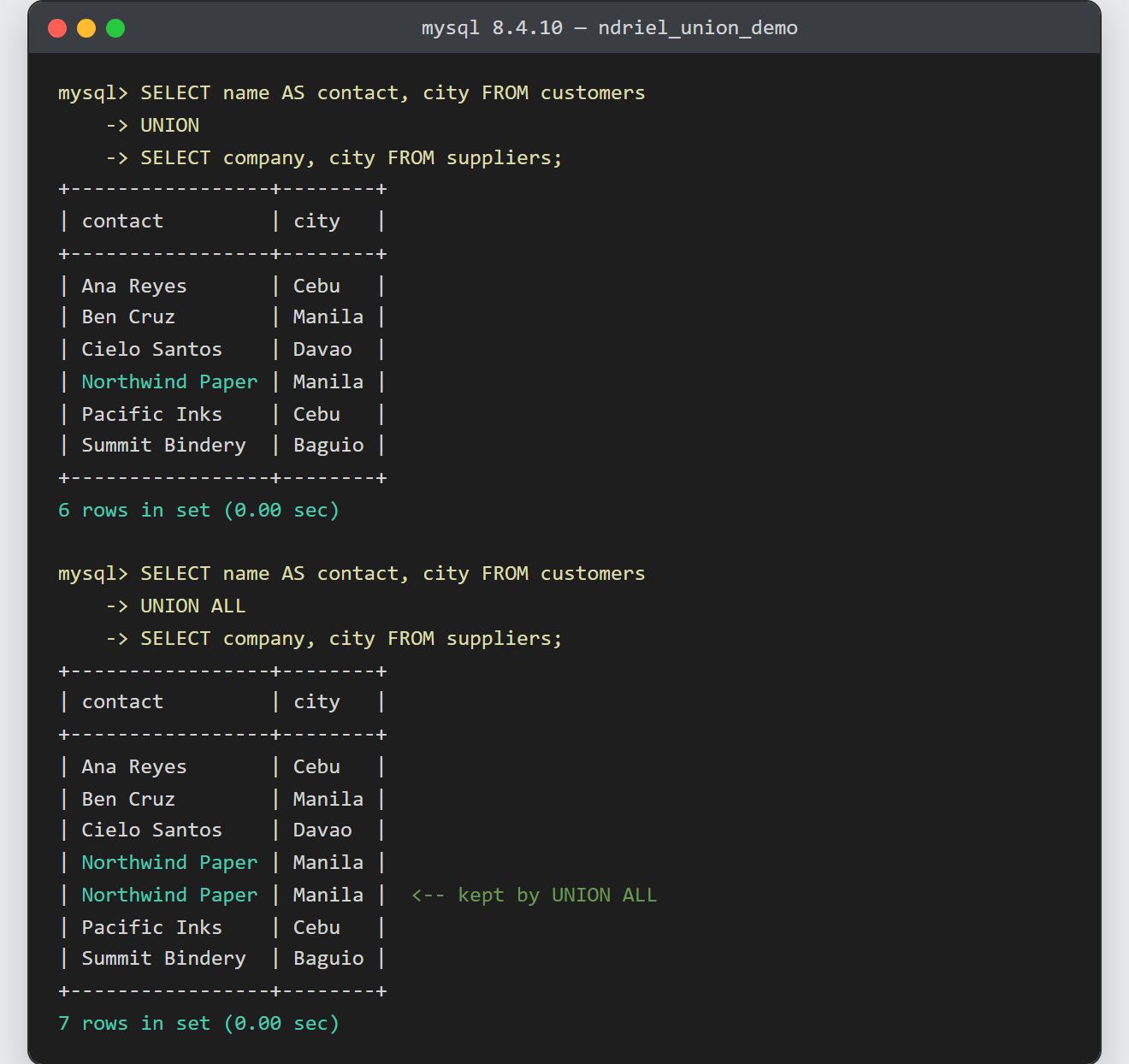
Notes on combining query results with UNION in MySQL:
- One
ORDER BY, at the end. A sort inside a branch is discarded unless that branch is wrapped in parentheses and carries its ownLIMIT, as in(SELECT … LIMIT 2) UNION ALL (SELECT … LIMIT 2). - Refer to output columns by the first branch’s names.
ORDER BY contactworks above;ORDER BY companydoes not, because that name never reaches the combined result. - MySQL has no
FULL OUTER JOIN. ALEFT JOINcombined with aRIGHT JOINgives you one, which is the trick mentioned in joining tables in MySQL. UNION DISTINCTis a synonym for plainUNION. Writing it out makes the intent obvious to whoever reads the query next.- Duplicate removal costs memory on large results. If the branches cannot overlap by design,
UNION ALLsays so and skips the work — and an index read through EXPLAIN will show you the difference. - A combined result works well as a saved query. Wrapping it in a MySQL view hides the two branches behind one name, though that view is read-only.
