
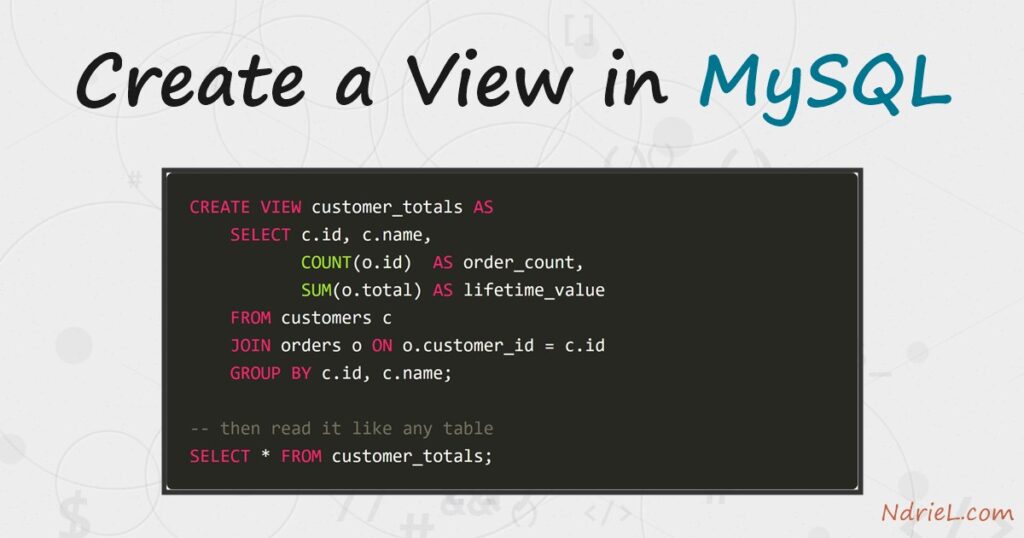
Create a view in MySQL to save a query under a name and then select from it like a table. A CREATE VIEW statement stores the SELECT, not the rows, so the data stays live in the base tables. First, you name the view and give it a query. Next, you query that view with an ordinary SELECT. Finally, CREATE OR REPLACE VIEW edits the definition and DROP VIEW removes it. This tutorial builds two views over a customers-and-orders schema, and shows which one you can write through.
Requirements to create a view in MySQL:
- MySQL 8.0 or newer (tested on MySQL 8.4.10). Views work on MySQL 5.0+ and MariaDB too.
- Terminal access to the mysql client, logged in as a user with the
CREATE VIEWprivilege. - Two related tables to query. Step 1 creates them, so nothing else is needed up front.
How To Create a View in MySQL.
The objective is to hide two awkward queries behind friendly names. One view filters a single table, so it stays writable. The other joins and aggregates, which makes it read-only.
Step 1.
First, create the schema. Save this as setup.sql and load it with mysql -u root < setup.sql. The orders table points back at customers, so the two can be joined later.
DROP DATABASE IF EXISTS shop;
CREATE DATABASE shop CHARACTER SET utf8mb4;
USE shop;

CREATE TABLE customers (
    id     INT UNSIGNED AUTO_INCREMENT PRIMARY KEY,
    name   VARCHAR(80) NOT NULL,
    city   VARCHAR(60) NOT NULL,
    active TINYINT(1)  NOT NULL DEFAULT 1
) ENGINE = InnoDB;

CREATE TABLE orders (
    id          INT UNSIGNED AUTO_INCREMENT PRIMARY KEY,
    customer_id INT UNSIGNED NOT NULL,
    placed_on   DATE         NOT NULL,
    total       DECIMAL(8,2) NOT NULL,
    CONSTRAINT fk_orders_customer
        FOREIGN KEY (customer_id) REFERENCES customers (id)
) ENGINE = InnoDB;

INSERT INTO customers (name, city, active) VALUES
    ('Ada Lovelace', 'London',   1),
    ('Alan Turing',  'Wilmslow', 1),
    ('Grace Hopper', 'New York', 0);

INSERT INTO orders (customer_id, placed_on, total) VALUES
    (1, '2026-07-02', 120.00),
    (1, '2026-07-19',  45.50),
    (2, '2026-07-21', 310.75),
    (3, '2026-06-30',  80.00);
Grace is inactive, and she has an order. That detail matters in the next two steps, because each view treats her differently.
Step 2.
Next, create the view. The syntax is CREATE VIEW <name> AS <select>. Here the query keeps only active customers, so the view acts as a permanent filter on the table.
CREATE VIEW active_customers AS
    SELECT id, name, city FROM customers WHERE active = 1;

SELECT * FROM active_customers;
Two rows come back, because Grace is filtered out. MySQL stored only the query text. As a result, the view has no copy of the data, and it reflects the table the moment you read it.
Step 3.
Then, query the view exactly as you would a table. You can add your own WHERE, ORDER BY or LIMIT, and MySQL merges it into the stored query.
SELECT name, city FROM active_customers WHERE city = 'London';This is the real value of a view. The filter on active lives in one place, so no caller can forget it.
Step 4.
A view over a join is where the idea pays off. This one collapses the join and the aggregate into a single reporting name, so callers never repeat the GROUP BY.
CREATE VIEW customer_totals AS
    SELECT c.id, c.name,
           COUNT(o.id)  AS order_count,
           SUM(o.total) AS lifetime_value
    FROM customers c
    JOIN orders o ON o.customer_id = c.id
    GROUP BY c.id, c.name;

SELECT * FROM customer_totals ORDER BY lifetime_value DESC;
Note that Grace appears here. This view does not filter on active, and an inner join between tables in MySQL keeps every customer who has at least one order.
Step 5.
Now write through a view. A view is updatable when each of its rows maps to exactly one base-table row, so active_customers qualifies and the update reaches customers.
UPDATE active_customers SET city = 'Cambridge' WHERE id = 1;

SELECT id, name, city FROM customers WHERE id = 1;
However, customer_totals has a GROUP BY and a SUM(). One view row therefore covers several table rows, and MySQL cannot tell which to change. Instead of guessing, it refuses with error 1288.
UPDATE customer_totals SET lifetime_value = 0 WHERE id = 1;Step 6.
Finally, change or remove the view. CREATE OR REPLACE VIEW redefines it in place, which beats dropping and recreating. Adding WITH CHECK OPTION also blocks writes that would push a row out of the view.
CREATE OR REPLACE VIEW active_customers AS
    SELECT id, name, city, active FROM customers WHERE active = 1
    WITH CHECK OPTION;

-- rejected with ERROR 1369: the row would no longer match active = 1
UPDATE active_customers SET active = 0 WHERE id = 1;

SHOW FULL TABLES WHERE Table_type = 'VIEW';
DROP VIEW IF EXISTS customer_totals;
Because the definition changed, callers see the new column immediately. SHOW CREATE VIEW active_customers prints the stored statement whenever you need to check what a view really does.
Result of creating a view in MySQL.
The active_customers view returns the two active rows, and customer_totals reports each customer’s order count and lifetime value from the join. The update through the simple view lands in the base table. Meanwhile the aggregate view rejects the same statement with error 1288:
-- the active_customers view
+----+--------------+----------+
| id | name         | city     |
+----+--------------+----------+
|  1 | Ada Lovelace | London   |
|  2 | Alan Turing  | Wilmslow |
+----+--------------+----------+

-- customer_totals, a view over the join
+----+--------------+-------------+----------------+
| id | name         | order_count | lifetime_value |
+----+--------------+-------------+----------------+
|  2 | Alan Turing  |           1 |         310.75 |
|  1 | Ada Lovelace |           2 |         165.50 |
|  3 | Grace Hopper |           1 |          80.00 |
+----+--------------+-------------+----------------+

-- UPDATE through the simple view reaches the base table
+----+--------------+-----------+
| id | name         | city      |
+----+--------------+-----------+
|  1 | Ada Lovelace | Cambridge |
+----+--------------+-----------+

-- but the aggregate view is read-only
ERROR 1288 (HY000): The target table customer_totals of the UPDATE is not updatable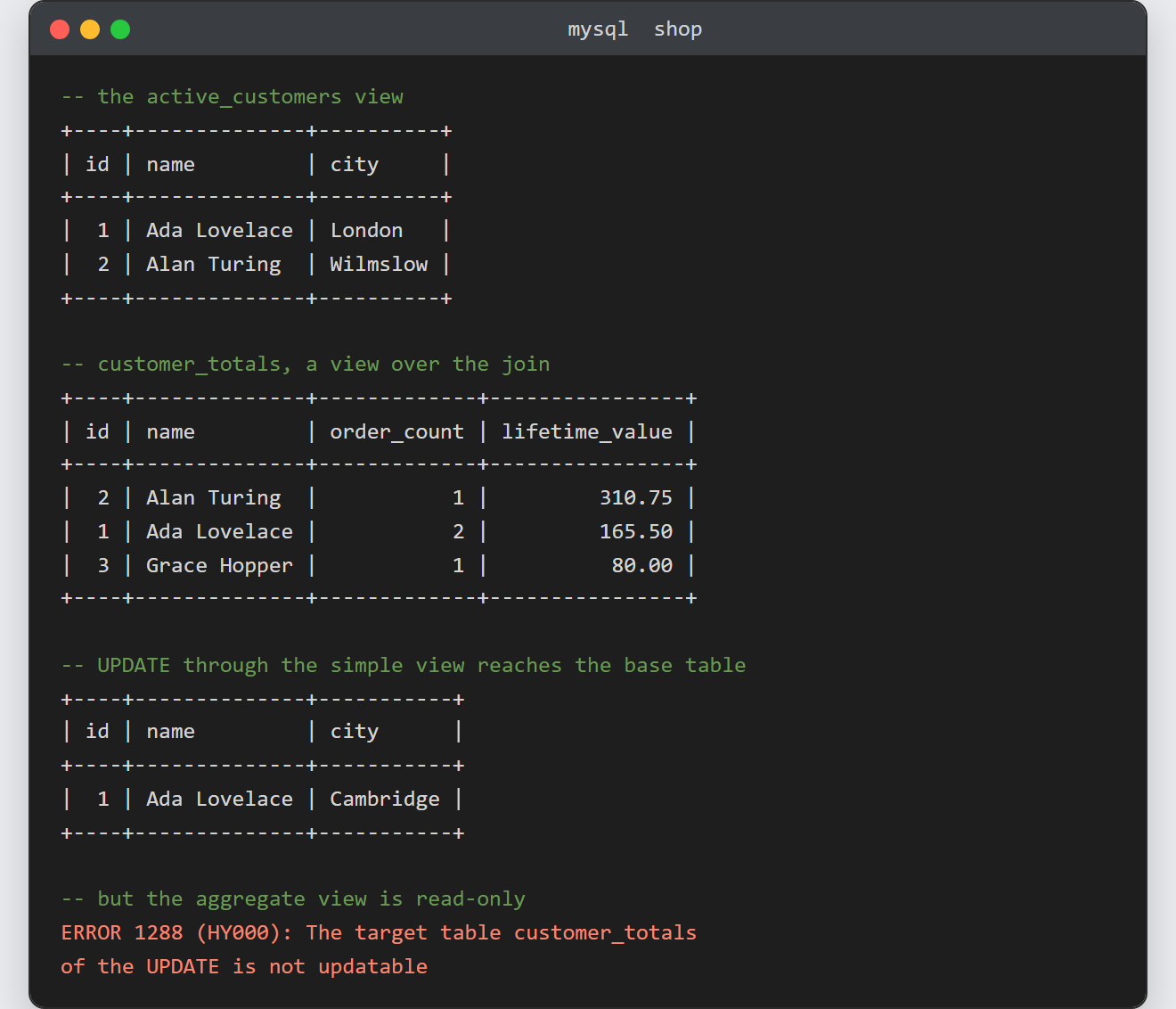
Notes on creating a view in MySQL:
- A view stores a query, not data. It costs almost no disk space, and it never goes stale. However, it also gives no speed-up on its own, because MySQL still runs the underlying query every time.
- A view is read-only once one row can no longer map to one base row.
GROUP BY,DISTINCT,UNION,HAVINGand aggregate functions all have that effect. - The column list is fixed at creation.
SELECT *inside a view expands once, so a column added to the table later will not appear until you replace the view. - Views are handy for permissions. You can grant access to a view that hides sensitive columns, while withholding access to the table behind it.
- If a view feels slow, the fix belongs in the base query. Add an index and check the plan first, as described in creating an index and reading EXPLAIN in MySQL.
