
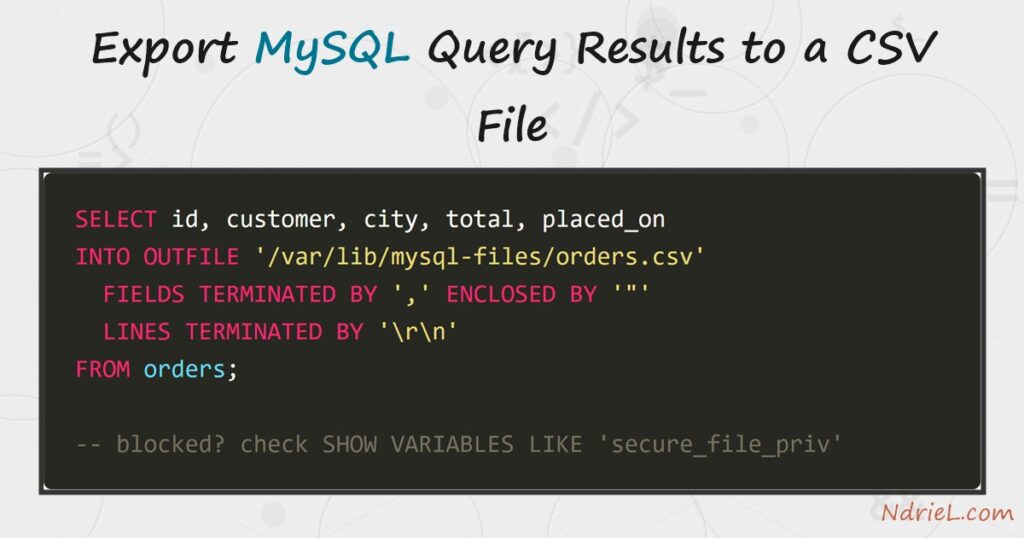
Export MySQL query results to a CSV file and any query becomes a spreadsheet you can hand to someone else. The server-side way is SELECT … INTO OUTFILE, which writes the rows itself, quickly and without a client. First, this tutorial exports a table and explains the quoting options that keep commas safe. Next, it adds a header row and fixes the way MySQL writes NULL. Finally, it covers secure_file_priv, the setting that blocks most first attempts, and the client-side fallback for when you cannot get around it.
Requirements to export MySQL query results:
- MySQL 8.0 or newer (tested on MySQL 8.4.10) and the mysql command-line client.
- The
FILEprivilege forINTO OUTFILE. The root account has it; an application user usually does not. - A writable directory the server can reach. That is not the same as one you can reach, which is the point of Step 4.
How To Export MySQL Query Results to a CSV File.
The objective is a file that opens cleanly in a spreadsheet. The demo table holds the three values that break naive exports — a comma inside a value, an embedded double quote, and a NULL.
CREATE TABLE orders (
    id        INT AUTO_INCREMENT PRIMARY KEY,
    customer  VARCHAR(60) NOT NULL,
    city      VARCHAR(40) NOT NULL,
    total     DECIMAL(10,2) NOT NULL,
    note      VARCHAR(80) NULL,
    placed_on DATE NOT NULL
);

INSERT INTO orders (customer, city, total, note, placed_on) VALUES
    ('Ana Reyes',       'Cebu',   1250.00, 'rush order',            '2026-08-01'),
    ('Ben Cruz',        'Manila',  480.50, 'call, then ship',       '2026-08-02'),
    ('Cielo Santos',    'Davao',  2310.75, NULL,                    '2026-08-03'),
    ('Northwind Paper', 'Manila',  990.00, 'says "leave at desk"',  '2026-08-04');
Step 1.
First, write the rows out. The clause goes between the SELECT list and the FROM, which surprises most people the first time.
SELECT id, customer, city, total, note, placed_on
INTO OUTFILE 'C:/ProgramData/MySQL/MySQL Server 8.4/Uploads/orders.csv'
    FIELDS TERMINATED BY ',' ENCLOSED BY '"' ESCAPED BY '\\'
    LINES TERMINATED BY '\n'
FROM orders;
"1","Ana Reyes","Cebu","1250.00","rush order","2026-08-01"
"2","Ben Cruz","Manila","480.50","call, then ship","2026-08-02"
"3","Cielo Santos","Davao","2310.75",\N,"2026-08-03"
"4","Northwind Paper","Manila","990.00","says \"leave at desk\"","2026-08-04"Two clauses do the real work. FIELDS TERMINATED BY ',' chooses the separator, while ENCLOSED BY '"' wraps each value so the comma inside call, then ship cannot split a column. Notice the two problems the output still has: the NULL came out as \N, and the embedded quote was escaped with a backslash.
Step 2.
Next, add a header row and replace the NULL. MySQL has no header option, so you supply one as a row of literals and stack it on top with UNION ALL.
SELECT 'id', 'customer', 'city', 'total', 'note', 'placed_on'
UNION ALL
SELECT id, customer, city, total, IFNULL(note, ''), placed_on
FROM orders
INTO OUTFILE 'C:/ProgramData/MySQL/MySQL Server 8.4/Uploads/orders-with-header.csv'
FIELDS TERMINATED BY ',' OPTIONALLY ENCLOSED BY '"'
LINES TERMINATED BY '\r\n';"id","customer","city","total","note","placed_on"
"1","Ana Reyes","Cebu","1250.00","rush order","2026-08-01"
"2","Ben Cruz","Manila","480.50","call, then ship","2026-08-02"
"3","Cielo Santos","Davao","2310.75","","2026-08-03"
"4","Northwind Paper","Manila","990.00","says \"leave at desk\"","2026-08-04"IFNULL() turns the missing note into an empty string, which is what a spreadsheet expects. Also note LINES TERMINATED BY '\r\n': Excel on Windows prefers CRLF line endings, and this is where you choose them.
Step 3.
The header trick has a side effect worth knowing. OPTIONALLY ENCLOSED BY normally quotes only strings, leaving numbers bare.
SELECT id, customer, total FROM orders
INTO OUTFILE '…/orders-opt.csv'
FIELDS TERMINATED BY ',' OPTIONALLY ENCLOSED BY '"';1,"Ana Reyes",1250.00
2,"Ben Cruz",480.50
3,"Cielo Santos",2310.75
4,"Northwind Paper",990.00Here the numbers are unquoted, exactly as promised. However, the union in Step 2 quoted them, because combining a number with the text ‘id’ widens that column to a string. Consequently, “optionally” has nothing numeric left to skip. This costs nothing in a spreadsheet, so treat it as a curiosity rather than a fault.
Step 4.
Then, deal with the error most people meet first. MySQL restricts where the server may write.
SELECT id FROM orders INTO OUTFILE 'C:/temp/nope.csv';ERROR 1290 (HY000): The MySQL server is running with the --secure-file-priv option
so it cannot execute this statementSHOW VARIABLES LIKE 'secure_file_priv';+------------------+-------------------------------------------+
| Variable_name | Value |
+------------------+-------------------------------------------+
| secure_file_priv | C:\ProgramData\MySQL\MySQL Server 8.4\Uploads\ |
+------------------+-------------------------------------------+Write inside that directory and the export succeeds. An empty value means no restriction, while NULL disables INTO OUTFILE altogether. Remember the file lands on the database server, so on a remote host it appears there and not on your machine.
Step 5.
Finally, use the client when the server will not cooperate. Batch mode prints tab-separated rows with a header, and the shell redirects them into a file.
mysql -u root -B -e "SELECT id, customer, city, total, placed_on FROM shop.orders" > orders.csvid customer city total placed_on
1 Ana Reyes Cebu 1250.00 2026-08-01
2 Ben Cruz Manila 480.50 2026-08-02
3 Cielo Santos Davao 2310.75 2026-08-03
4 Northwind Paper Manila 990.00 2026-08-04This route needs no FILE privilege and writes where you are sitting, so it works fine over SSH. The trade-off is quoting: the output is tab-separated and unquoted, which breaks on any value containing a tab or a newline.
Result of exporting MySQL query results to a CSV file.
The same four orders become a quoted, headed CSV that a spreadsheet opens without complaint. This is the real output from MySQL 8.4.10:
mysql> SELECT ... INTO OUTFILE '.../orders.csv'
-> FIELDS TERMINATED BY ',' ENCLOSED BY '"' ESCAPED BY '\\';
Query OK, 4 rows affected (0.01 sec)
"1","Ana Reyes","Cebu","1250.00","rush order","2026-08-01"
"2","Ben Cruz","Manila","480.50","call, then ship","2026-08-02"
"3","Cielo Santos","Davao","2310.75",\N,"2026-08-03"
"4","Northwind Paper","Manila","990.00","says \"leave at desk\"","2026-08-04"
-- with a header row and IFNULL:
"id","customer","city","total","note","placed_on"
"3","Cielo Santos","Davao","2310.75","","2026-08-03"
-- blocked path:
ERROR 1290 (HY000): The MySQL server is running with the --secure-file-priv option
so it cannot execute this statement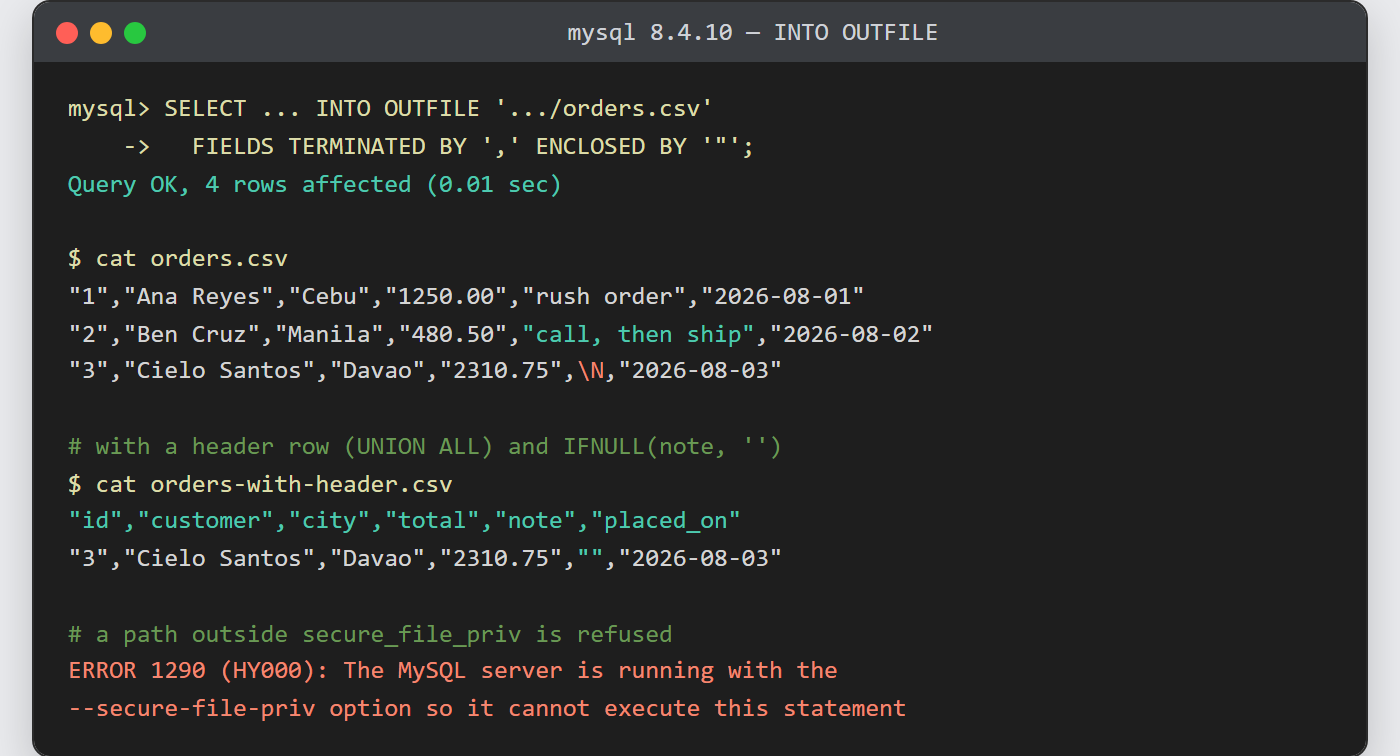
Notes on exporting MySQL query results to a CSV file:
INTO OUTFILEnever overwrites. A second run stops withERROR 1086 … already exists, which protects an earlier export but means you must delete the file first.- MySQL escapes an embedded quote as
\", whereas the CSV convention doubles it to"". Most spreadsheets cope; a strict RFC 4180 parser may not. Do not reach forESCAPED BY ''to fix this — it drops the backslash and writes"says "leave at desk"", which is harder to parse, not easier. Post-process the file instead when strict compliance matters. - Reverse the direction with
LOAD DATA INFILE. The sameFIELDSandLINESclauses apply when importing a CSV into MySQL, so an export written here reads straight back in. - The file is created by the MySQL server process and is world-readable. On a shared box, move it somewhere private as soon as it exists.
- Export a report rather than a raw table. A MySQL view or a GROUP BY summary can sit in front of the
INTO OUTFILE, because anySELECTis allowed. - For a scheduled export, wrap the client command in a cron job and write to a dated filename, so each run keeps its own copy.
