
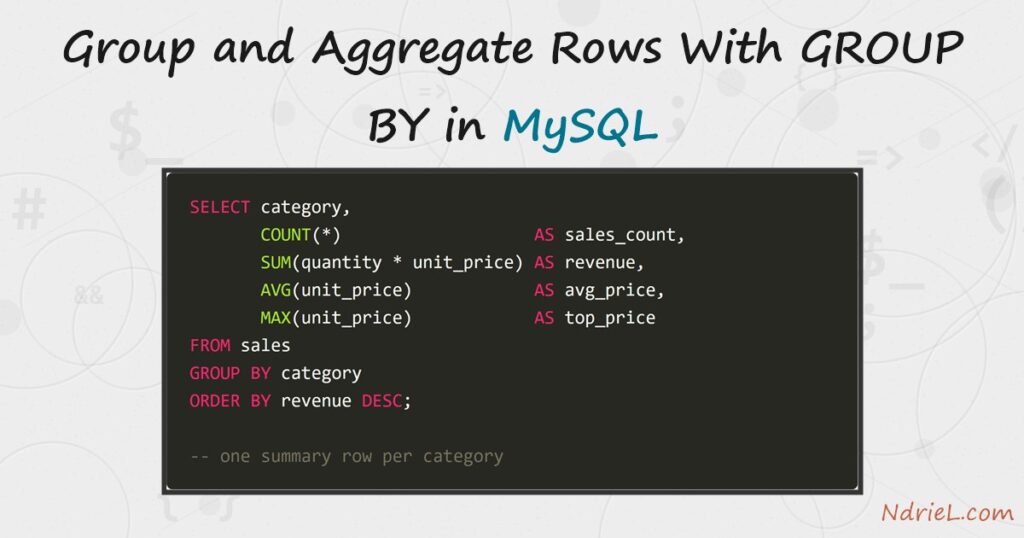
Use GROUP BY in MySQL to collapse rows that share a value into one summary row each. An aggregate function — COUNT(), SUM(), AVG(), MAX() — then computes one figure per group, so a raw sales list becomes revenue per category. First, you group a single column and count its rows. Next, you stack several aggregates in one query and order the result. Then, HAVING filters the groups the way WHERE filters the rows. Finally, you group on a joined column for a per-person report. This tutorial runs from the mysql terminal.
Requirements to use GROUP BY in MySQL:
- MySQL 8.4 (tested against 8.4.10). The syntax is standard SQL and works on MySQL 5.7 and MariaDB too.
- Terminal access to the mysql client, logged in to a database where you can create tables.
How To Group and Aggregate Rows With GROUP BY in MySQL.
The objective is to turn a flat list of sales into three reports: sales per category, revenue per category, and revenue per staff member. Each report is one GROUP BY query over the same data.
Step 1.
First, create a sales table and a small staff table, then add a few rows. Every sale records who sold it, its category, a quantity, and a unit price. Grace has no sales — that gap matters in Step 5.
CREATE TABLE staff (
    id    INT UNSIGNED AUTO_INCREMENT PRIMARY KEY,
    name  VARCHAR(50) NOT NULL
);

CREATE TABLE sales (
    id          INT UNSIGNED AUTO_INCREMENT PRIMARY KEY,
    staff_id    INT UNSIGNED NOT NULL,
    category    VARCHAR(30) NOT NULL,
    product     VARCHAR(50) NOT NULL,
    quantity    INT UNSIGNED NOT NULL,
    unit_price  DECIMAL(8,2) NOT NULL,
    sold_on     DATE NOT NULL
);

INSERT INTO staff (name) VALUES
    ('Ada Lovelace'),
    ('Alan Turing'),
    ('Grace Hopper');

INSERT INTO sales (staff_id, category, product, quantity, unit_price, sold_on) VALUES
    (1, 'Keyboards', 'Mechanical Keyboard', 2,  89.00, '2026-07-28'),
    (1, 'Monitors',  '27-inch Monitor',     1, 249.00, '2026-07-30'),
    (2, 'Keyboards', 'Wireless Keyboard',   3,  45.50, '2026-08-01'),
    (2, 'Desks',     'Standing Desk',       1, 412.50, '2026-08-02'),
    (1, 'Monitors',  '34-inch Ultrawide',   2, 399.00, '2026-08-03'),
    (2, 'Monitors',  '27-inch Monitor',     1, 249.00, '2026-08-04'),
    (1, 'Keyboards', 'Mechanical Keyboard', 1,  89.00, '2026-08-05'),
    (2, 'Desks',     'Desk Lamp',           4,  34.99, '2026-08-05');
Step 2.
Next, group the rows and count them. GROUP BY category folds the eight sales into one row per distinct category, and COUNT(*) reports how many rows each group swallowed.
SELECT category, COUNT(*) AS sales_count
FROM sales
GROUP BY category;
Three rows come back — Keyboards, Monitors, Desks — instead of eight. Every column in the SELECT list must either appear in the GROUP BY or sit inside an aggregate; MySQL rejects anything else with error 1055 (see the Notes).
Step 3.
Then, stack several aggregates in the same query. SUM() adds a value across the group, AVG() takes its mean, and MAX() keeps the largest. Because MySQL lets ORDER BY use a column alias, sorting on revenue ranks the categories by money earned.
SELECT category,
       COUNT(*)                   AS sales_count,
       SUM(quantity * unit_price) AS revenue,
       AVG(unit_price)            AS avg_price,
       MAX(unit_price)            AS top_price
FROM sales
GROUP BY category
ORDER BY revenue DESC;
Step 4.
Now filter. The two filter clauses act at different moments: WHERE drops rows before the grouping, while HAVING drops whole groups after the aggregates are computed. As a result, a condition on an aggregate like revenue can only live in HAVING — the value does not exist yet when WHERE runs.
SELECT category, SUM(quantity * unit_price) AS revenue
FROM sales
WHERE sold_on >= '2026-08-01'
GROUP BY category
HAVING revenue > 300
ORDER BY revenue DESC;
Here WHERE keeps only August sales, and HAVING then discards any category that earned 300 or less in that window. Keyboards drops out at the second gate.
Step 5.
Finally, group on a joined column. A LEFT JOIN from staff to sales keeps people with no sales, and COUNT(s.id) counts only real matches — so Grace scores zero rather than one. COALESCE() turns her NULL sum into a clean 0.00.
SELECT st.name,
       COUNT(s.id)                                 AS sales_count,
       COALESCE(SUM(s.quantity * s.unit_price), 0) AS revenue
FROM staff st
LEFT JOIN sales s ON s.staff_id = st.id
GROUP BY st.id, st.name
ORDER BY revenue DESC;
Result of grouping rows with GROUP BY in MySQL.
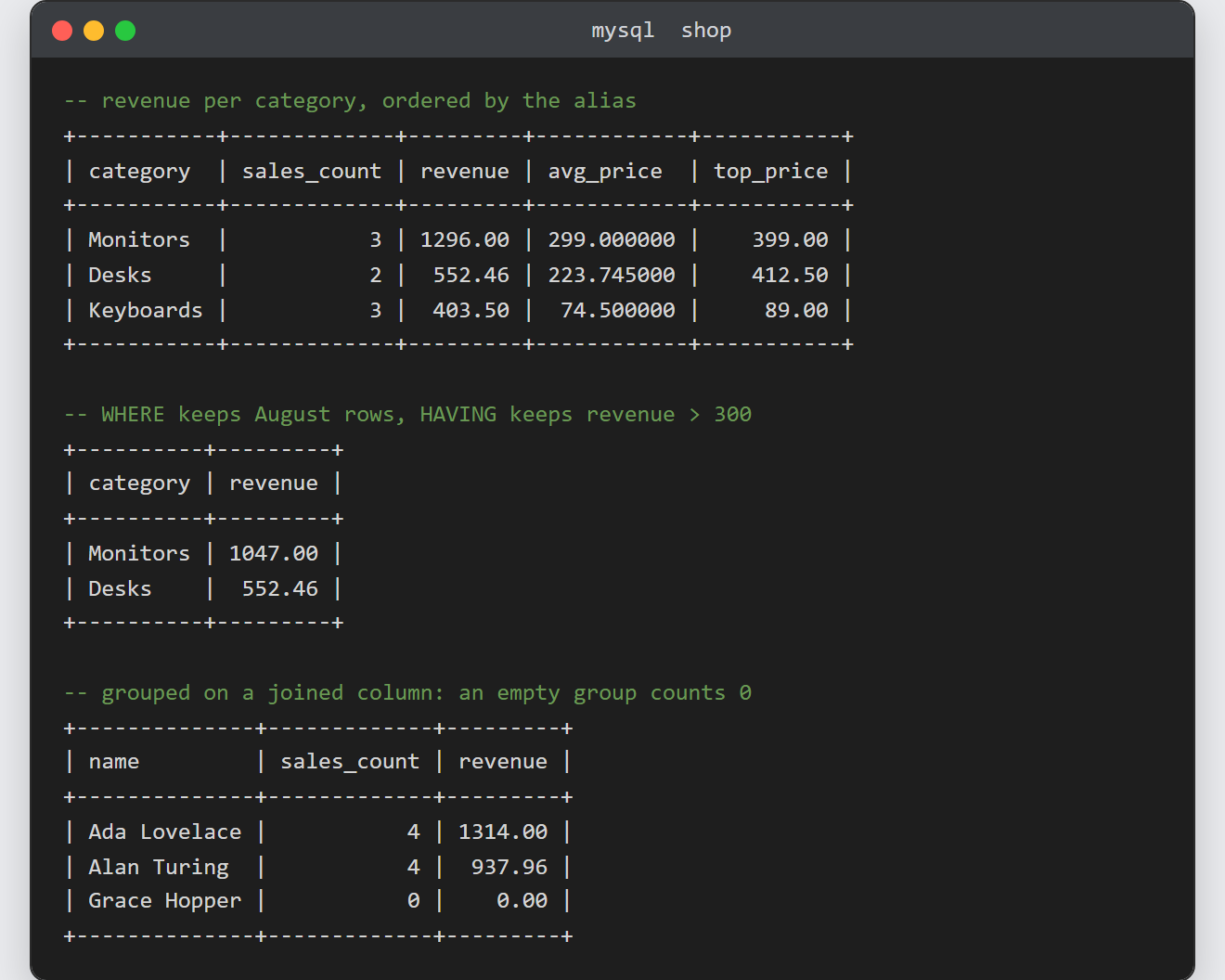
The category report collapses eight sales into three summary rows, ranked by revenue. In turn, the staff report shows one row per person — including Grace, whose empty group aggregates to zero. This is the real output from MySQL 8.4.10:
-- revenue per category (Step 3)
+-----------+-------------+---------+------------+-----------+
| category  | sales_count | revenue | avg_price  | top_price |
+-----------+-------------+---------+------------+-----------+
| Monitors  |           3 | 1296.00 | 299.000000 |    399.00 |
| Desks     |           2 |  552.46 | 223.745000 |    412.50 |
| Keyboards |           3 |  403.50 |  74.500000 |     89.00 |
+-----------+-------------+---------+------------+-----------+

-- August revenue over 300 (Step 4)
+----------+---------+
| category | revenue |
+----------+---------+
| Monitors | 1047.00 |
| Desks    |  552.46 |
+----------+---------+

-- revenue per staff member (Step 5)
+--------------+-------------+---------+
| name         | sales_count | revenue |
+--------------+-------------+---------+
| Ada Lovelace |           4 | 1314.00 |
| Alan Turing  |           4 |  937.96 |
| Grace Hopper |           0 |    0.00 |
+--------------+-------------+---------+
Notes on GROUP BY in MySQL:
- Error 1055 means a selected column is neither grouped nor aggregated. MySQL 8.4 runs with
only_full_group_byon by default, soSELECT product, category, COUNT(*) ... GROUP BY categoryfails — product has no single value per group. Add the column to theGROUP BY, wrap it in an aggregate, or drop it. COUNT(*)counts rows;COUNT(col)skipsNULLvalues in that column. Step 5 leans on the difference to score an unmatched left-join row as zero.- Aggregates ignore
NULLinputs, andAVG()divides by the non-null count — not the row count. Watch for that on sparse columns. - The joined grouping builds directly on how joining tables in MySQL works. Also, once a summary query earns a permanent place, indexing the grouped column speeds it up — see creating an index and reading EXPLAIN.
