
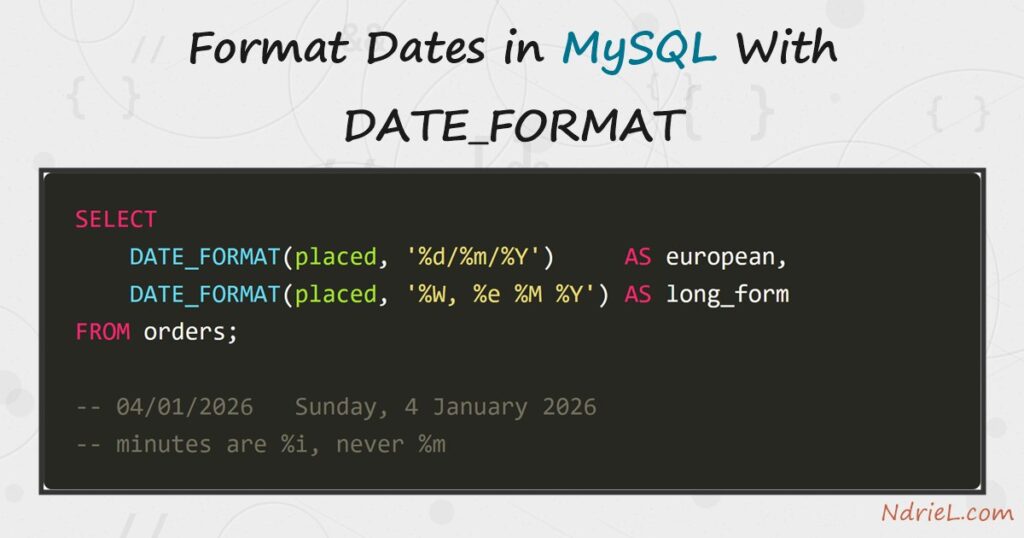
Format dates in MySQL with DATE_FORMAT() and a stored DATETIME comes back as whatever the reader expects — 04/01/2026, Sunday, 4 January 2026, or Jan 4, 2026 09:15 AM. First, this tutorial walks the specifiers that matter, including the one that quietly prints the month where you wanted minutes. Next, it does date arithmetic with DATEDIFF and DATE_ADD. Then it groups a year of orders by month. Finally, it reads a formatted string back into a real date with STR_TO_DATE, and shows when to leave the formatting to PHP instead. Everything runs from the mysql terminal.
Requirements to format dates in MySQL:
- MySQL 8.4 (tested against 8.4.10). Every function here also works on MySQL 5.7 and MariaDB.
- Terminal access to the mysql client, logged in to a database where you can create tables.
- A column of type
DATE,DATETIMEorTIMESTAMP. Dates kept in aVARCHARneed converting first — see step 5.
How To Format Dates in MySQL With DATE_FORMAT.
The objective is an orders table whose timestamps can be printed for a European invoice, an American receipt and a monthly report, without changing how they are stored.
Step 1.
First, set up the data. The column stays a proper DATETIME, because formatting is a read-time job and never a storage decision.
CREATE TABLE orders (
    id       INT UNSIGNED AUTO_INCREMENT PRIMARY KEY,
    customer VARCHAR(40) NOT NULL,
    total    DECIMAL(8,2) NOT NULL,
    placed   DATETIME NOT NULL
);

INSERT INTO orders (customer, total, placed) VALUES
    ('Ana Reyes',    120.00, '2026-01-04 09:15:00'),
    ('Ben Cruz',      75.50, '2026-01-27 18:40:00'),
    ('Cielo Santos', 240.25, '2026-02-14 11:05:00'),
    ('Ana Reyes',      42.00, '2026-02-28 20:22:00'),
    ('Dario Lim',    310.00, '2026-03-09 08:00:00');
MySQL stores and returns that in one format only, YYYY-MM-DD HH:MM:SS. Therefore you format dates in MySQL at read time, and the stored value never moves.
Step 2.
Next, format it. DATE_FORMAT() takes the value and a template of % specifiers, and anything else in the template comes through literally.
SELECT
    id,
    DATE_FORMAT(placed, '%d/%m/%Y')           AS european,
    DATE_FORMAT(placed, '%W, %e %M %Y')       AS long_form,
    DATE_FORMAT(placed, '%b %e, %Y %h:%i %p') AS us_style
FROM orders ORDER BY id;
+----+------------+----------------------------+-----------------------+
| id | european | long_form | us_style |
+----+------------+----------------------------+-----------------------+
| 1 | 04/01/2026 | Sunday, 4 January 2026 | Jan 4, 2026 09:15 AM |
| 2 | 27/01/2026 | Tuesday, 27 January 2026 | Jan 27, 2026 06:40 PM |
| 3 | 14/02/2026 | Saturday, 14 February 2026 | Feb 14, 2026 11:05 AM |
| 4 | 28/02/2026 | Saturday, 28 February 2026 | Feb 28, 2026 08:22 PM |
| 5 | 09/03/2026 | Monday, 9 March 2026 | Mar 9, 2026 08:00 AM |
+----+------------+----------------------------+-----------------------+These are the specifiers worth memorising:
%Y2026 ·%y26 ·%MJanuary ·%bJan ·%m01%d04 ·%e4 ·%WSunday ·%aSun%H18 ·%h06 ·%iminutes ·%sseconds ·%pPM
Step 3.
Then watch the one specifier that catches everybody. Minutes are %i, so %m in a time template silently prints the month.
SELECT
DATE_FORMAT(placed, '%H:%i') AS correct_time,
DATE_FORMAT(placed, '%H:%m') AS looks_right_is_wrong
FROM orders WHERE id = 2;+--------------+----------------------+
| correct_time | looks_right_is_wrong |
+--------------+----------------------+
| 18:40 | 18:01 |
+--------------+----------------------+Order 2 was placed at 18:40 in January. Consequently the second column reads 18:01 — a valid-looking time that is simply the month. No error is raised, which is what makes it dangerous.
The clock functions need no formatting to be useful, and they pair well with the rest.
SELECT NOW() AS now_dt, CURDATE() AS today, CURTIME() AS time_only;+---------------------+------------+-----------+
| now_dt | today | time_only |
+---------------------+------------+-----------+
| 2026-08-11 11:08:36 | 2026-08-11 | 11:08:36 |
+---------------------+------------+-----------+Step 4.
Now do arithmetic. DATEDIFF() counts whole days between two dates, while DATE_ADD() and DATE_SUB() move a date by an INTERVAL.
SELECT
id,
placed,
DATEDIFF('2026-03-31', placed) AS days_ago,
DATE_ADD(placed, INTERVAL 30 DAY) AS due,
DATE_SUB(placed, INTERVAL 1 MONTH) AS month_before
FROM orders WHERE id IN (1, 5);+----+---------------------+----------+---------------------+---------------------+
| id | placed | days_ago | due | month_before |
+----+---------------------+----------+---------------------+---------------------+
| 1 | 2026-01-04 09:15:00 | 86 | 2026-02-03 09:15:00 | 2025-12-04 09:15:00 |
| 5 | 2026-03-09 08:00:00 | 22 | 2026-04-08 08:00:00 | 2026-02-09 08:00:00 |
+----+---------------------+----------+---------------------+---------------------+
INTERVAL understands DAY, WEEK, MONTH, YEAR, HOUR and more. Also note that month arithmetic is calendar-aware, so it lands on the same day number rather than adding 30 days.
Step 5.
Finally, use a formatted value as a grouping key, and read one back. A month report is DATE_FORMAT in both the select list and the GROUP BY.
SELECT
DATE_FORMAT(placed, '%Y-%m') AS month,
COUNT(*) AS orders,
SUM(total) AS revenue
FROM orders
GROUP BY DATE_FORMAT(placed, '%Y-%m')
ORDER BY month;+---------+--------+---------+
| month | orders | revenue |
+---------+--------+---------+
| 2026-01 | 2 | 195.50 |
| 2026-02 | 2 | 282.25 |
| 2026-03 | 1 | 310.00 |
+---------+--------+---------+The %Y-%m key is deliberate, because it sorts correctly as text. A friendlier key does not, as the notes show.
STR_TO_DATE() is the inverse, so it turns a formatted string back into a value MySQL can compare and sort.
SELECT STR_TO_DATE('14/02/2026 11:05', '%d/%m/%Y %H:%i') AS parsed;+---------------------+
| parsed |
+---------------------+
| 2026-02-14 11:05:00 |
+---------------------+Result of formatting dates in MySQL.
One stored column now reads three ways, and the report groups by month without a single date being rewritten in the table. This is the real output from MySQL 8.4.10:
+----+------------+----------------------------+-----------------------+
| id | european   | long_form                  | us_style              |
+----+------------+----------------------------+-----------------------+
|  1 | 04/01/2026 | Sunday, 4 January 2026     | Jan 4, 2026 09:15 AM  |
|  2 | 27/01/2026 | Tuesday, 27 January 2026   | Jan 27, 2026 06:40 PM |
|  3 | 14/02/2026 | Saturday, 14 February 2026 | Feb 14, 2026 11:05 AM |
|  4 | 28/02/2026 | Saturday, 28 February 2026 | Feb 28, 2026 08:22 PM |
|  5 | 09/03/2026 | Monday, 9 March 2026       | Mar 9, 2026 08:00 AM  |
+----+------------+----------------------------+-----------------------+
5 rows in set (0.00 sec)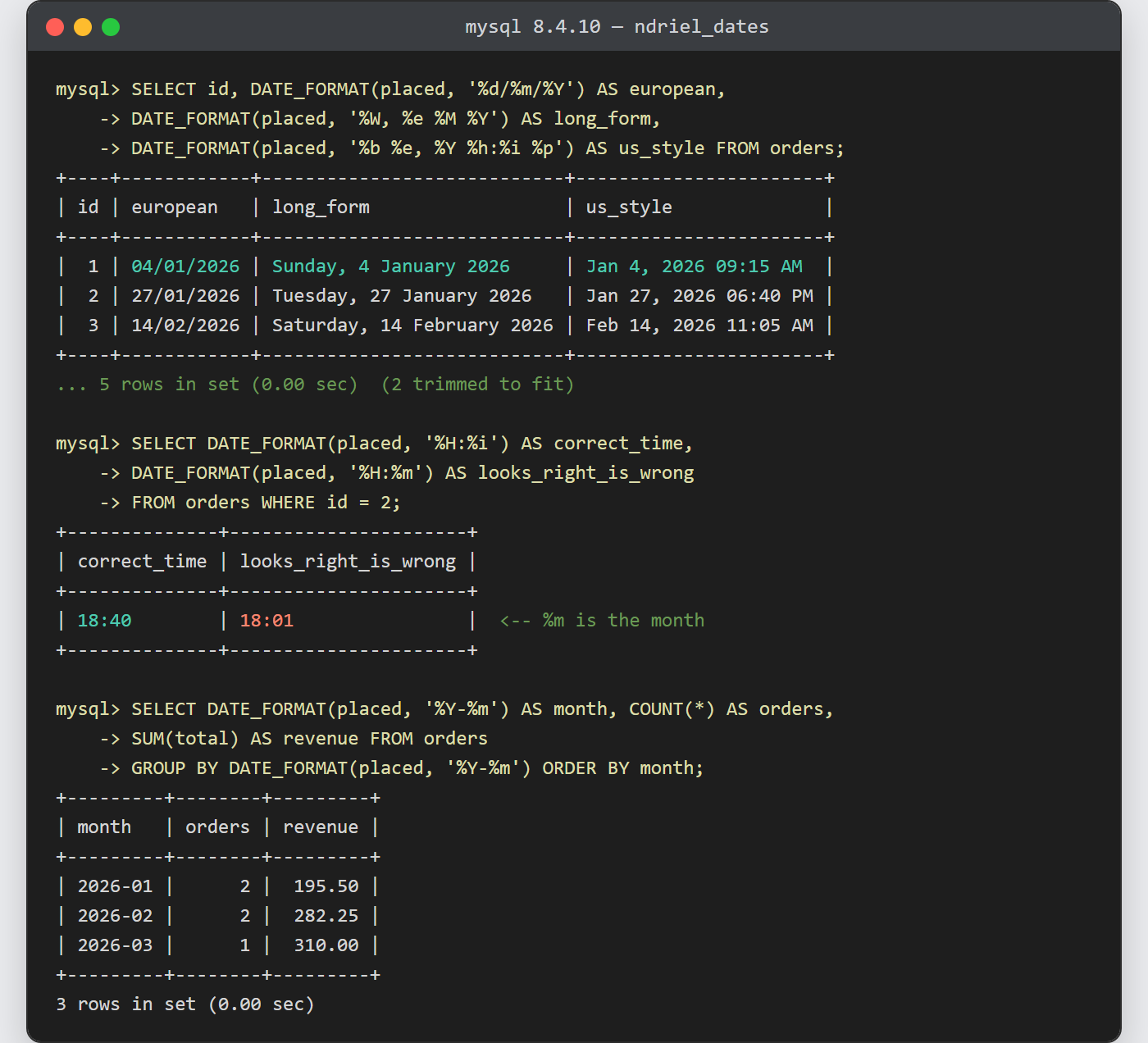
Notes on how to format dates in MySQL:
- Never filter on a formatted column. Wrapping the column in a function hides it from its index. On the same table with 10,005 rows and an index on placed,
WHERE DATE_FORMAT(placed, '%Y-%m') = '2026-02'plans astype: indexover 10,233 rows, whileWHERE placed >= '2026-02-01' AND placed < '2026-03-01'plans astype: rangeover 2. Format in the select list, therefore, and filter on the raw column. - A formatted date is a string, so it sorts like one.
ORDER BY DATE_FORMAT(placed, '%M %Y')returns February, February, January, January, March. Sort by the real column and format only what you display. - Month and day names follow the
lc_time_namessystem variable.SET lc_time_names = 'es_ES'turns the long form into sábado, 14 febrero 2026, and it defaults toen_US. - Often the right answer is not to format in SQL at all. The application knows the visitor’s locale and timezone; MySQL knows the server’s. So return the raw
DATETIMEand let PHP format the date, unless the formatted value is the grouping key itself. - The monthly report above is a
GROUP BYlike any other — grouping and aggregating rows coversHAVINGand the rest of the aggregates you would add to it.
