
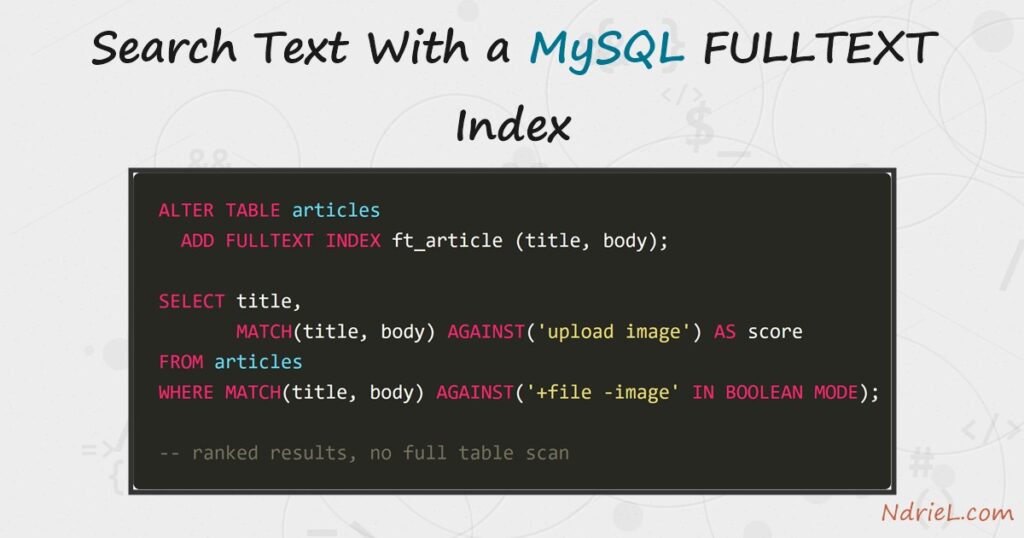
Search text with a MySQL FULLTEXT index when LIKE '%word%' has become the slowest query on the page. A leading wildcard cannot use an ordinary index, so MySQL reads every row. A full-text index instead stores the individual words, which turns the same search into a lookup — and it ranks the matches by relevance. First, this tutorial adds the index. Next, it searches in natural-language mode and reads the scores. Finally, it switches to boolean mode for required, excluded and prefix terms.
Requirements to search text with a MySQL FULLTEXT index:
- MySQL 8.0 or newer (tested on MySQL 8.4.10). InnoDB has supported full-text search since 5.6, so MariaDB behaves the same way.
- Terminal access to the mysql client, and a user that can create a database.
- A table with real sentences in it. Short labels give nothing to rank.
How To Search Text With a MySQL FULLTEXT Index.
The objective is a working site search over a small articles table. Create the demo data first, so every query below returns exactly what the article shows.
CREATE DATABASE ndriel_fulltext_demo;
USE ndriel_fulltext_demo;

CREATE TABLE articles (
    id    INT AUTO_INCREMENT PRIMARY KEY,
    title VARCHAR(120) NOT NULL,
    body  TEXT NOT NULL,
    FULLTEXT INDEX ft_article (title, body)
) ENGINE=InnoDB;

INSERT INTO articles (title, body) VALUES
('Upload a File in PHP',
 'Move an uploaded file into place with move_uploaded_file and validate the size before you trust it.'),
('Resize an Image in PHP',
 'Scale a large photo down with the GD library so the upload does not fill the disk.'),
('Read a CSV File in PHP',
 'Parse each row with fgetcsv and skip the header line before you import the data.'),
('Create an Index in MySQL',
 'A B-tree index turns a full table scan into a fast lookup on the indexed column.'),
('Join Tables in MySQL',
 'Combine rows from two tables on a shared key and read the query plan afterwards.'),
('Handle Sessions in PHP',
 'Start a session, store the user id, and destroy it again when the visitor logs out.'),
('Schedule Tasks With Cron',
 'A crontab line runs a script every night without anyone logging in to start it.'),
('Secure a Site With HTTPS',
 'A free certificate encrypts every request, and the renewal runs on a timer.');
The index covers two columns at once, so a search reads the title and the body together. An existing table takes ALTER TABLE articles ADD FULLTEXT INDEX ft_article (title, body); instead.
Step 1.
First, search in natural-language mode. MATCH names the indexed columns and AGAINST takes the words a visitor typed.
SELECT id, title
FROM articles
WHERE MATCH(title, body) AGAINST('upload image');
+----+------------------------+
| id | title |
+----+------------------------+
| 2 | Resize an Image in PHP |
| 1 | Upload a File in PHP |
+----+------------------------+Two words, two rows, and neither row contains both. Natural-language mode treats the search as a bag of optional words, so a row matches when it holds any of them. The column list in MATCH must match the index exactly, or MySQL cannot use it.
Step 2.
Next, look at why row 2 came first. That order is not the insert order — it is a relevance score, and you can select it.
SELECT title,
       ROUND(MATCH(title, body) AGAINST('upload image'), 4) AS score
FROM articles
WHERE MATCH(title, body) AGAINST('upload image')
ORDER BY score DESC;
+------------------------+--------+
| title | score |
+------------------------+--------+
| Resize an Image in PHP | 1.178 |
| Upload a File in PHP | 0.3625 |
+------------------------+--------+The score rewards a rare word. “Image” appears in one row only, whereas “upload” appears in two, so the row holding both scores highest. MySQL is smart about the repetition here: writing MATCH twice costs one search, because the optimizer reuses the result.
Step 3.
Then, take control of the words with boolean mode. A leading + makes a term required and a - excludes it.
SELECT title
FROM articles
WHERE MATCH(title, body) AGAINST('+file -image' IN BOOLEAN MODE);+------------------------+
| title |
+------------------------+
| Upload a File in PHP |
| Read a CSV File in PHP |
+------------------------+The resize article is gone even though it mentions files, because the -image removed it. This is the mode to build a search box on, since visitors expect a quoted phrase and a minus sign to work.
Step 4.
Boolean mode also does prefixes. A trailing * matches every word that starts with those letters.
SELECT title
FROM articles
WHERE MATCH(title, body) AGAINST('index*' IN BOOLEAN MODE);+--------------------------+
| title |
+--------------------------+
| Create an Index in MySQL |
+--------------------------+That row matched on both index and indexed. The wildcard only works at the end, however, so there is no way to ask for words ending in something. Note also that boolean mode returns rows in no particular order unless you sort by the score yourself.
Step 5.
Finally, prove the index is doing the work. EXPLAIN shows the access method, and the two searches could not be more different.
EXPLAIN SELECT title FROM articles WHERE MATCH(title, body) AGAINST('upload');
EXPLAIN SELECT title FROM articles WHERE body LIKE '%upload%';-- MATCH ... AGAINST
| type | possible_keys | key | rows | Extra |
| fulltext | ft_article | ft_article | 1 | Using where; Ft_hints: sorted |
-- LIKE '%upload%'
| type | possible_keys | key | rows | Extra |
| ALL | NULL | NULL | 8 | Using where |The first row reports type: fulltext and names the index. Meanwhile, the LIKE query reports type: ALL with no key at all — a full table scan. Eight rows hide that cost; eight hundred thousand do not.
Result of the MySQL FULLTEXT index search.
The same table answers a ranked search and a filtered one, and the query plan confirms the index is used. This is the real output from MySQL 8.4.10:
mysql> SELECT title, ROUND(MATCH(title, body) AGAINST('upload image'), 4) AS score
-> FROM articles WHERE MATCH(title, body) AGAINST('upload image') ORDER BY score DESC;
+------------------------+--------+
| title                  | score  |
+------------------------+--------+
| Resize an Image in PHP |  1.178 |
| Upload a File in PHP   | 0.3625 |
+------------------------+--------+
2 rows in set (0.00 sec)
mysql> SELECT title FROM articles
-> WHERE MATCH(title, body) AGAINST('+file -image' IN BOOLEAN MODE);
+------------------------+
| title                  |
+------------------------+
| Upload a File in PHP   |
| Read a CSV File in PHP |
+------------------------+
2 rows in set (0.00 sec)
mysql> EXPLAIN SELECT title FROM articles WHERE MATCH(title, body) AGAINST('upload');
| id | table | type | possible_keys | key | rows | Extra |
| 1 | articles | fulltext | ft_article | ft_article | 1 | Using where; Ft_hints: sorted |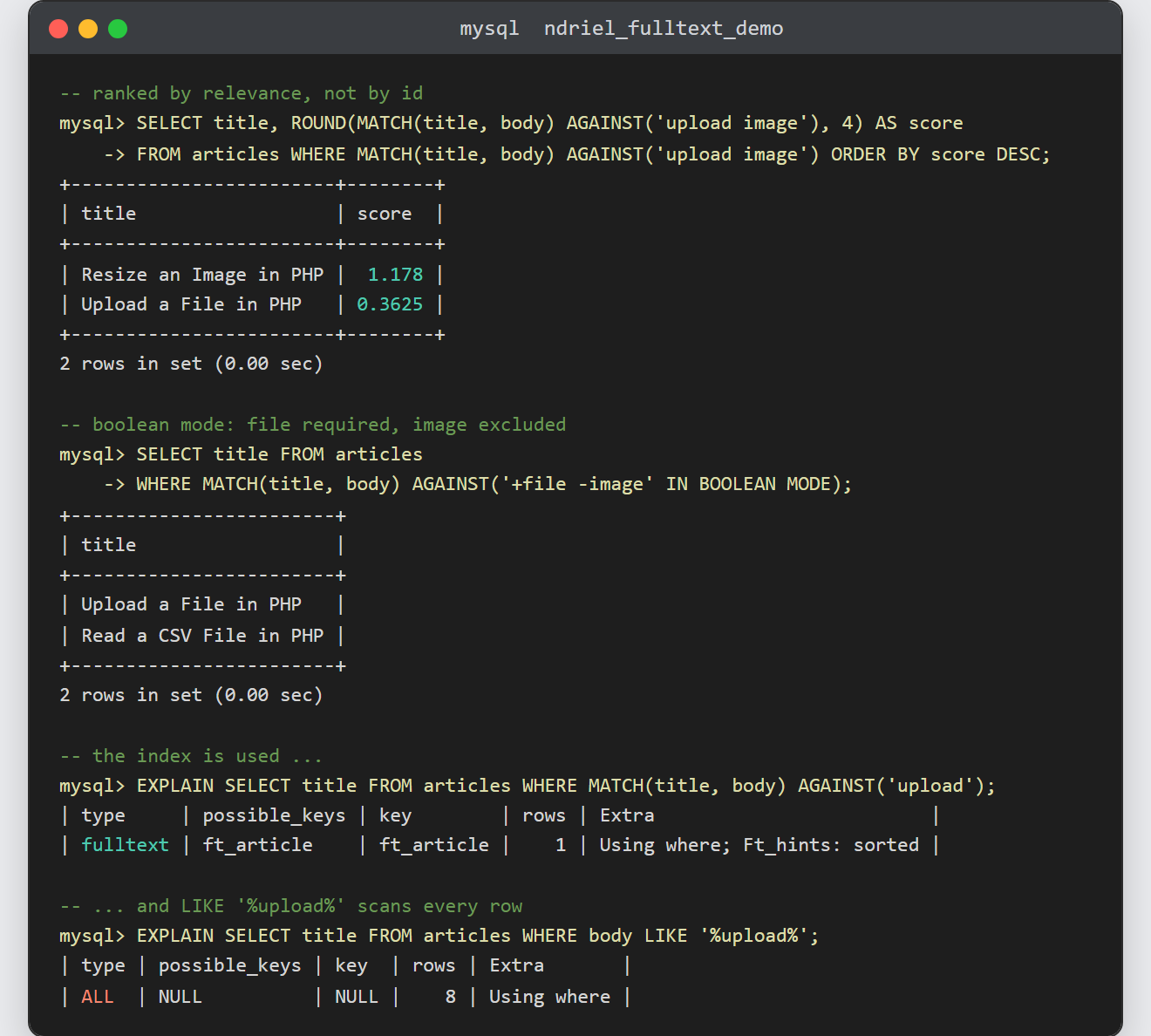
Notes on the MySQL FULLTEXT index:
- Words shorter than three characters are ignored. InnoDB’s
innodb_ft_min_token_sizedefaults to 3, so a search for “GD” or “PHP 8” silently drops those terms. Lower it in my.cnf and rebuild the index if your content needs them. - There is a stopword list too. Common English words such as “the” and “with” are never indexed, which is why a search made only of them returns nothing.
- Load the data first, then add the index. Building it once over a full table is far quicker than maintaining it across a million inserts.
- Full-text search is not a substitute for a normal index. Filtering by a category or a date still wants the B-tree kind — see creating an index and reading EXPLAIN in MySQL for how to read the plan above.
- Ranking works best over sentences. As a result, a table of names or SKUs gains little, because every row scores about the same.
- Searching across two tables means two indexes and two queries. Joining the tables in MySQL does not let one
MATCHspan both, so search each and combine the results.
