
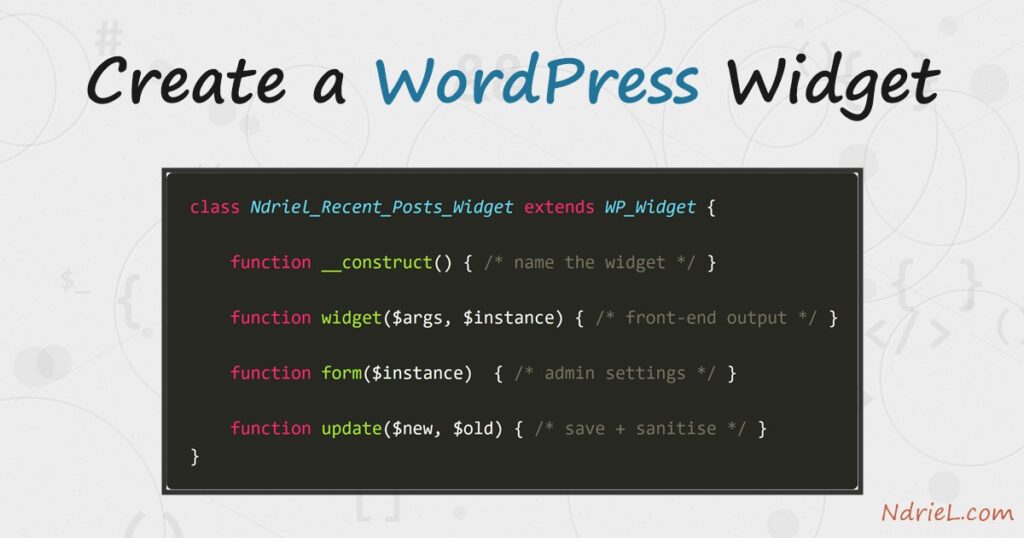
A WordPress widget is a self-contained block you drop into a sidebar or footer — a search box, a list of recent posts, a promo panel. You create a WordPress widget by extending the WP_Widget class, which gives you four methods: a constructor that names the widget, widget() for the front-end output, and form() plus update() for its admin settings. This tutorial builds a “Recent Posts” widget from a small plugin, registers a sidebar to hold it, and shows the exact HTML it renders.
Requirements to create a WordPress widget:
- WordPress 6.0 or newer (tested on WordPress 7.0.2).
- Administrator access to install a plugin and edit widget areas.
- PHP 7.4 or newer — the version your WordPress already runs on.
How To Create a WordPress Widget.
The objective is to register a widget an author can place from Appearance → Widgets, configure with a title and a post count, and have it print a list of recent posts on the front end.
Step 1.
First, create a plugin file so the widget survives a theme switch. In wp-content/plugins/, make a folder named ndriel-widget and, inside it, a file named ndriel-widget.php. The header comment is what lists it on the Plugins screen.
<?php
/**
 * Plugin Name: NdrieL Recent Posts Widget
 * Description: A simple recent-posts widget with a configurable title and count.
 * Version:     1.0.0
 */

if (!defined('ABSPATH')) {
    exit;
}
Step 2.
Next, register a widget area — a sidebar — for the widget to sit in, and render it in your theme. register_sidebar() runs on the widgets_init hook. The before_widget and before_title wrappers it defines are handed to every widget placed there, so markup stays consistent.
add_action('widgets_init', function () {
    register_sidebar(array(
        'name'          => 'Ndriel Sidebar',
        'id'            => 'ndriel-sidebar',
        'before_widget' => '<div class="widget %2$s">',
        'after_widget'  => '</div>',
        'before_title'  => '<h3 class="widget-title">',
        'after_title'   => '</h3>',
    ));
});
Then output that area wherever the theme should show it — usually in sidebar.php:
<?php if (is_active_sidebar('ndriel-sidebar')) : ?>
    <aside class="sidebar">
        <?php dynamic_sidebar('ndriel-sidebar'); ?>
    </aside>
<?php endif; ?>
Step 3.
Then, build the widget class. Extend WP_Widget and call the parent constructor with an ID base, a display name, and a description. The widget() method prints the front-end output; it wraps the title in the sidebar’s before_title markup and lists recent posts. Always escape what you print — esc_html(), esc_url().
class Ndriel_Recent_Posts_Widget extends WP_Widget {

    public function __construct() {
        parent::__construct(
            'ndriel_recent_posts',
            'Ndriel Recent Posts',
            array('description' => 'The site’s most recent posts.')
        );
    }

    public function widget($args, $instance) {
        $title = apply_filters('widget_title', $instance['title'] ?? '');
        $count = empty($instance['count']) ? 5 : (int) $instance['count'];

        echo $args['before_widget'];
        if ($title) {
            echo $args['before_title'] . esc_html($title) . $args['after_title'];
        }

        $posts = get_posts(array('numberposts' => $count));
        echo '<ul>';
        foreach ($posts as $post) {
            printf(
                '<li><a href="%s">%s</a></li>',
                esc_url(get_permalink($post)),
                esc_html(get_the_title($post))
            );
        }
        echo '</ul>';
        echo $args['after_widget'];
    }
Step 4.
Next, add the two admin methods. form() draws the settings fields shown when an author adds the widget; get_field_id() and get_field_name() generate the unique attributes WordPress needs. update() then sanitises and saves those values when the author clicks Save.
    public function form($instance) {
        $title = $instance['title'] ?? 'Recent Posts';
        $count = $instance['count'] ?? 5;
        ?>
        <p>
            <label for="<?php echo $this->get_field_id('title'); ?>">Title:</label>
            <input class="widefat"
                   id="<?php echo $this->get_field_id('title'); ?>"
                   name="<?php echo $this->get_field_name('title'); ?>"
                   type="text" value="<?php echo esc_attr($title); ?>">
        </p>
        <p>
            <label for="<?php echo $this->get_field_id('count'); ?>">Number to show:</label>
            <input class="tiny-text"
                   id="<?php echo $this->get_field_id('count'); ?>"
                   name="<?php echo $this->get_field_name('count'); ?>"
                   type="number" min="1" value="<?php echo esc_attr($count); ?>">
        </p>
        <?php
    }

    public function update($new_instance, $old_instance) {
        $instance          = array();
        $instance['title'] = sanitize_text_field($new_instance['title']);
        $instance['count'] = (int) $new_instance['count'];
        return $instance;
    }
}
Step 5.
Finally, register the widget so WordPress knows about it, then place it. Call register_widget() on the same widgets_init hook as the sidebar. Activate the plugin, open Appearance → Widgets, drag Ndriel Recent Posts into Ndriel Sidebar, set a title and a count, and save.
add_action('widgets_init', function () {
    register_widget('Ndriel_Recent_Posts_Widget');
});
Result of the WordPress widget.
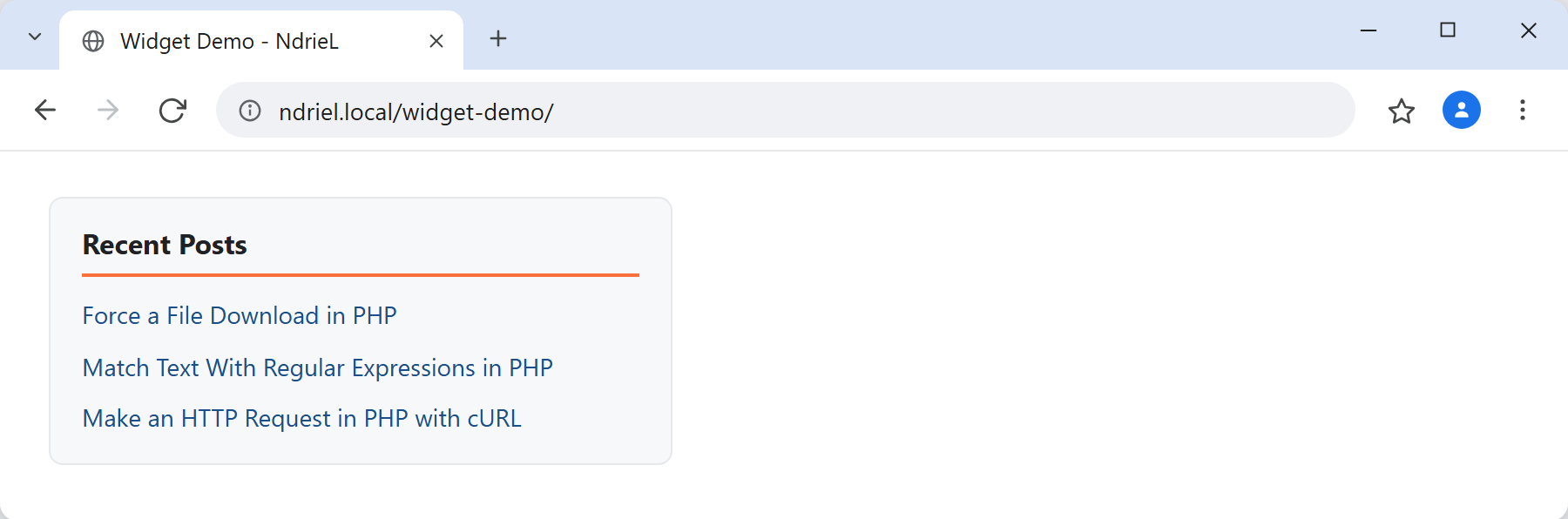
Once placed, the widget prints the sidebar wrapper, the title, and a list of the most recent posts — each a real permalink pulled from the database. This is the exact HTML the widget produced when rendered with a title of “Recent Posts” and a count of 3 on WordPress 7.0.2:
<div class="widget widget_ndriel_recent_posts">
  <h3 class="widget-title">Recent Posts</h3>
  <ul>
    <li><a href="http://ndriel.local/programming/force-a-file-download-in-php/">Force a File Download in PHP</a></li>
    <li><a href="http://ndriel.local/programming/match-text-with-regular-expressions-in-php/">Match Text With Regular Expressions in PHP</a></li>
    <li><a href="http://ndriel.local/programming/make-an-http-request-in-php-with-curl/">Make an HTTP Request in PHP with cURL</a></li>
  </ul>
</div>
Rendered in the sidebar, that markup looks like this:
Notes on the WordPress widget:
- Return nothing from
widget()— echo instead. Unlike a shortcode, a widget’swidget()method prints its output directly. The two are opposites; mixing them up is a common slip. - Always wrap the output in
$args['before_widget']/$args['after_widget']and the title inbefore_title/after_title. Those come fromregister_sidebar(), so your widget matches every other one in the area. update()is your sanitising gate — run text throughsanitize_text_field()and cast numbers, because the values come from whoever edits the widget.- To register more than one widget, call
register_widget()once per class. Each needs its own unique ID base in the constructor. - If the widget prints, remember to enqueue any CSS it relies on rather than inlining a
styleblock.
