
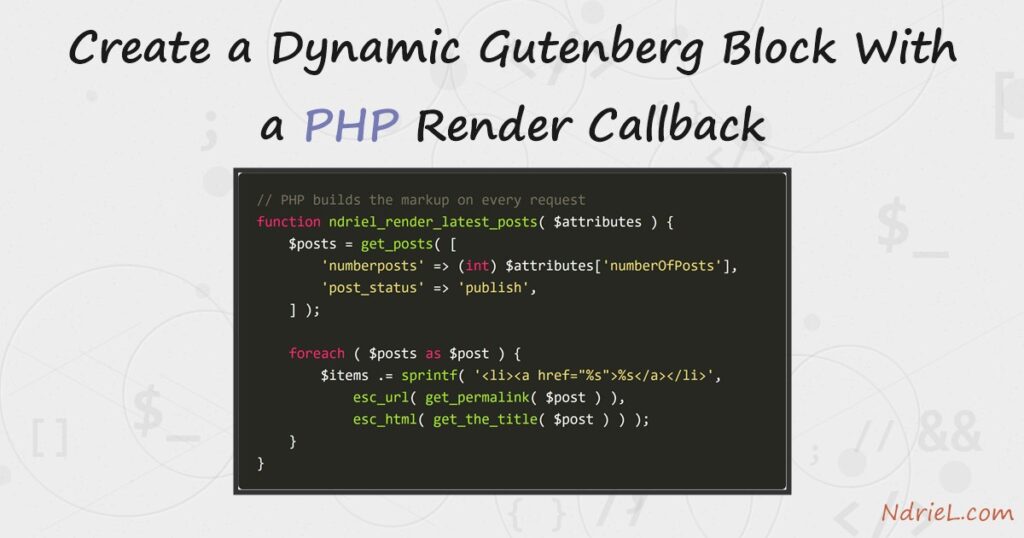
A dynamic Gutenberg block builds its markup in PHP every time the page loads, instead of storing HTML in the post. First, save returns null, so nothing is written to the post content. Next, render_callback names the PHP function that produces the output. Then that function runs on every request, which keeps the block current. Finally, ServerSideRender shows the same PHP output inside the editor.
This is part three of the block series. It builds on creating a custom Gutenberg block without a build step and on adding settings controls to a Gutenberg block.
Requirements for a dynamic Gutenberg block:
- WordPress 6.7 or newer (tested on WordPress 7.0.4).
- PHP 8.0 or newer (tested on PHP 8.5.7).
- The ndriel-blocks plugin from part one.
- A few published posts, so the block has something to list.
How To Create a Dynamic Gutenberg Block With a PHP Render Callback.
The objective is a Latest Posts block. It lists the newest published posts, and the list stays correct as you publish more.
Step 1.
First, add latest/block.json beside the block from part one. The metadata looks familiar, but this block has no saved markup.
{
	"$schema": "https://schemas.wp.org/trunk/block.json",
	"apiVersion": 3,
	"name": "ndriel/latest-posts",
	"title": "Latest Posts",
	"category": "widgets",
	"icon": "list-view",
	"description": "Lists the newest published posts, rendered in PHP.",
	"textdomain": "ndriel-blocks",
	"attributes": {
		"numberOfPosts": {
			"type": "number",
			"default": 3
		}
	},
	"editorScript": "ndriel-latest-editor",
	"style": "file:./style.css"
}
Step 2.
Next, write the PHP that renders the block. The function receives the attributes, so numberOfPosts arrives as an array key.
function ndriel_render_latest_posts( $attributes ) {
	$count = isset( $attributes['numberOfPosts'] ) ? (int) $attributes['numberOfPosts'] : 3;

	$posts = get_posts( array(
		'numberposts' => $count,
		'post_status' => 'publish',
	) );

	if ( ! $posts ) {
		return '<p>No posts yet.</p>';
	}

	$items = '';
	foreach ( $posts as $post ) {
		$items .= sprintf(
			'<li><a href="%s">%s</a></li>',
			esc_url( get_permalink( $post ) ),
			esc_html( get_the_title( $post ) )
		);
	}

	return sprintf(
		'<ul %s>%s</ul>',
		get_block_wrapper_attributes( array( 'class' => 'ndriel-latest' ) ),
		$items
	);
}
Notice get_block_wrapper_attributes(). It adds the block’s own class and any alignment or colour the author picked, so the block behaves like a core one. Also note the escaping: because this output is built by hand, esc_url() and esc_html() are your responsibility.
Step 3.
Then register the block and point it at that function. The second argument of register_block_type() accepts the callback.
wp_register_script(
	'ndriel-latest-editor',
	plugins_url( 'latest/index.js', __FILE__ ),
	array( 'wp-blocks', 'wp-element', 'wp-block-editor', 'wp-components', 'wp-server-side-render' ),
	'1.0.0',
	true
);

register_block_type( __DIR__ . '/latest', array(
	'render_callback' => 'ndriel_render_latest_posts',
) );
Step 4.
Finally, write latest/index.js. Because PHP owns the markup, save returns null and ServerSideRender fetches a preview for the editor.
blocks.registerBlockType( 'ndriel/latest-posts', {
	edit: function ( props ) {
		return el( 'div', useBlockProps(),
			el( InspectorControls, {},
				el( PanelBody, { title: 'Latest Posts settings', initialOpen: true },
					el( RangeControl, {
						label: 'Number of posts',
						value: props.attributes.numberOfPosts,
						min: 1,
						max: 10,
						onChange: function ( value ) {
							props.setAttributes( { numberOfPosts: value } );
						}
					} )
				)
			),
			el( ServerSideRender, {
				block: 'ndriel/latest-posts',
				attributes: props.attributes
			} )
		);
	},

	save: function () {
		return null;
	}
} );
Drag the slider and the preview refreshes, because ServerSideRender re-requests the PHP output.
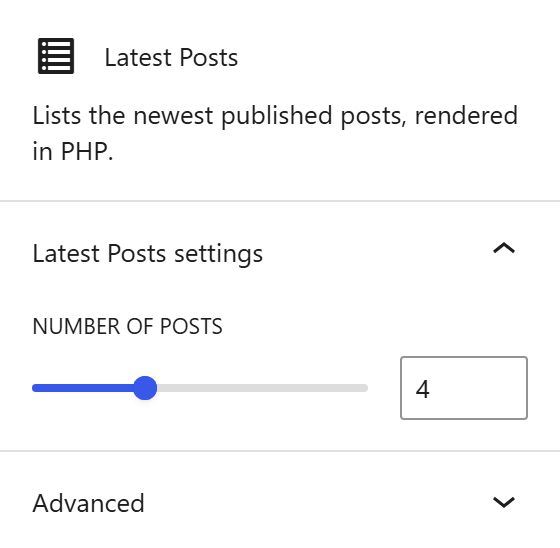
Result of the dynamic Gutenberg block.
The post content holds only a self-closing comment. There is no markup to go stale, so the block can never show a stored copy of an old list.
<!-- wp:ndriel/latest-posts {"numberOfPosts":4} /-->On the front end, PHP expands that comment into the list.
<ul class="ndriel-latest wp-block-ndriel-latest-posts">
<li><a href="http://ndriel.local/uncategorized/latest-posts-block-demo/">Latest Posts Block Demo</a></li>
<li><a href="http://ndriel.local/server-administration/analyze-apache-access-logs-from-the-terminal/">Analyze Apache Access Logs From the Terminal</a></li>
<li><a href="http://ndriel.local/server-administration/run-scheduled-jobs-with-systemd-timers/">Run Scheduled Jobs With systemd Timers</a></li>
<li><a href="http://ndriel.local/server-administration/back-up-a-server-with-tar-and-gzip/">Back Up a Server With tar and gzip</a></li>
</ul>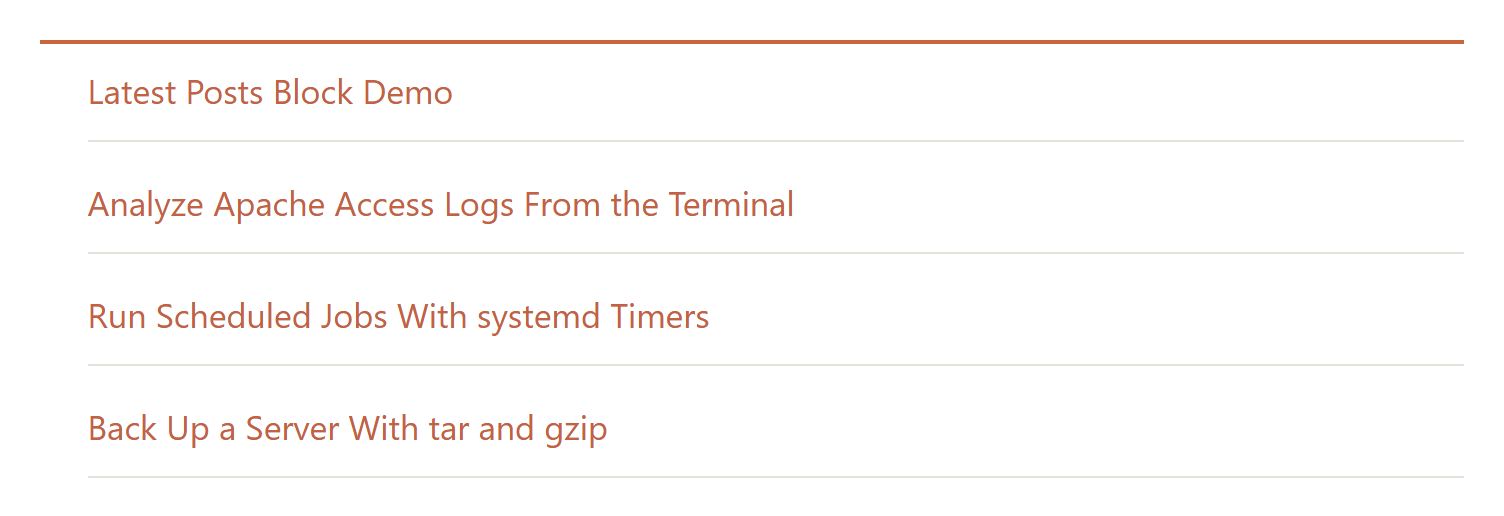
Notes on the dynamic Gutenberg block:
- A dynamic block cannot become invalid. Because nothing is stored, changing the PHP changes every existing post at once, which is the main reason to choose this style.
- The cost is a query on every request. So cache anything expensive; the WordPress Transients API suits this well.
ServerSideRenderneeds thewp-server-side-renderdependency. Without it the editor shows an empty block while the front end works.- Escape everything you concatenate. A render callback builds raw HTML, so it has none of the protection a saved block gets from the parser.
- For content the author types, static blocks stay better. Reach for a render callback when the output depends on data that changes.
