
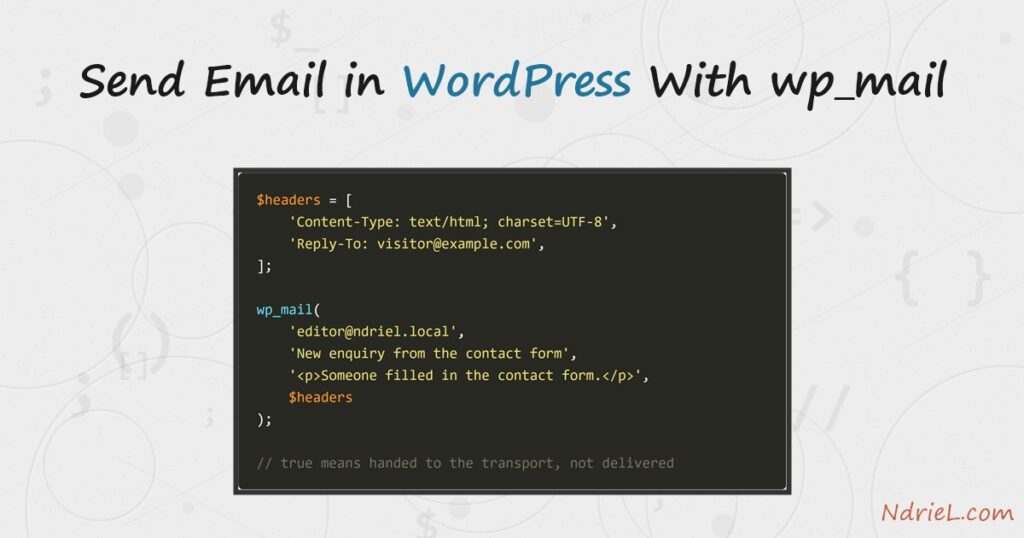
Send email in WordPress with wp_mail() and one function call carries the whole message. Sender, reply address, HTML body and attachments are all arguments to it. First, this tutorial sends a plain message. Next, it fixes the sender so the mail is not from wordpress@yourdomain. Then it switches the body to HTML and attaches a file. Finally, it catches the failure WordPress otherwise swallows, and routes the message through SMTP with the phpmailer_init hook. Everything lives in one small plugin file.
Requirements to send email in WordPress:
- WordPress 6.0 or newer (tested on WordPress 7.0.3).
wp_mail()itself is far older. - PHP 8.0 or newer (tested on PHP 8.5.7). WordPress ships PHPMailer, so there is nothing to install.
- Somewhere to put a plugin file: wp-content/plugins.
- For the SMTP step, a mail server you can reach. A local catcher on port 2525 also does while you test.
How To Send Email in WordPress With wp_mail.
The objective is a notification that a contact form can fire. It is addressed properly, reads as HTML, carries the enquiry, and complains when it fails. Everything goes in ndriel-mailer.php, which starts with the usual plugin header.
<?php
/**
 * Plugin Name: NdrieL Mailer
 * Description: Contact-form notifications sent with wp_mail().
 * Version:     1.0.0
 */
Step 1.
First, send something. wp_mail() takes the recipient, the subject and the message, and it returns a boolean.
function ndriel_notify()
{
    return wp_mail(
        'editor@ndriel.local',
        'New enquiry from the contact form',
        "Someone filled in the contact form.\nBudget: 500"
    );
}
That boolean is narrower than it looks. It reports that the transport accepted the message, so true means handed over, never delivered.
Step 2.
Next, fix the sender. By default WordPress sends from wordpress@ your domain. That address usually does not exist, so spam filters treat it accordingly. Two filters change it site-wide.
add_filter('wp_mail_from', function () {
    return 'site@ndriel.local';
});

add_filter('wp_mail_from_name', function () {
    return 'NdrieL';
});
A reply address is different, because the visitor should get the reply, not the site. Therefore pass it as a header on the individual message.
$headers = ['Reply-To: visitor@example.com'];

wp_mail($to, $subject, $message, $headers);
Headers are a plain array of strings, one header per entry. Cc: and Bcc: work the same way.
Step 3.
Then, make it HTML. Add the content type as a header and the message body is rendered rather than printed as tags.
$headers = [
    'Content-Type: text/html; charset=UTF-8',
    'Reply-To: visitor@example.com',
];

wp_mail(
    'editor@ndriel.local',
    'New enquiry from the contact form',
    "<p>Someone filled in the contact form.</p>\n<p><strong>Budget:</strong> 500</p>",
    $headers
);
The wp_mail_content_type filter does the same job globally. However, it applies to every message the request sends, including the password reset WordPress fires next. Therefore add it and remove it around your own call.
$html = fn() => 'text/html';

add_filter('wp_mail_content_type', $html);
wp_mail($to, $subject, $message);
remove_filter('wp_mail_content_type', $html);
Step 4.
Now attach the enquiry. The fifth argument is an array of absolute server paths. WordPress reads those files directly, so a URL will not do.
wp_mail(
    'editor@ndriel.local',
    'Enquiry with the log attached',
    '<p>The enquiry is attached as CSV.</p>',
    $headers,
    [WP_CONTENT_DIR . '/uploads/enquiries/enquiry.csv']
);
PHPMailer then builds a multipart/mixed message, guesses the MIME type from the extension, and base64-encodes the file.
Content-Type: multipart/mixed;
 boundary="b1=_d68Fu6VooaSd9m383Lo1Us0I87luxqusIXVSprZ9Q"
Content-Transfer-Encoding: 8bit

--b1=_d68Fu6VooaSd9m383Lo1Us0I87luxqusIXVSprZ9Q
Content-Type: text/html; charset=us-ascii

<p>The enquiry is attached as CSV.</p>

--b1=_d68Fu6VooaSd9m383Lo1Us0I87luxqusIXVSprZ9Q
Content-Type: text/csv; name=enquiry.csv
Content-Transfer-Encoding: base64
Content-Disposition: attachment; filename=enquiry.csv

bmFtZSxidWRnZXQKVmlzaXRvciw1MDANCg==

--b1=_d68Fu6VooaSd9m383Lo1Us0I87luxqusIXVSprZ9Q--
That us-ascii label is not a bug, so leave it alone. PHPMailer describes the part it actually built. Add one accented character to the body and the same part goes out as charset=UTF-8.
Step 5.
Now find out when it fails. WordPress returns false and says nothing else, so the reason lives in the wp_mail_failed action, which hands you a WP_Error.
add_action('wp_mail_failed', function (WP_Error $error) {
    error_log('wp_mail failed: ' . $error->get_error_message());
});
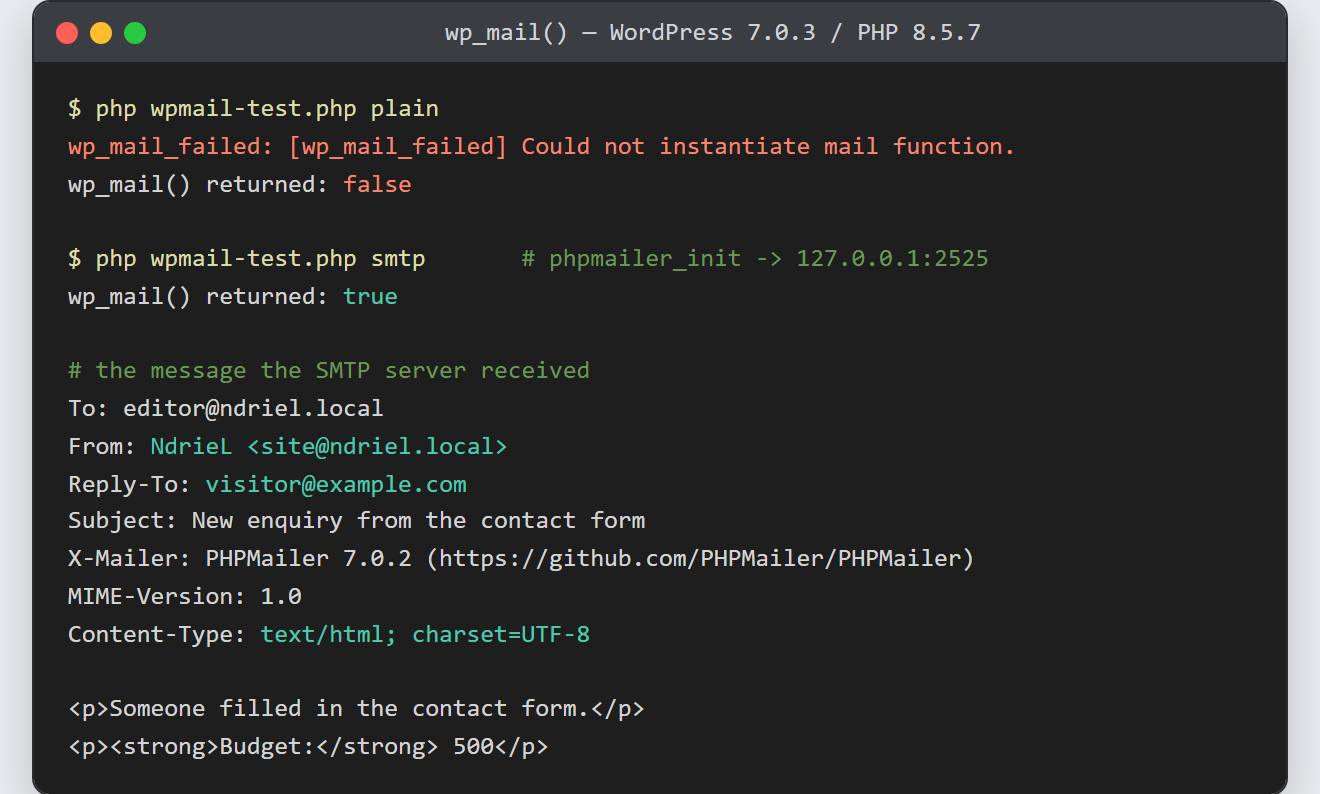
On a machine with no mail transport at all, that log line is immediate and unambiguous:
wp_mail_failed: [wp_mail_failed] Could not instantiate mail function.
wp_mail() returned: false
Most hosts fail more quietly than this. The call succeeds, the message enters a queue, and the provider drops it later. So true proves nothing on its own.
Step 6.
Finally, route the mail through SMTP. The phpmailer_init action hands you the PHPMailer object itself, just before it sends. So you configure the transport, while WordPress keeps its own API.
add_action('phpmailer_init', function ($phpmailer) {
    $phpmailer->isSMTP();
    $phpmailer->Host        = '127.0.0.1';
    $phpmailer->Port        = 2525;
    $phpmailer->SMTPAuth    = false;
    $phpmailer->SMTPAutoTLS = false;
});
A real mail service needs credentials instead. Therefore set SMTPAuth = true with Username and Password. Keep both in wp-config.php, never in the plugin.
Result of the attempt to send email in WordPress.
With SMTP configured the same call returns true, and the receiving server sees a complete message. This is the real message captured on port 2525, sent by WordPress 7.0.3 through PHPMailer:
Date: Tue, 11 Aug 2026 03:00:35 +0000
To: editor@ndriel.local
From: NdrieL <site@ndriel.local>
Reply-To: visitor@example.com
Subject: New enquiry from the contact form
Message-ID: <...>
X-Mailer: PHPMailer 7.0.2 (https://github.com/PHPMailer/PHPMailer)
MIME-Version: 1.0
Content-Type: text/html; charset=UTF-8

<p>Someone filled in the contact form.</p>
<p><strong>Budget:</strong> 500</p>
Every header traces back to the code: the From to step 2’s filters, the Reply-To and the UTF-8 content type to step 3’s headers. (The Message-ID is trimmed here; it carries the sending machine’s hostname.)
Notes on how to send email in WordPress:
- This is not the same job as sending an email in PHP. That tutorial calls PHP directly.
wp_mail()instead goes through WordPress, so filters, plugins and the site’s own From address all apply. Any SMTP plugin you install therefore takes over automatically. wp_mail()is pluggable. Any plugin may redefine it wholesale, which is exactly how SMTP plugins work. As a result, yourphpmailer_inithook is ignored when one of them replaced the function.- Deliverability is DNS work, not PHP work. Publish an SPF record for the domain in your From address, and sign with DKIM. Otherwise good mail still lands in spam.
- Never send from a domain you do not control. Putting the visitor’s address in From is the classic version of that mistake. Use Reply-To instead, as step 2 does.
- Sending on a page request makes the visitor wait for the mail server. For anything bulkier, hand the job to a scheduled task and return the page immediately.
- A form that posts over AJAX still calls this same function server-side. See handling AJAX requests in WordPress for the endpoint that receives it.
