
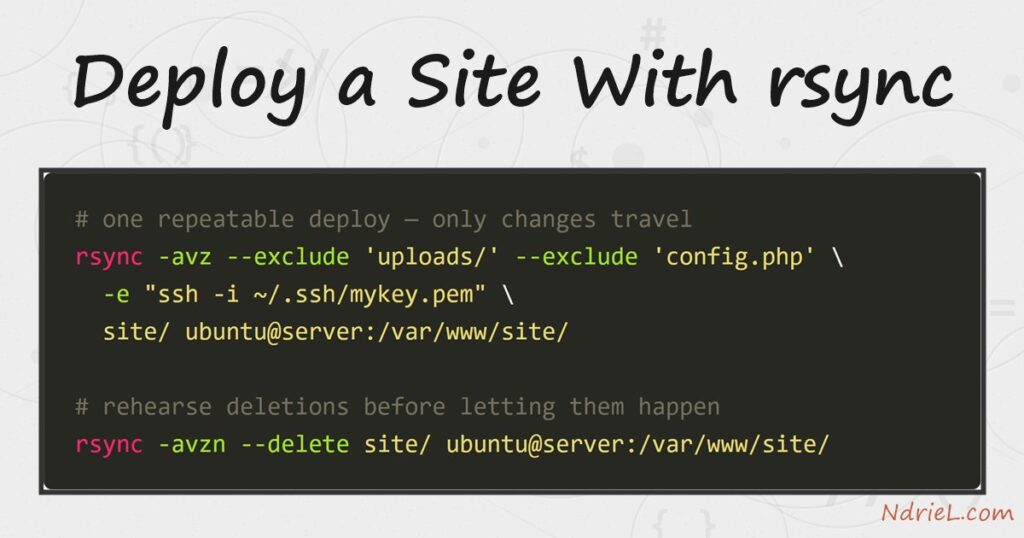
Deploy a site with rsync and every update becomes one repeatable command that copies only what changed. The first run pushes the whole directory; after that, rsync compares files and sends the difference, so a deploy takes seconds. First, this tutorial deploys a small site over SSH with -avz. Next, it protects secrets and user uploads with --exclude. Finally, it adds --delete — and shows why that flag always deserves a dry run first.
Requirements to deploy a site with rsync:
- rsync on both ends (tested with rsync 3.2.7 on Ubuntu 24.04.4 LTS). Linux and macOS ship it; on Windows it comes with Git Bash or WSL.
- SSH access to the server. Key-based login, as set up in connecting to a remote server using SSH keys, makes repeated deploys painless.
- A site directory to publish. The examples use a small static site and the target /tmp/a67/site, so nothing important is at risk.
How To Deploy a Site With rsync.
The objective is a one-line deploy you can re-run after every edit — the same routine that maintains the small server we tuned in the first part of this series. The local site looks like this:
site/index.html
site/css/style.css
site/js/app.js
site/config.php
site/uploads/photo.jpg
config.php holds local settings and must never reach the server; uploads/ belongs to the live site, not to the copy on your machine. Both are exclude cases, and rsync handles them cleanly.
Step 1.
First, rehearse. The -n flag makes rsync print what it would transfer and touch nothing.
rsync -avzn --exclude 'uploads/' --exclude 'config.php' \
  -e "ssh -i ~/.ssh/mykey.pem" \
  site/ ubuntu@203.0.113.10:/tmp/a67/site/
sending incremental file list
created directory /tmp/a67/site
./
index.html
css/
css/style.css
js/
js/app.js
sent 192 bytes received 72 bytes 58.67 bytes/sec
total size is 343 speedup is 1.30 (DRY RUN)The flags: -a (archive) keeps permissions and timestamps, -v lists the files, -z compresses in transit, and -e names the SSH command. Notice that config.php and uploads/ are absent from the list — the excludes work.
Step 2.
Next, run it for real by dropping the -n.
rsync -avz --exclude 'uploads/' --exclude 'config.php' \
  -e "ssh -i ~/.ssh/mykey.pem" \
  site/ ubuntu@203.0.113.10:/tmp/a67/site/
sending incremental file list
created directory /tmp/a67/site
./
index.html
css/
css/style.css
js/
js/app.js
sent 655 bytes received 124 bytes 173.11 bytes/sec
total size is 343 speedup is 0.44The trailing slashes matter. site/ means “the contents of site”; without the slash, rsync would create site/site/ on the server. Also, rsync creates only the last path segment — if the parent directory does not exist yet, create it first with ssh ubuntu@203.0.113.10 'mkdir -p /tmp/a67' or add --mkpath.
Step 3.
Then, confirm the copy from the server side.
ssh -i ~/.ssh/mykey.pem ubuntu@203.0.113.10 'ls -R /tmp/a67/site'/tmp/a67/site:
css
index.html
js
/tmp/a67/site/css:
style.css
/tmp/a67/site/js:
app.jsStep 4.
Now edit one file locally — a new paragraph in index.html — and deploy again. This re-run is the everyday command, so it is worth watching closely.
sending incremental file list
./
index.html

sent 500 bytes  received 46 bytes  121.33 bytes/sec
total size is 372  speedup is 0.68
Only index.html travels. As a result, deploying a thousand-file site after a one-file edit costs almost nothing — this delta transfer is the whole reason rsync beats scp for deploys.
Step 5.
Finally, handle deletions. By default rsync never removes anything, so a file you delete locally lives on at the server forever. --delete fixes that — but it will happily wipe the whole target if you mistype a path. Therefore, always pair it with -n first.
rsync -avzn --delete --exclude 'uploads/' --exclude 'config.php' \
  -e "ssh -i ~/.ssh/mykey.pem" \
  site/ ubuntu@203.0.113.10:/tmp/a67/site/
sending incremental file list
deleting js/app.js
js/
sent 202 bytes received 37 bytes 68.29 bytes/sec
total size is 339 speedup is 1.42 (DRY RUN)The plan says it will delete only js/app.js — the file removed locally. That is exactly right, so run the same command without -n to apply it. Excluded paths are safe here too: --exclude also shields uploads/ from --delete.
The result when you deploy a site with rsync.
The everyday deploy now reads: edit locally, dry-run, deploy. Each run lists precisely what changed and transfers nothing else.
sending incremental file list
deleting js/app.js
js/

sent 202 bytes  received 37 bytes  68.29 bytes/sec
total size is 339  speedup is 1.42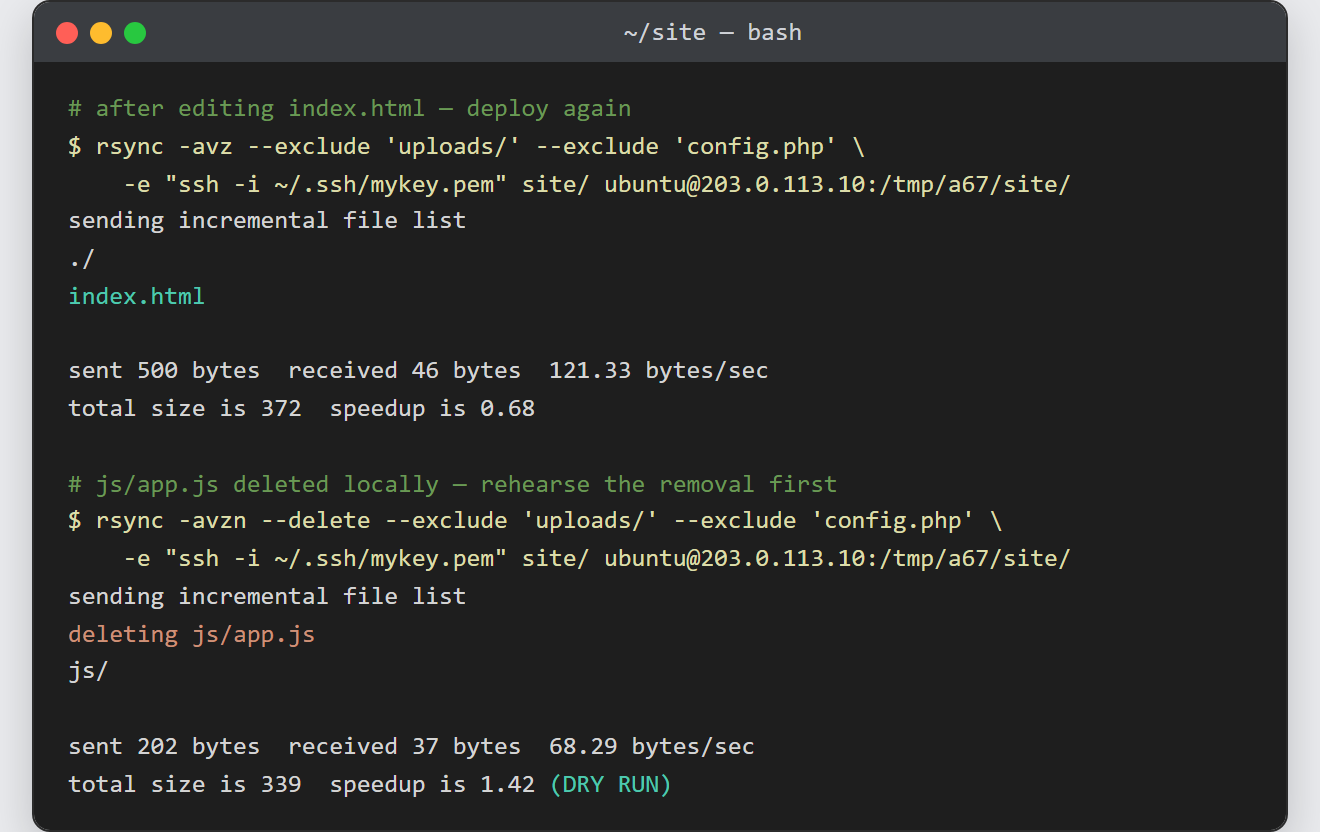
Notes when you deploy a site with rsync:
- Turn the command into a one-line script (deploy.sh) so every deploy uses identical flags. A forgotten
--excludeis how a config.php ends up published. - rsync copies your local ownership and modes. After the first deploy, check that the web server can actually read the files — setting file and directory permissions with chmod covers the fix.
--deleteplus a wrong target path equals data loss. The dry run costs one command; recovering a wiped directory costs an afternoon.- For many small files rsync is dramatically faster than scp, because it skips everything unchanged instead of re-sending the tree.
